
Asset capture extension
Capture pages and platform content
Use the Beav browser extension to save regular web pages, Xiaohongshu, YouTube, WeChat Official Account articles, images, and selected text.
Before you capture, keep the Beav desktop app running and confirm the current workspace is the right one. Captured results go into the current workspace by default.
Regular web pages
Open the side panel and choose to save the current page. Beav keeps the page title, source link, body text, and any available media information as faithfully as it can.
This suits articles, product pages, research material, and any public page you will want to cite later.
Xiaohongshu
On a Xiaohongshu note page you can use the on-page actions or the side panel:
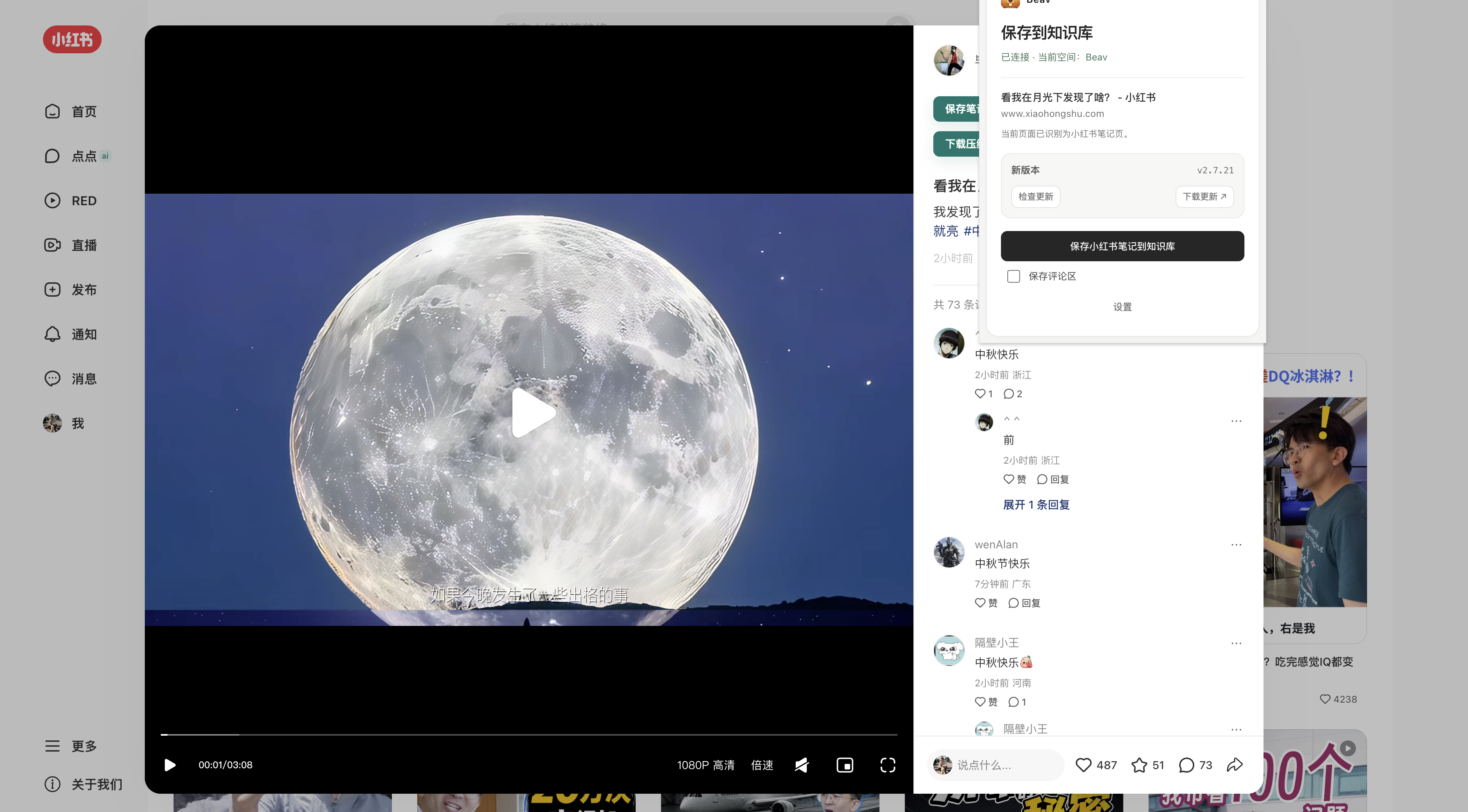
- Save the note text and its source information.
- Save image or video assets.
- Collect a comment snapshot.
- Download the assets of the current note.
On search pages, feeds, and creator profile pages you can save a single note or start a batch capture. Batch tasks share one background queue, so keep the volume and intervals reasonable; stop the task when you hit a verification page or a site limit, finish the verification, and then continue.
Comment sections are useful for pulling out frequent questions, objections, purchase concerns, and users' own words. After saving, you can search and analyze the comments separately from the original note in Beav.
YouTube
Open a video page or a Shorts page and save the video information from the side panel. Beav keeps the page source and the content available for later analysis; whether a transcript or media file is included depends on the current task and the available capabilities.
WeChat Official Account articles and long reads
Open the article, then save the current page. For long articles and image-heavy posts, wait until the page has fully loaded before starting the save. If the body text is missing, refresh, scroll to the main content area, and try again.
Images and selected text
- Use the Beav save action or the right-click menu on a web image.
- Select text, right-click, and choose Save selected text to Beav.
- When saving a short passage, keep the original page as the source instead of pasting it into a chat window.
Decompose after saving
Beav desktop 2.8.14 and browser extension 2.7.24 offer Decompose after saving (保存后拆解) in the popup or sidebar. It is off by default and clears after each successful save. YouTube and selected-text saving do not offer it. The operation uses models and consumes usage; see outputs, prerequisites, and troubleshooting. Reviewed on 2026-10-08; verify saves and end-to-end decomposition for the specific site and account.
Confirm the result
After every important capture, check these in Beav: the source link, the body text, image or video references, the workspace it belongs to, and the save status. Only use the content for creation once both the extension and Beav show it correctly.