
Agent overview
Local library page and open API
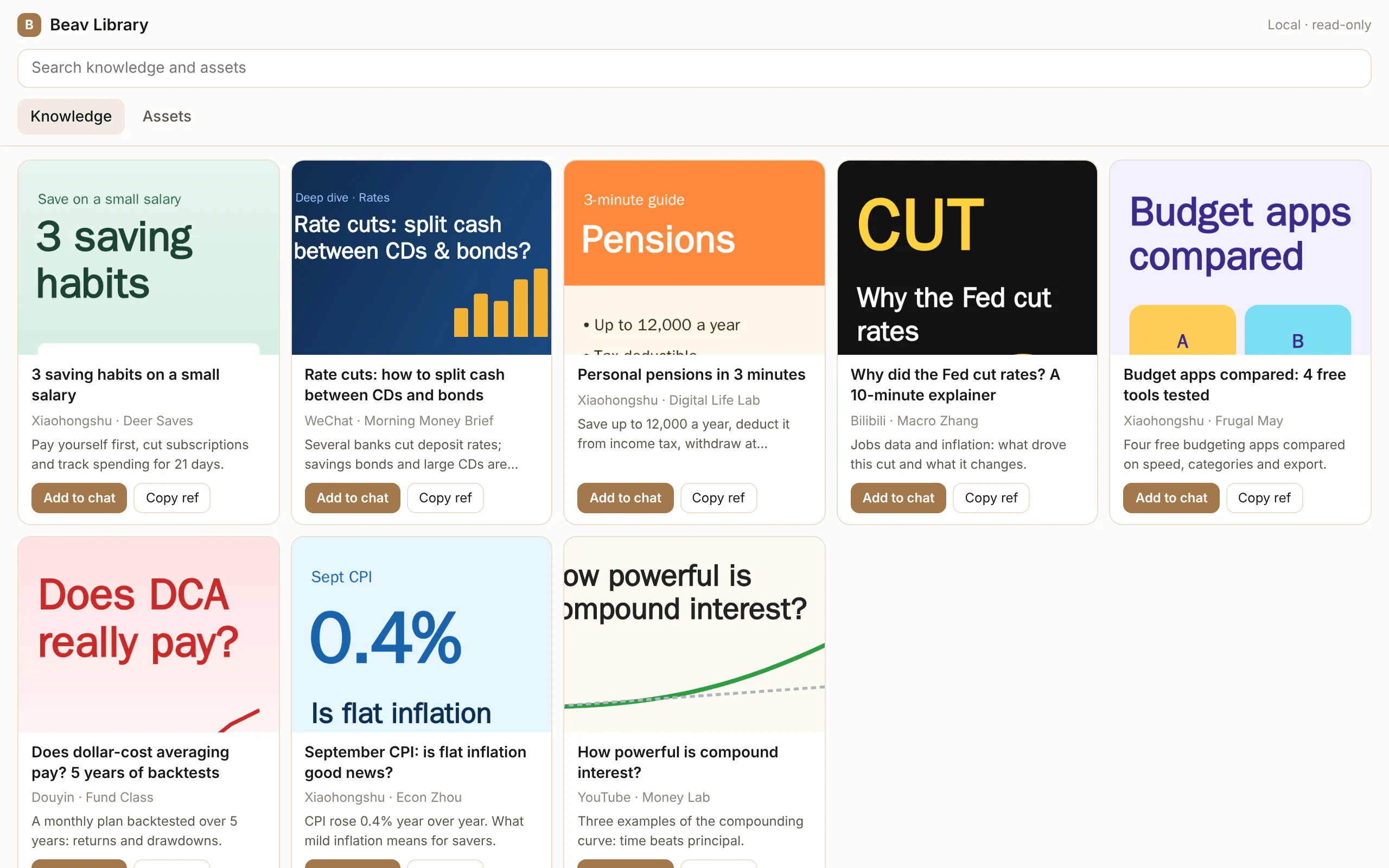
Open 127.0.0.1:31937/library in a browser or an AI tool's side panel to browse your knowledge base and asset library read-only, add items to another AI's chat, or read them through the local API.
Checked 2026-10-08. This feature ships with Beav desktop 2.8.14. The local page and external-agent integration have been source-reviewed; verify the specific client combination against the prerequisites below.
While Beav is running, it serves a read-only library page and API on your computer, so you can use your Beav material in other AI tools such as Claude, ChatGPT, and WorkBuddy.
Open the library page
Open this address in a browser or an AI tool's side panel:
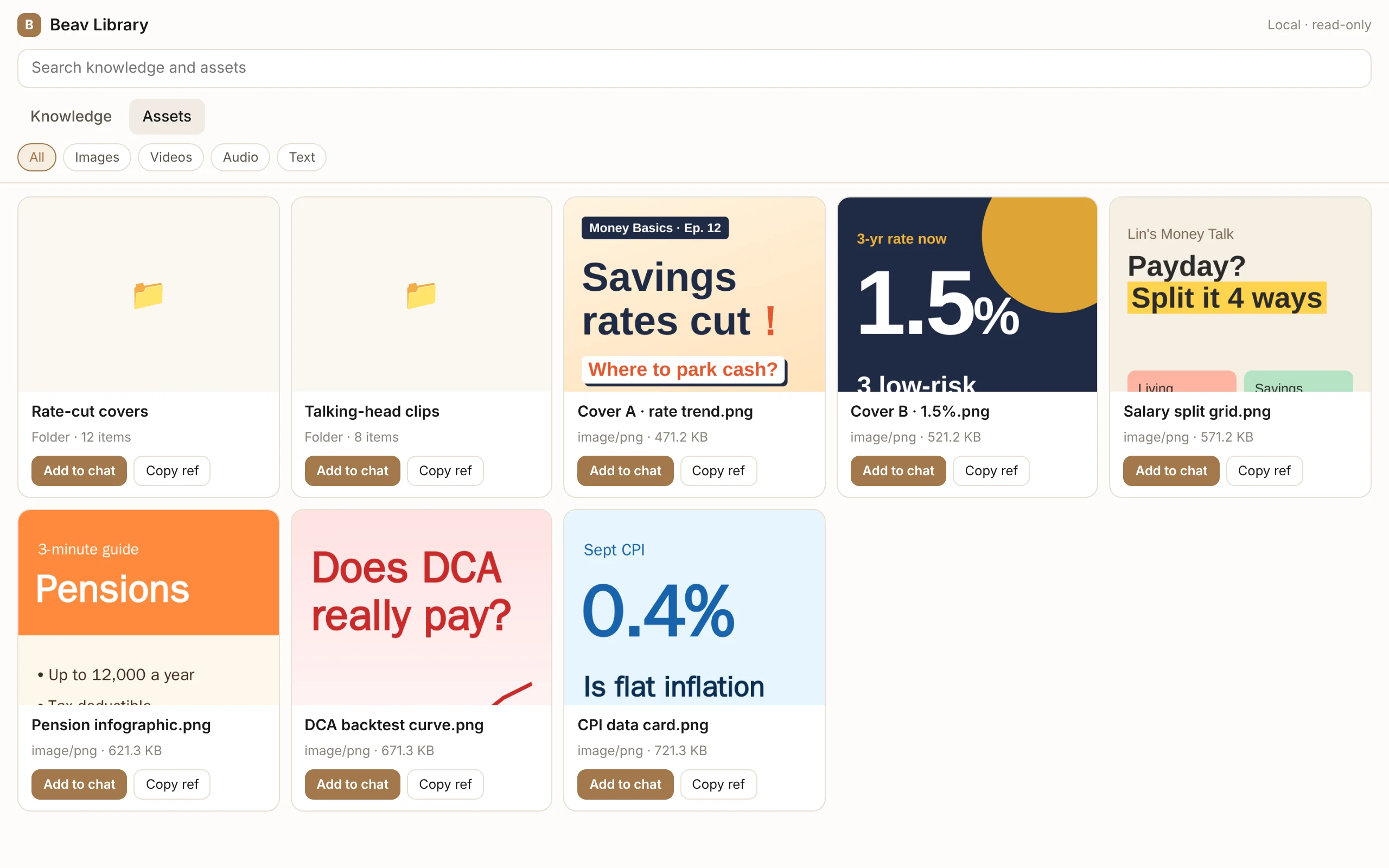
http://127.0.0.1:31937/libraryThe page shows the knowledge base and asset library of the current space:
- Search at the top, and switch between Knowledge / Assets.
- Filter the asset library by images, videos, audio, or text, and click a folder to open it.
- Click a card to open its details and view the body, transcript, images, and folder contents.
The page is browse-only: you cannot edit, delete, or import content there. Add new content through Beav's usual entry points. If Beav is not running, the page shows Cannot reach Beav.
Hand content to the AI you are using
- Add to chat: image assets are copied as images; knowledge entries and other assets are copied as a block of Markdown (title, source, original link, Beav reference, body, transcript, and image URLs) that you paste into the chat box. For videos and audio, only the description and URL are copied; upload the file itself separately.
- Copy ref: copies only the title, the
knowledge://orassets://reference, and the local read URL. This suits Agents that have the Beav Creator plugin and can read Beav themselves. - Drag into the chat box: you can also drag a card into an AI's chat box; whether it is accepted depends on each tool.
Cloud tools such as Claude or ChatGPT on the web cannot reach 127.0.0.1 on your computer, so use Add to chat with them.
Agents with the Beav Creator plugin know about this page. The Codex installation guide updated on 2026-10-08 asks the new chat to read the active workspace's profiles after connection verification and open the knowledge library in Codex's right-hand browser panel. The installation reply reports the current workspace, profile-read and browser results. This uses existing 2.8.14 interfaces and requires the updated website guide or plugin Skill; the revised full installation still needs desktop acceptance. You can also ask the Agent to open the page later. Hosts without a browser panel tool fall back to the system browser; failed opening returns a link.
Local read-only API
External programs and Agents can read:
http://127.0.0.1:31937/api/v1/libraryThe available read-only endpoints cover: listing and searching the knowledge base, listing and searching the asset library, reading a single item (which can be returned directly as Markdown), and reading media files.
- Programs on your computer need no token.
- Only local-address requests are accepted; cross-site requests that other websites make from a browser are rejected.
- The API listens only on the loopback address, so other devices on your local network cannot reach it. To use Beav from another device, see Web access.