
Key takeaways
- In the Beav knowledge base, click + then Add link and paste an X post's link to save it to your computer. In the local library web page, X posts show as cards with the author, text, media and engagement row.
- Once saved, Decompose gives you a topic, structure and template, and AI rewrite turns it into your own piece.
- A finished manuscript can go on to produce Xiaohongshu (RedNote), X and WeChat versions from the same body. Beav never posts anything for you.
X is where a lot of good thinking shows up first: industry takes, launch posts, threads that explain something well. The usual habit is a bookmark or a screenshot. When it is time to write, the bookmark is buried, the screenshot has no link, and nothing tells you how much traction the post had.
Beav saves an X post as one piece of material in a knowledge base on your computer, with the text, media and source together, so you can take it apart and write your own version later. That matters most if you publish in more than one place, especially if Chinese platforms like Xiaohongshu or WeChat are among them.
Who it is for
- Creators who find topics and takes on X and turn them into content elsewhere.
- People who run Xiaohongshu, WeChat and X together and want one draft to become several platform versions.
- Teams that want overseas and Chinese references searchable in one library.
Step 1: Save it
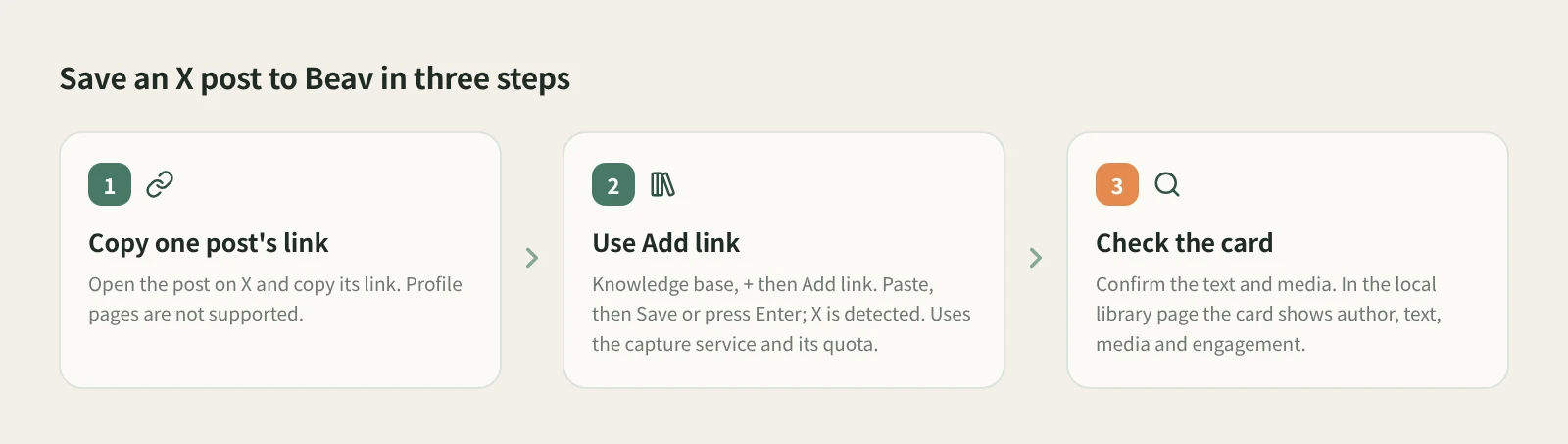
- Copy the link to one post. Open the post on X and copy its link. It has to point at a specific post; profile pages are reported as unsupported.
- Use Add link in the knowledge base. At the root of the knowledge base or in a personal folder, click + next to Knowledge Base, choose Add link, paste the link, then click Save or press Enter. You do not pick a platform: Beav resolves short links, recognizes X and saves the post to the root of the current space. On success you can paste the next one; links go one at a time.
- Know what it costs. X links are read through the capture service, which needs you signed in or a capture API configured, and uses quota according to its rules. Content already in the knowledge base is not saved twice.
- Check it. Confirm the text and media are there and that it landed in the right space. While Beav is running, open the local library web page at
127.0.0.1:31937/libraryin a browser: X and other social posts show as cards with the author, text, media and engagement row, each platform with its own layout. Cards show the data as saved, and missing engagement counts are simply left out.
Found the post on your phone? Use phone and computer pairing: put both on the same Wi-Fi, scan the QR code to pair, and submit the URL from the phone page. X (Twitter) is on the supported list, and your computer does the capture.
The changelog also notes that Beav added a capture and writing path for X Articles, the long-form posts on X. What gets saved depends on what the item actually shows after saving.
Step 2: Break it down
Open the post in the knowledge base and click Decompose. Saving never starts it on its own.
X posts are mostly short text, often with images or video, so the breakdown mainly gives you:
- Topic. What the post is really about. It also goes to the topic center.
- Structure. How the first line hooks, how the points are ordered, how it closes.
- Template. A reusable skeleton, such as "one counterintuitive claim + three reasons + one action".
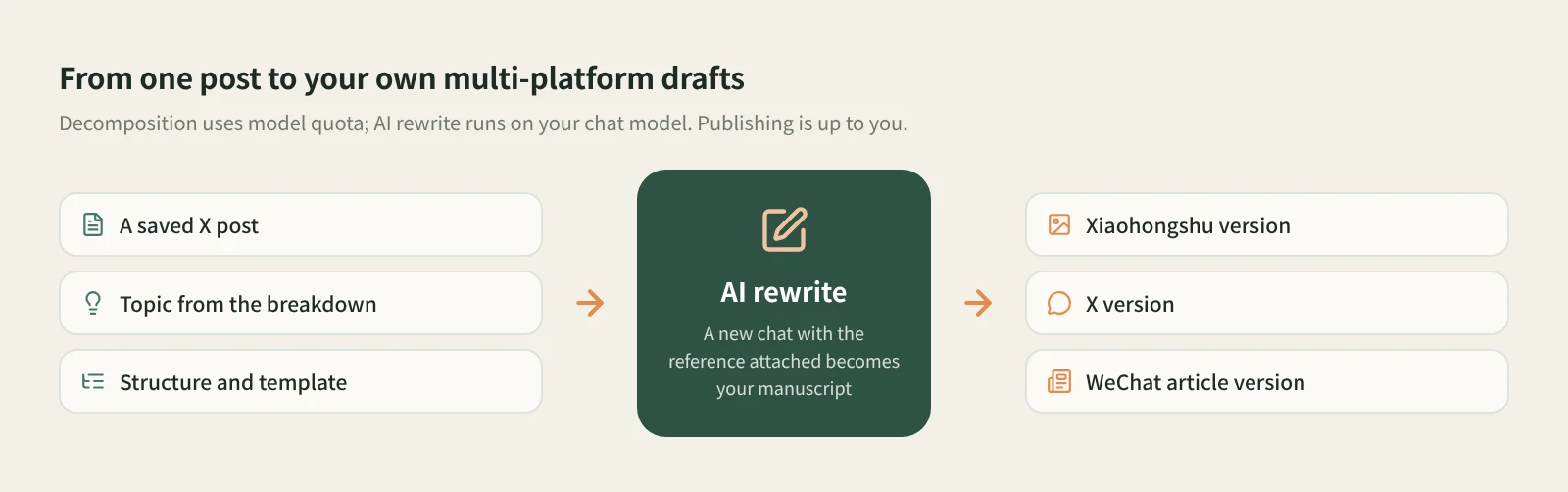
Decomposition uses model quota. For video in a post, shots and clips can only be extracted once the video is saved locally. The docs do not promise that X videos are downloaded, so go by whether the item actually holds a video file; without one, the breakdown covers the text and structure.
Step 3: Rewrite it
Click AI rewrite at the top right of the item. Beav opens a new chat with a prefilled rewriting prompt, a reference to this post and the rewriting skill. Add your platform, audience and requirements, review, and send it yourself. Rewriting runs on your chat model.
The common trap is translating or paraphrasing too closely. Map the structure onto your own material instead:
Keep this post's shape: one counterintuitive claim, three reasons, one action.
Write it as a Xiaohongshu post for junior product managers in China, with examples they would recognize.
The assistant first explains how it read the original's organization, then proposes how the new piece maps onto it, and checks the plan with you by default. Figures and cases in the original belong to someone else; they are not facts about your topic.
Save the result as a manuscript. According to the changelog, the manuscript workflow can generate Xiaohongshu, X and WeChat versions from the same body one after another, which suits anyone posting one idea in several places. Publishing is up to you; Beav does not post to X for you.
How it compares with the usual tools
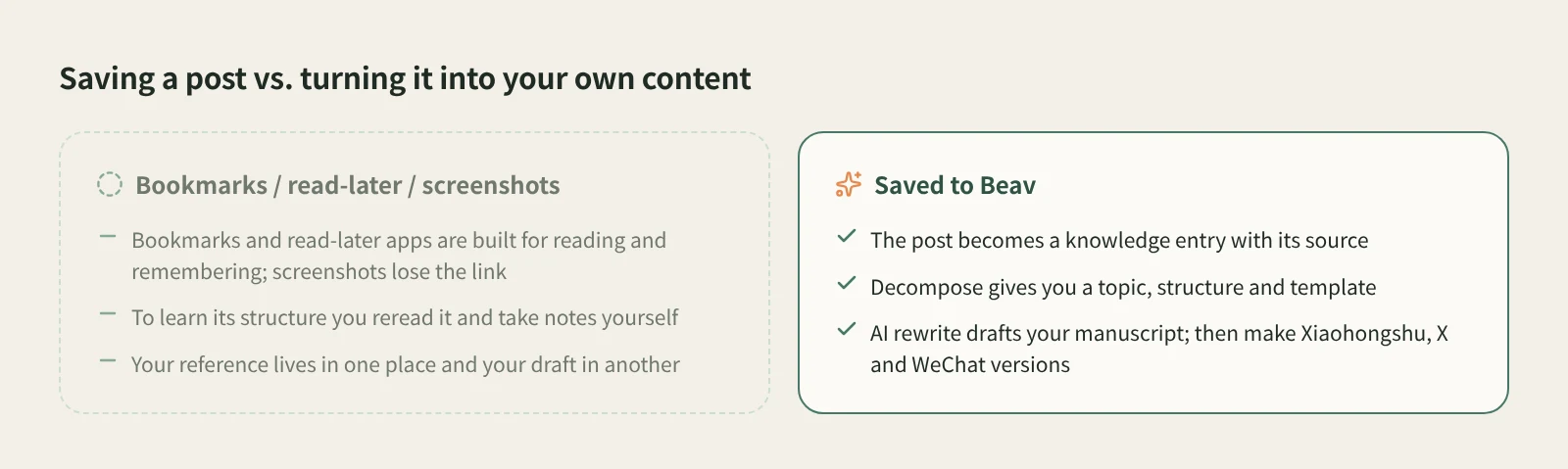
| X bookmarks | Read-later apps (e.g. Readwise Reader) | Screenshots | Beav | |
|---|---|---|---|---|
| Where it lives | Your X account | Their own library, synced across devices | Photos or a folder | The Beav knowledge base on your computer |
| What you keep | A pointer to the post | The post, with highlights and notes | An image, no link | A knowledge entry with its source; the card shows author, text, media and engagement |
| Strengths | One tap, on phone and desktop | Mature reading, highlighting and review | Fastest | Keeps going after saving: breakdown, rewrite, several platform versions |
| Next to your drafts | No | No | No | Same space as your topics and manuscripts |
| Cost | Free | Each app's own plans | Free | Capture service uses quota; breakdown and rewrite use model quota |
Bookmarks are the easiest thing while you scroll, and read-later apps are excellent at reading, highlighting and resurfacing what you saved. If you just want to read and remember, either is enough. Beav is for a different job: treating good posts as material, taking them apart, and writing your own content for the platforms you publish on.
Limits and notes
- Use a link to a single post. Profile pages and unsupported URLs are reported right away. Links are saved one at a time.
- What you get depends on what the capture service returns. Beav does not promise higher resolution than the original or watermark removal.
- Rewriting means learning structure and phrasing, not translating and reposting. Credit ideas you borrow, and get the author's permission before republishing, translating for publication or commercial use.
Next steps
- One box for links from every platform: paste a link and Beav saves it.
- How knowledge cards look for each platform: docs on the local library web page.
- The breakdown and rewrite method: viral post breakdown and rewriting. Docs: links, subscriptions and account profiles.
Applies to Beav desktop 2.9. Checked 2026-10-21.