
Key takeaways
- Paste a creator's profile link under Subscriptions in the Beav knowledge base. Beav checks the account every day and saves new posts to the knowledge base on your computer, newest first on a timeline.
- Each account can be set as a benchmark, checked now, moved to a folder or paused, and you can turn on auto breakdown so new posts arrive already broken down.
- Subscriptions use points every day, and a workspace holds at most 10. Subscribe only to the accounts you will keep learning from.
Every creator has a few peers they need to watch. The usual habit is opening their profiles every morning, which lasts about two days. Following them on the platform does not help much either: new posts get lost in the feed, and by the time you notice, the moment has passed.
Beav subscriptions do one specific job: check those accounts on a schedule and save what they publish as material on your own computer. Once saved, the posts can be searched, broken down and handed to the AI like anything you saved yourself.
Who it is for
- Creators on RedNote (Xiaohongshu) and other platforms who have a few clear benchmark accounts and follow their topics and cadence.
- Agencies and in-house teams watching competitors for a brand or client.
- Anyone who wants a benchmark account's new posts broken down automatically so they can study the structure.
How to use it
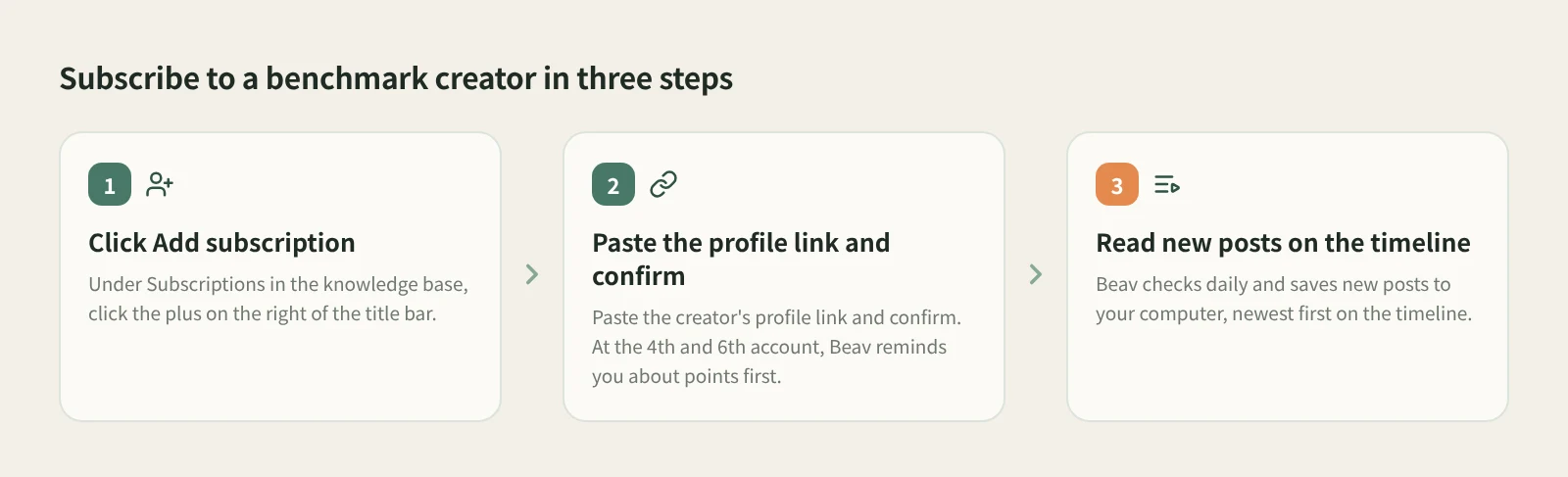
- Open Subscriptions. Find Subscriptions in the knowledge base sidebar, or double-click the Subscriptions folder at the root of the knowledge base.
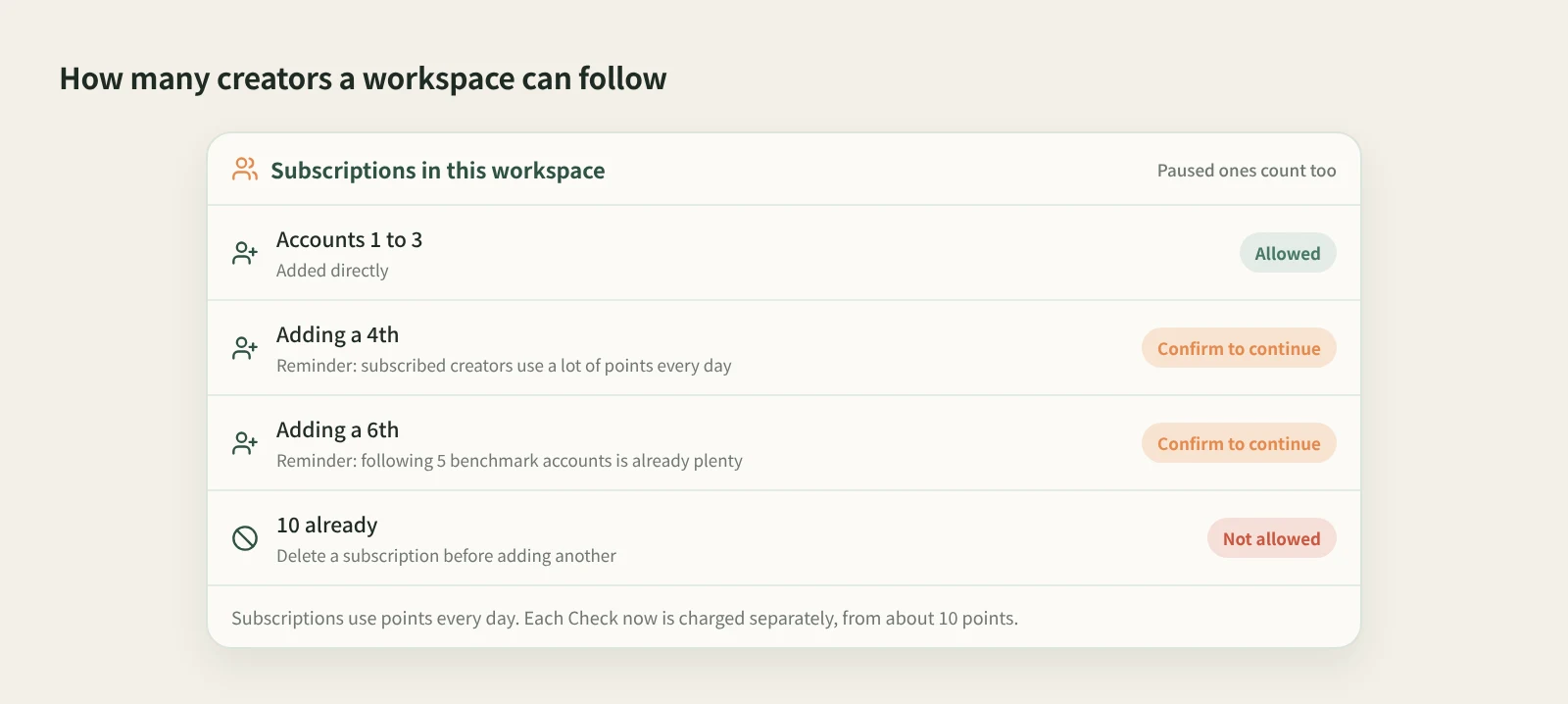
- Add a creator. Click Add subscription (the plus on the right of the Subscriptions title bar), paste the creator's profile link and confirm. When you add a 4th and a 6th account, Beav reminds you about the points cost and continues only after you confirm.
- Read new posts. Double-click an account's avatar to open its content. Subscriptions show on a timeline by default with the newest posts first; switch to the gallery in the title bar if you prefer.
- Manage accounts. Click the … next to an account in the sidebar, or right-click it:
- Set as benchmark: adds a Benchmark tag next to the name so key accounts stand out.
- Check now: looks for new posts right away instead of waiting. This uses points, from about 10.
- Move to folder: groups accounts by niche or client without affecting the subscription.
- Pause subscription: stops automatic checks and keeps the account and saved posts. Resume it any time.
The checks run locally in the Beav desktop app. Nothing is checked while Beav is fully quit; on the next launch it catches up on anything that is due.
How it compares with analytics tools and checking by hand
| Following / checking profiles by hand | Account monitoring in analytics tools | Beav subscriptions | |
|---|---|---|---|
| How new posts reach you | Mixed into the feed, or when you remember to look | In the tool's dashboard | Checked automatically and saved to a timeline on your computer |
| Strengths | Free and always on your phone | Richer data: follower and engagement trends, industry rankings | New posts become material you can search, break down and cite |
| Where content lives | On the platform; gone if the author deletes it | In the tool's dashboard | On your own computer |
| How many accounts | No limit | Depends on the plan | Up to 10 per workspace |
| Cost | Your time | Usually a paid membership | Points every day, plus each Check now |
If you need follower growth curves, ad data or rankings, a dedicated analytics tool is the right choice, and Beav does not try to replace it. If what you need is "what did my benchmark account publish, and what can I learn from it", Beav puts the posts straight into your library where breakdowns and rewrites can pick them up.
Limits and notes
- Subscriptions use points every day, more with each account. Paused subscriptions count toward the limit; at 10 you have to delete one before adding another.
- Delete creator and content removes the account and clears its saved posts, and cannot be undone. If you just want a break, use Pause subscription.
- Subscriptions are for other people's accounts. Sync your own account under Account profile instead.
- Subscribed content is for study and research. Get the author's permission before republishing or commercial use.
Next steps
- Once new posts pile up, read batch breakdown.
- For a tour of the knowledge base, see tutorial 03: get around the knowledge base.
- Full reference: subscribe to benchmark creators. More tools on the RedNote tools page.
Applies to Beav desktop 2.9. Checked 2026-10-21.