
The file is on your computer: Transcribe Media
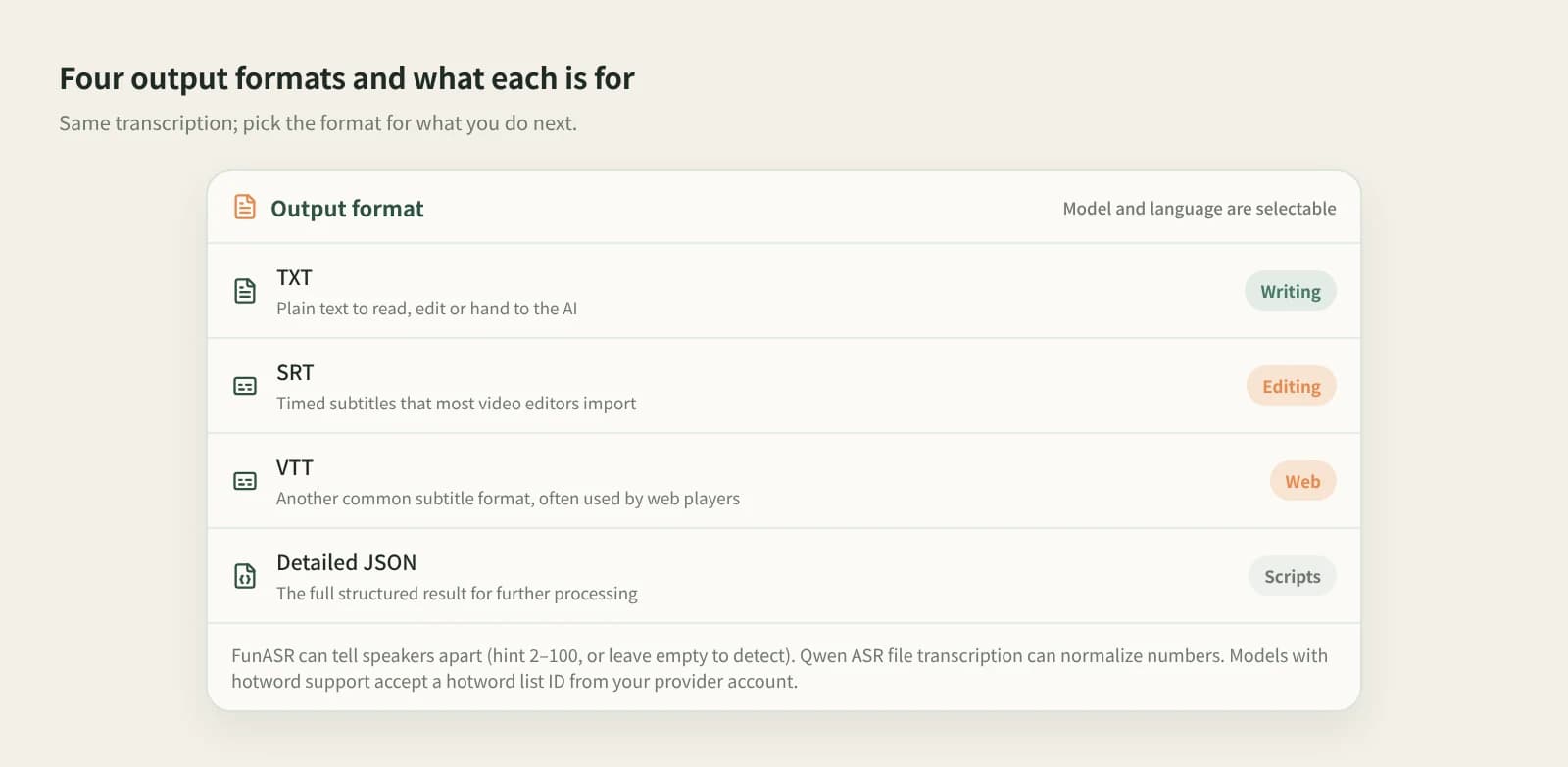
Interviews, talking-head videos, podcasts. Pick the file, the model and the language, then export TXT, SRT, VTT or detailed JSON. Choose FunASR for conversations and it labels speakers.
Break down
Have a video file, or only a link? Beav turns both into text, and the result stays next to the original in your library.
Desktop app for macOS, Windows and Linux
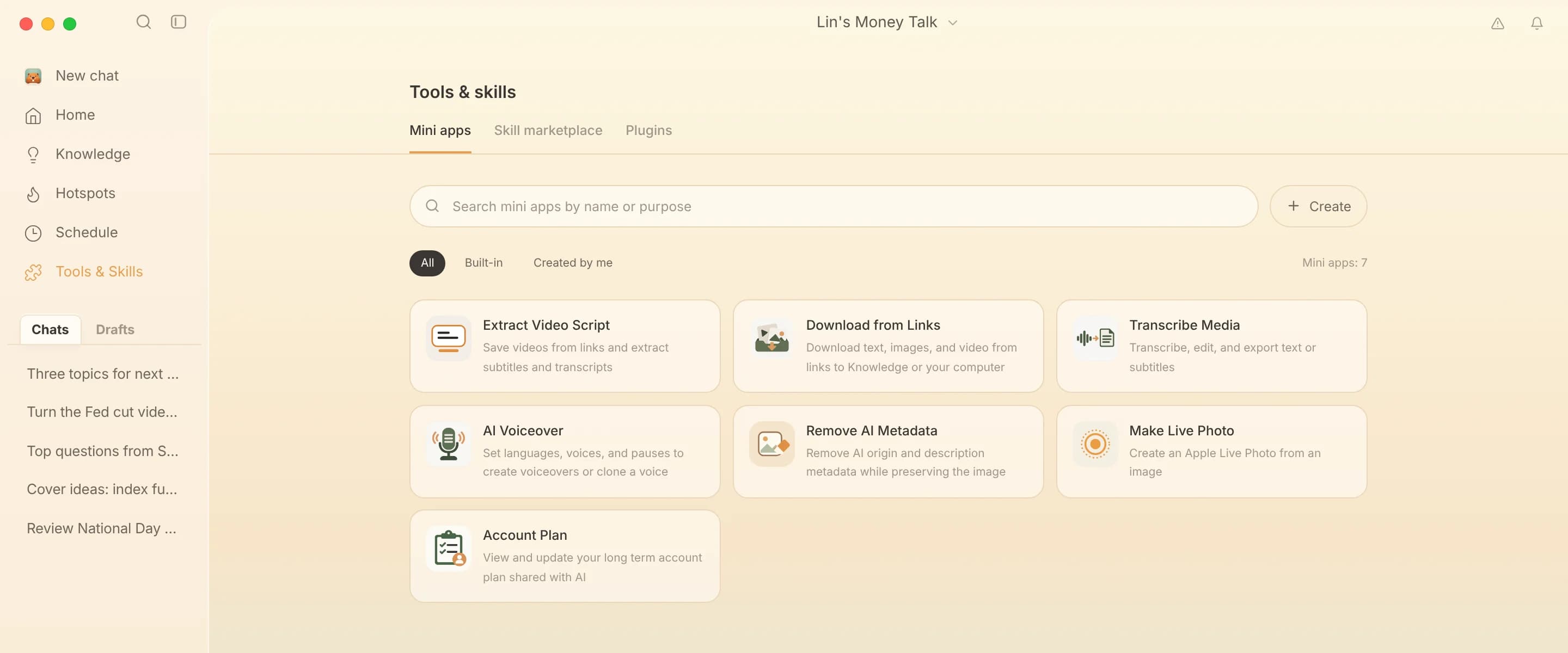
Interviews, talking-head videos, podcasts. Pick the file, the model and the language, then export TXT, SRT, VTT or detailed JSON. Choose FunASR for conversations and it labels speakers.
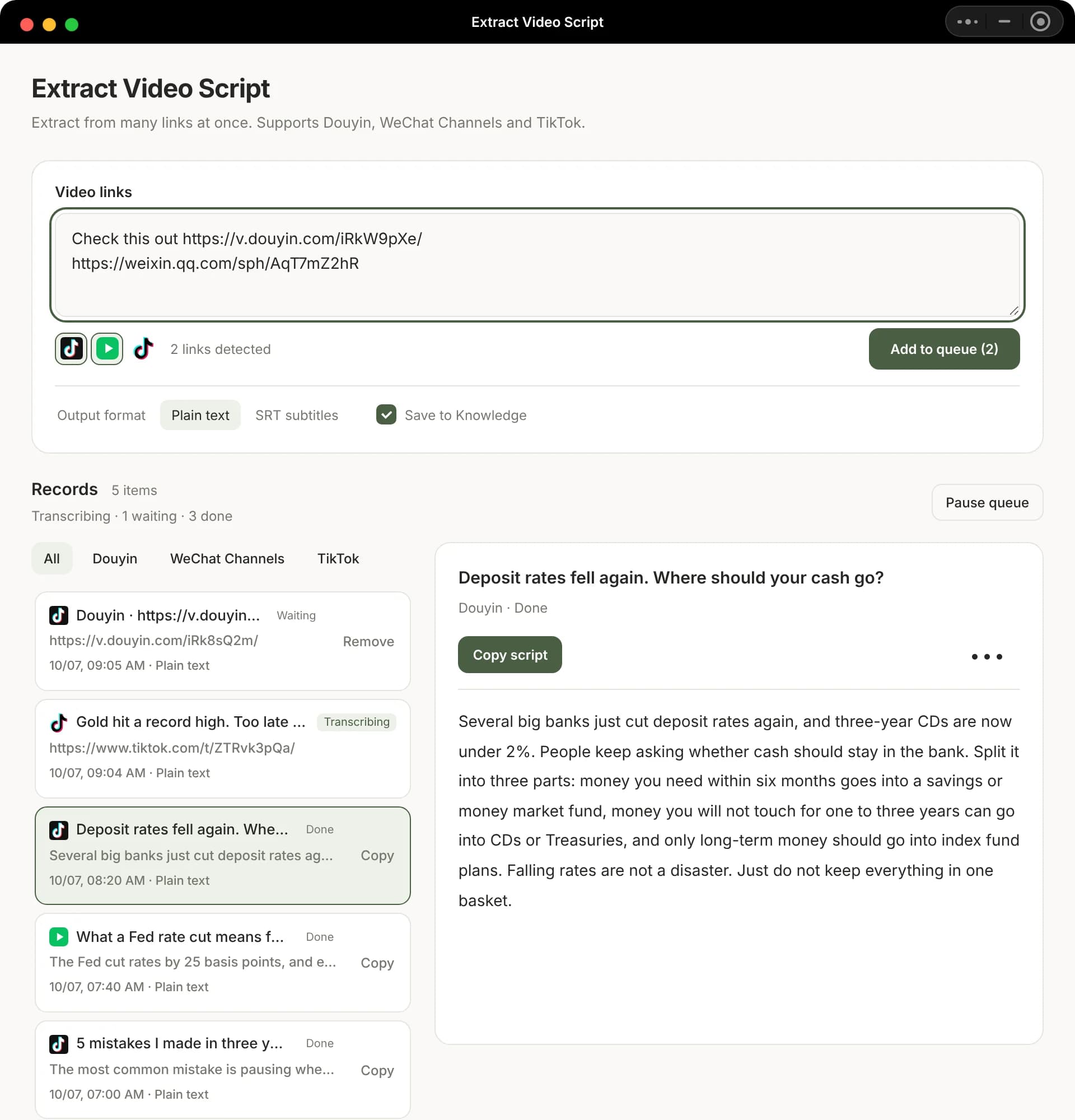
Paste many links or share texts at once. It removes duplicates, queues them and outputs plain text or SRT, and can save the results to the knowledge base too.
In the Beav desktop app it is in the Mini apps tab of Tools & Skills, with a shortcut icon on Home. Grant the permissions it asks for the first time.
Click Choose from Assets for audio or video already in your library, or Upload from your computer. Then choose the model, language and output format. If the model supports hotword lists, enter the ID of a list you created with that provider so brand names and terms come out right.
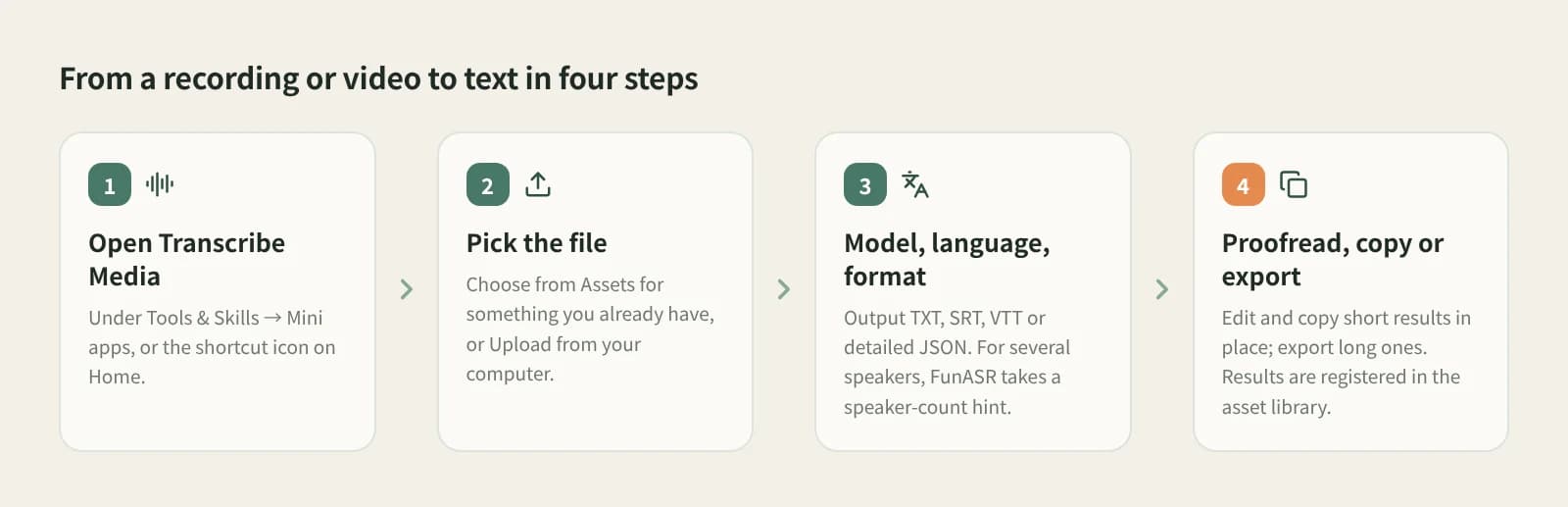
Proofread, save and copy short results in the window; export long ones and edit them in your usual editor. Results are registered in the asset library next to the original video.
For articles, notes or scripts.
Timed, ready for editing and web players.
With FunASR you can hint the number of speakers (2–100) or leave it to detect.
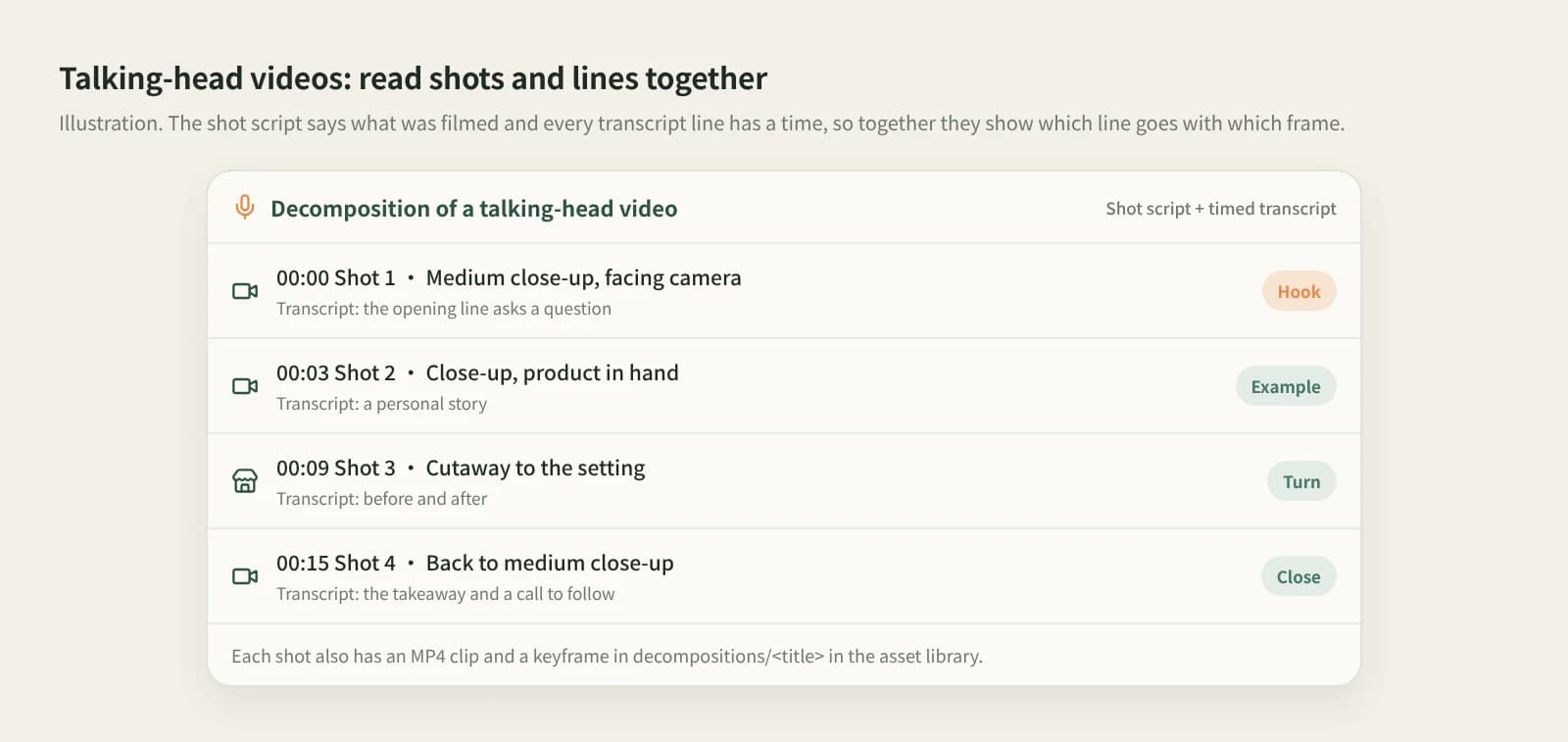
For RedNote, Bilibili and other videos saved to the knowledge base, click Break down for a timestamped transcript plus a shot-by-shot script and topic.
| Aspect | Feishu Minutes, Tongyi Tingwu, iFlyrec | Transcript mini programs | Beav |
|---|---|---|---|
| Best at | Meetings and classes, live recording | One link at a time on the phone | Subtitles from existing videos, or batches of benchmark videos |
| Input | Recording or uploaded file | A single link | Local files, or many Douyin, WeChat Channels and TikTok links |
| Output | Common text and subtitle formats | Mostly plain text | TXT, SRT, VTT, detailed JSON; plain text or SRT for links |
| Where results live | Their cloud accounts | Copied out or in the tool history | Your local asset library or knowledge base |
| Cost | Their own rules | Their own rules | Transcription uses credits or your own provider quota |
If your main use is meetings, with live transcription, automatic minutes and sharing, Feishu Minutes, Tongyi Tingwu or iFlyrec fit better. For one quick transcript on your phone, a mini program is fastest. Beav is built for making content: subtitles and transcripts stay in your library next to the original, ready for editing and writing.
In Beav Transcribe Media, choose the video from your assets or upload it, pick the model, language and output format, and you get TXT, SRT, VTT or detailed JSON.
Yes. Extract Video Script takes many Douyin, WeChat Channels and TikTok links or share texts at once and transcribes them in a queue, without downloading the video first.
Yes. Transcribe Media exports TXT, SRT, VTT and detailed JSON; Extract Video Script can switch to SRT.
Choose the FunASR model in Transcribe Media to label speakers, with an optional speaker-count hint.
The Beav desktop app has a free plan. Transcription calls a transcription model and uses credits or your own provider quota, as shown in the app.
No. Both tools work on existing files and links. The microphone in the chat box only dictates into the input, up to 5 minutes at a time. For live meeting transcription, use a meeting tool.