
Studying a batch of benchmark creators
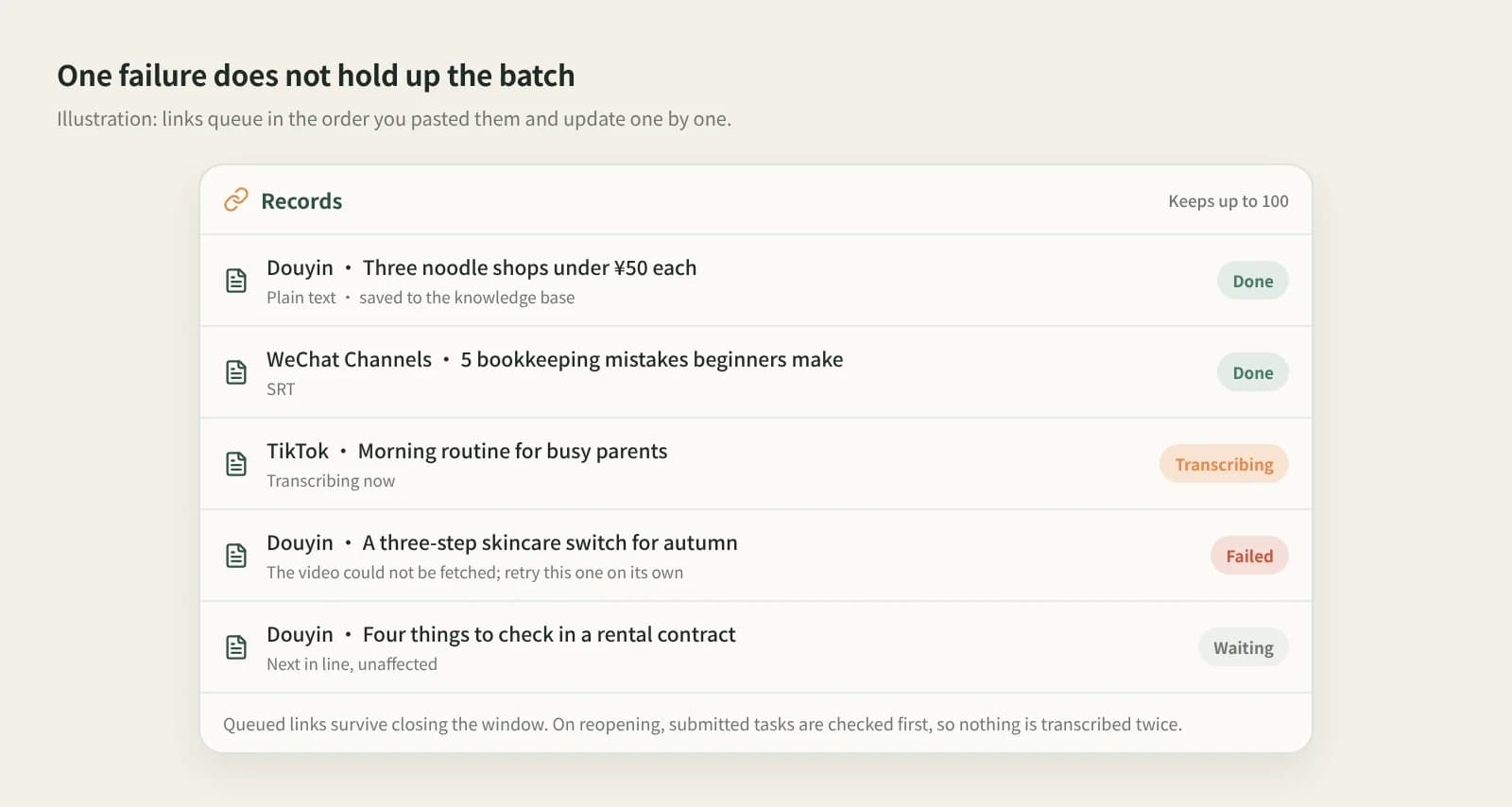
Paste the share texts of a dozen benchmark videos together. The tool detects each platform, drops duplicates and queues them. A failed item does not block the rest; retry it on its own.
Break down
Stop pasting benchmark videos into a mini program one by one. Paste all the links into Beav; it transcribes them in turn while you copy the finished ones.
Desktop app for macOS, Windows and Linux
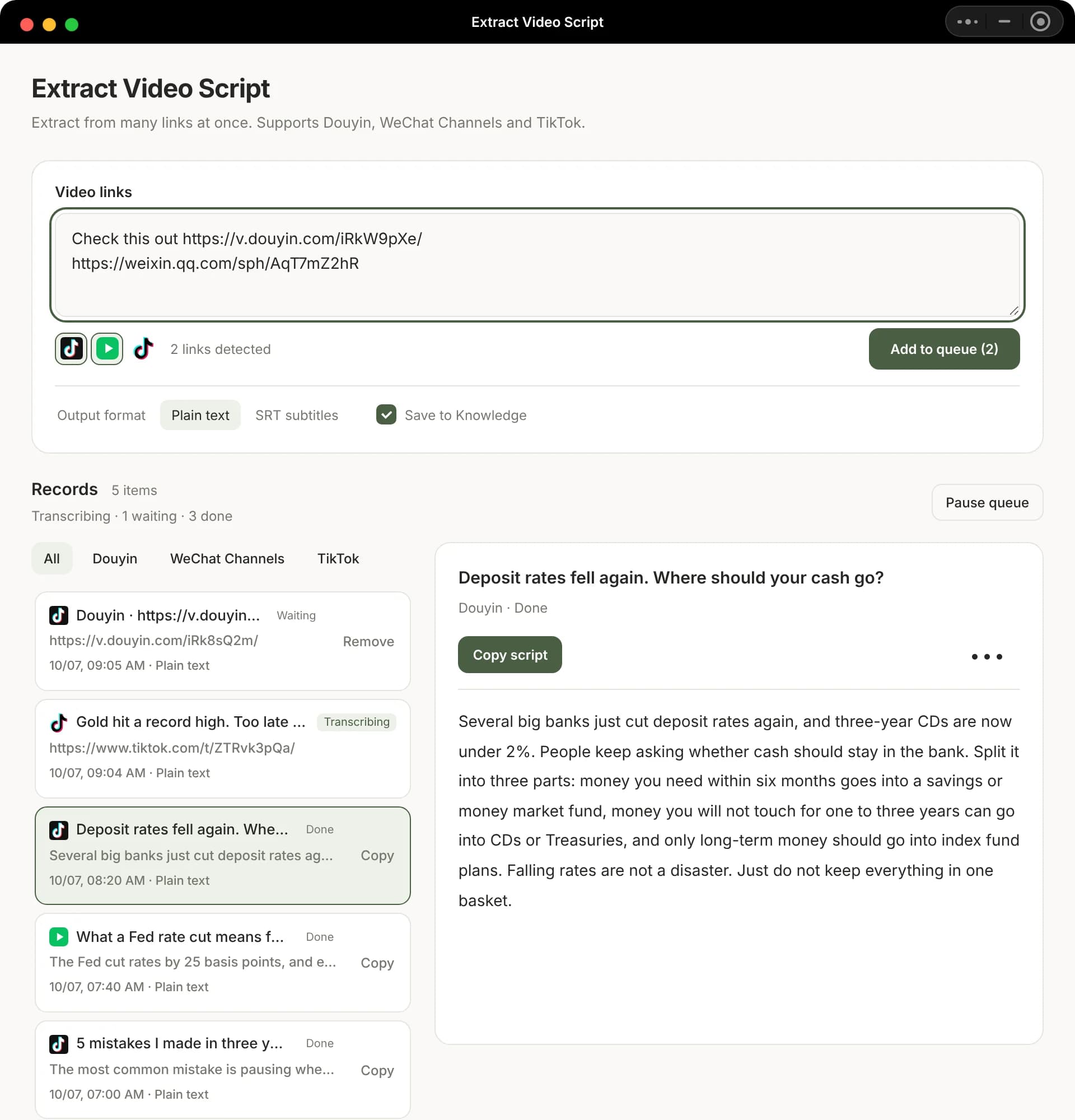
Paste the share texts of a dozen benchmark videos together. The tool detects each platform, drops duplicates and queues them. A failed item does not block the rest; retry it on its own.
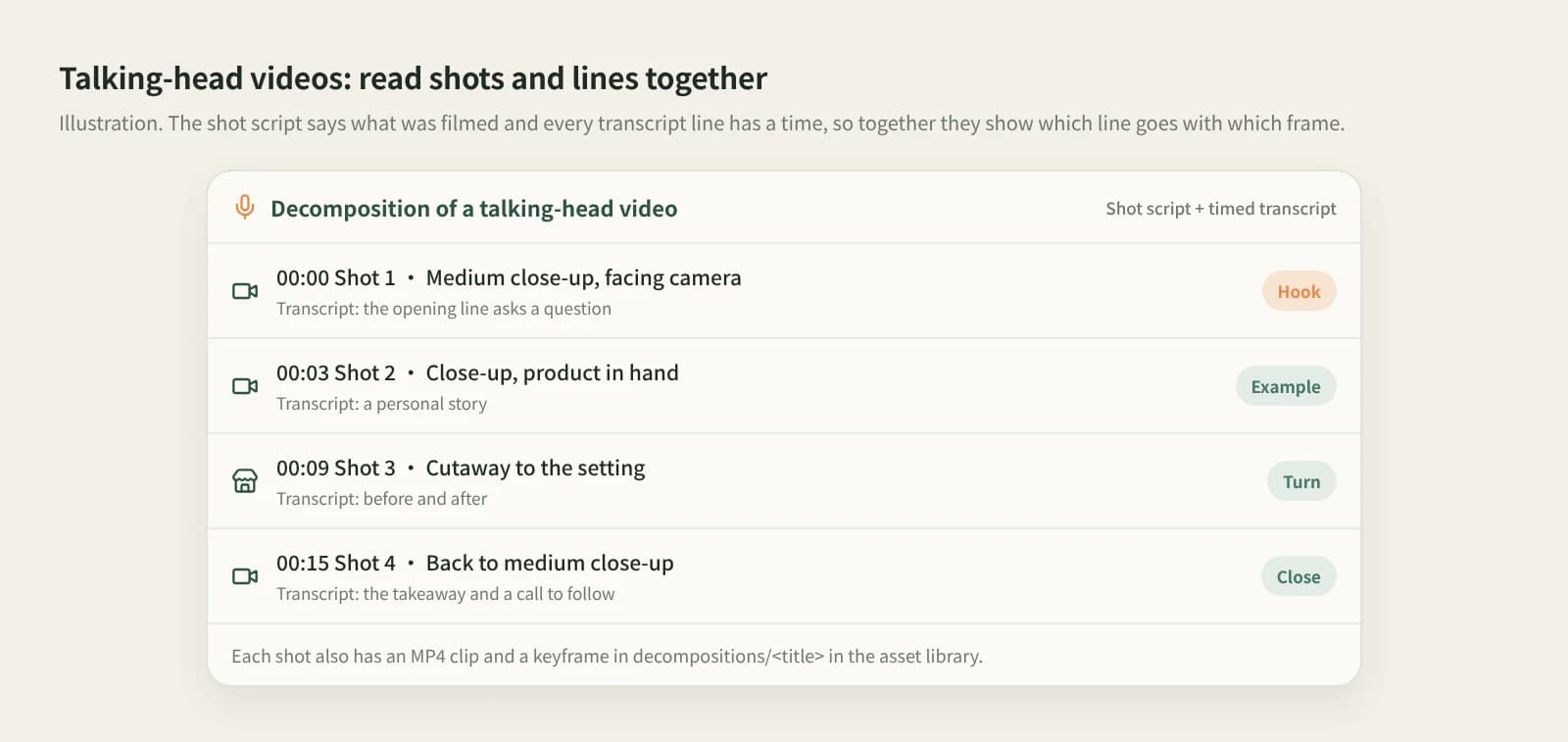
Save the Douyin video to the knowledge base and click Break down. The timestamped transcript and shot-by-shot script show what is said in the first seconds and where it cuts to a close-up.
In the Beav desktop app it is in the Mini apps tab of Tools & Skills, with a shortcut icon on Home. It runs in its own window, so the main window stays free. No browser extension needed.
Douyin post links or whole share texts work, mixed with WeChat Channels and TikTok if you like. Pick the output: plain text by default, SRT for timings, and tick Save to knowledge base to keep the results.
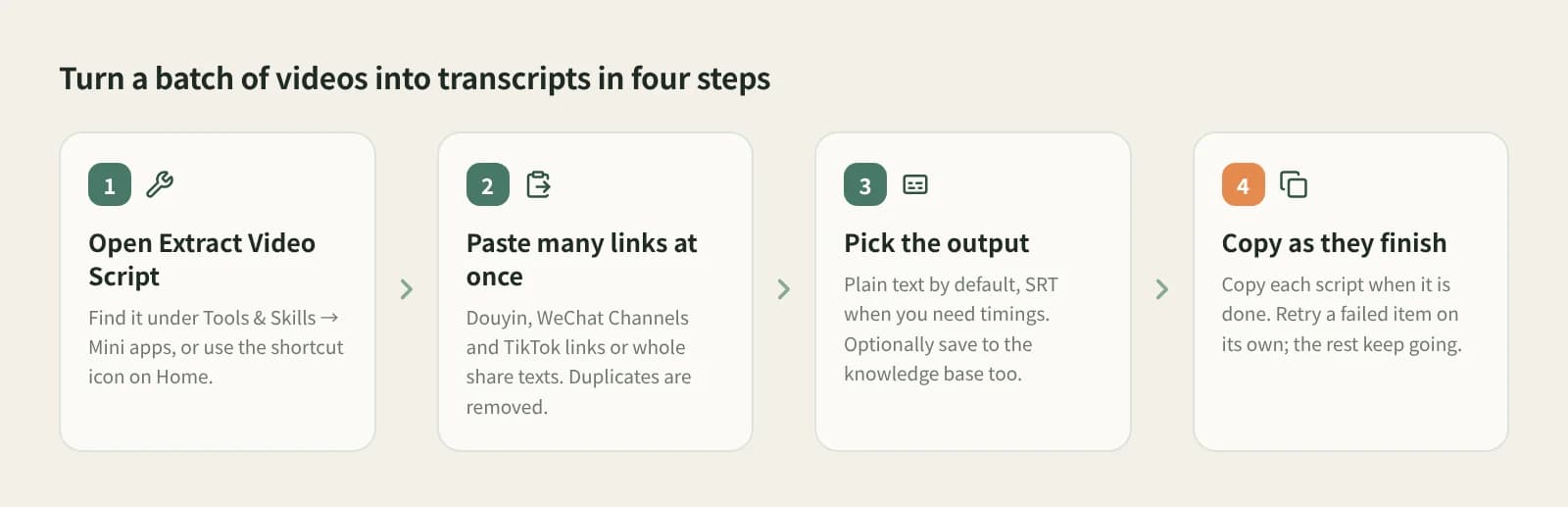
Keep adding links while it runs and copy any finished transcript. Pause the remaining links and resume later; queued links survive closing the window, and nothing is transcribed twice.
Read and edit it directly to study openings and pacing.
Timed, so you see where each line lands.
Saved scripts sit with the rest of your material, ready to drag into a chat for the AI to reference.
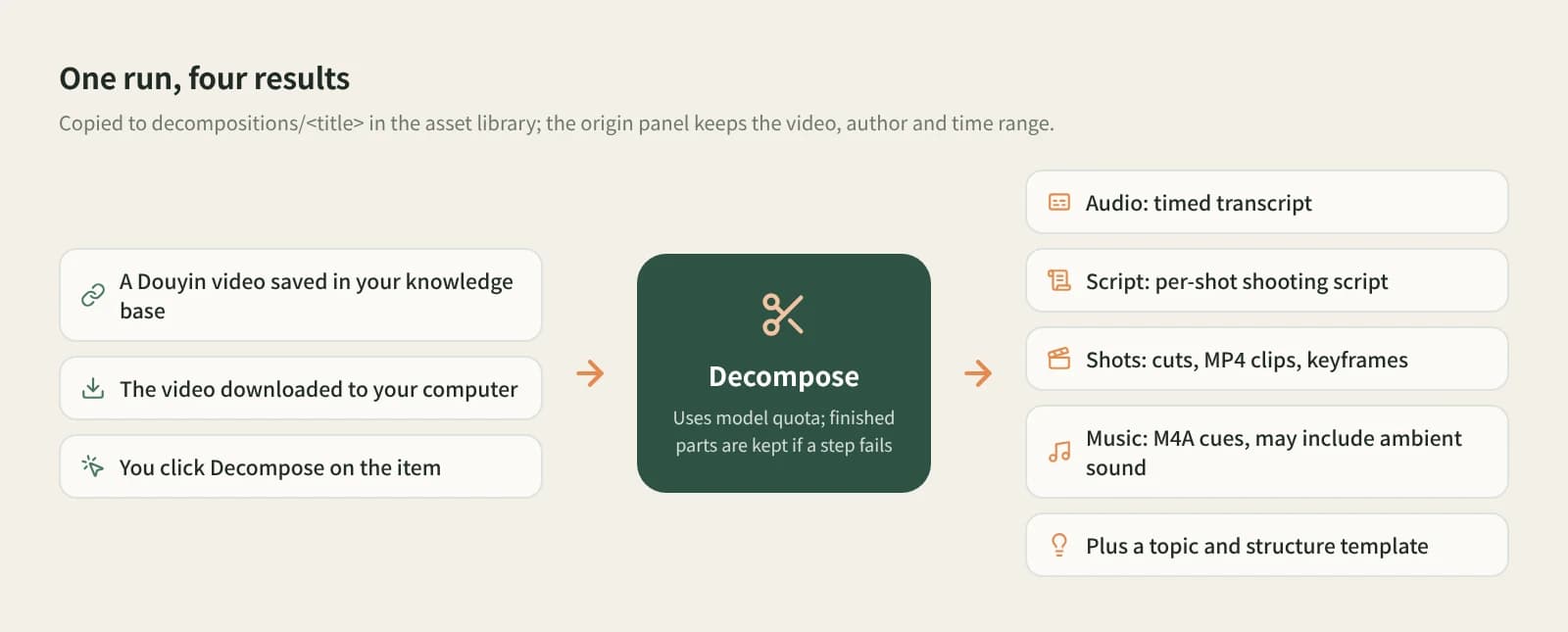
With the video saved and downloaded, Break down adds a shot script, clip MP4s, music M4A, the topic and a structure template.
| Aspect | Transcript mini programs and sites | CapCut auto captions | Beav |
|---|---|---|---|
| Getting started | Open it on your phone | Import the video first | Needs the Beav desktop app |
| How many at once | Usually one at a time | One per project | Many links, deduplicated and queued |
| When one fails | Paste it again | Run it again | The rest continue; retry that one |
| Where results go | Copied out or in the tool history | Inside the edit project | Optionally saved to the knowledge base |
| Platforms | Depends on the tool | Whatever you import | Douyin, WeChat Channels, TikTok |
For one video you just scrolled past, a transcript mini program on your phone is fastest and fine for the occasional one. For subtitling your own video, CapCut auto captions are handier. Beav is for studying a batch of benchmark videos and keeping the scripts to use later.
Open Extract Video Script in the Beav desktop app, paste the Douyin post link or share text, queue it and click Copy when it is done. You can paste many at once.
Yes. Paste many links at once; the tool detects platforms, removes duplicates and queues them, and you can keep adding while it runs.
The Beav desktop app has a free plan. Transcription calls a transcription model and uses credits, as shown in the app. If one has no result yet, check its status before pasting it again.
Extract Video Script only takes Douyin, WeChat Channels and TikTok links. Save RedNote or Bilibili videos to the knowledge base and click Break down; the result includes a timestamped transcript.
It depends on the audio. Videos with loud music and little speech can give short or wrong transcripts, so check against the video before using it.
The tool keeps up to 100 records. To keep scripts long term, save them to the knowledge base or copy them out.
No. Extracted scripts are for learning structure and writing; get the creator's permission before reposting.