BeavBeav

Collect

Bilibili video downloader

Copy the share link and paste it into the Beav knowledge base. The video is saved on your own computer together with its title, uploader, source and view count.

Desktop app for macOS, Windows and Linux

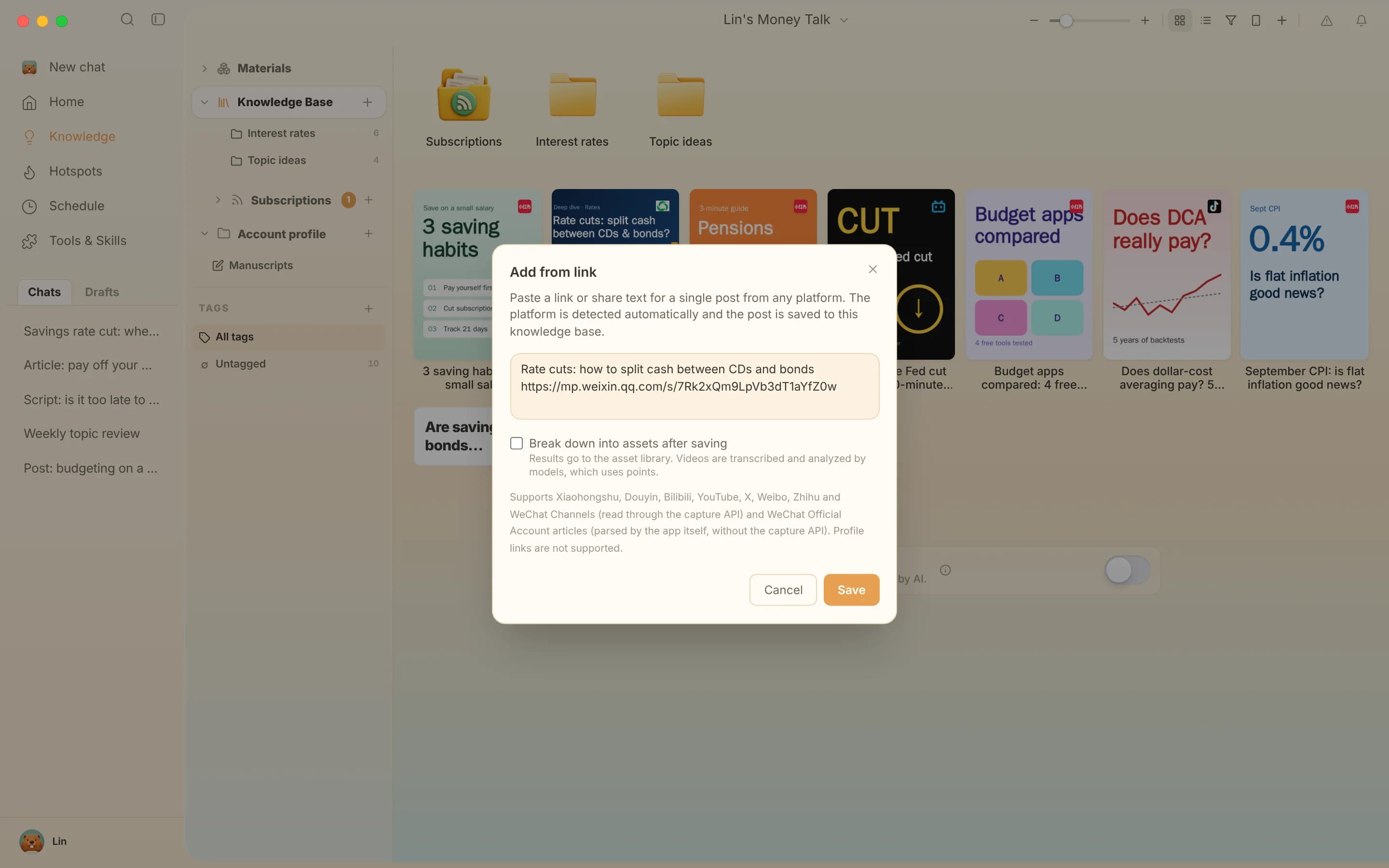
The Add link window in the Beav knowledge base: paste a single post link or share text from any supported platform, including Bilibili, RedNote, Douyin and YouTube

When to use it

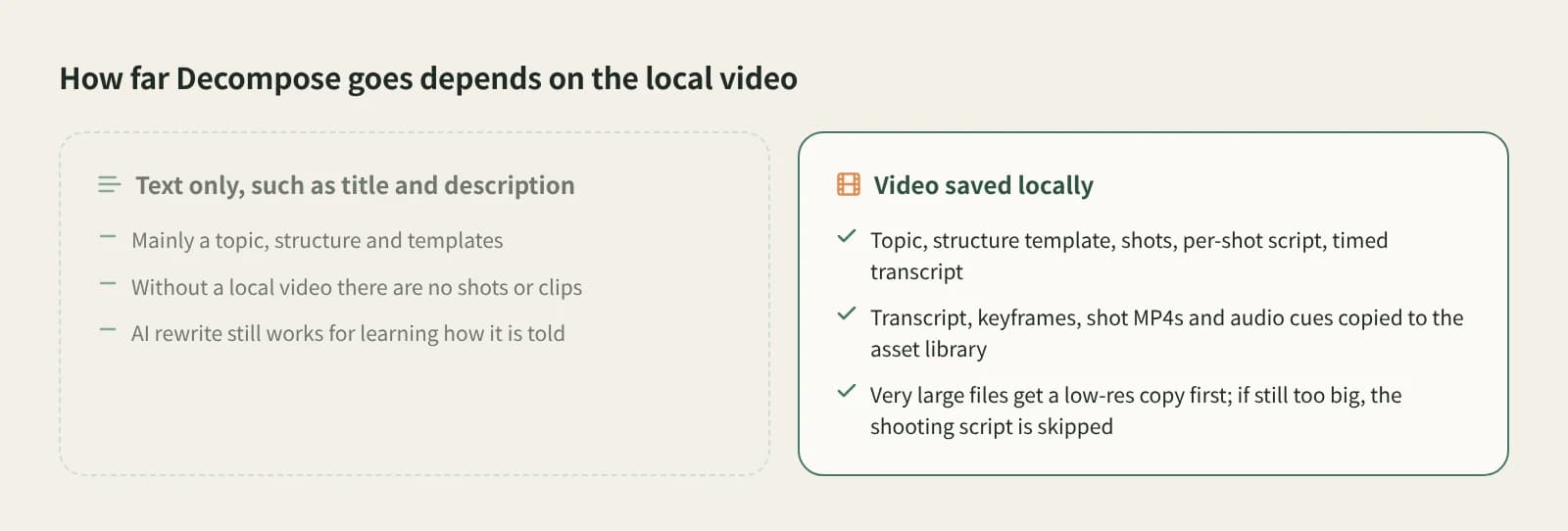
Two cases when breaking down a Bilibili video: with the video saved locally you get shots and clips; with text only you mainly get the topic, structure and template

Long explainers you want to study

A fifteen-minute explainer or a half-hour review is worth more than one watch. Save it, click Break down, and you get the topic and a structure template; with the video on disk you also get a shot-by-shot script and clips.
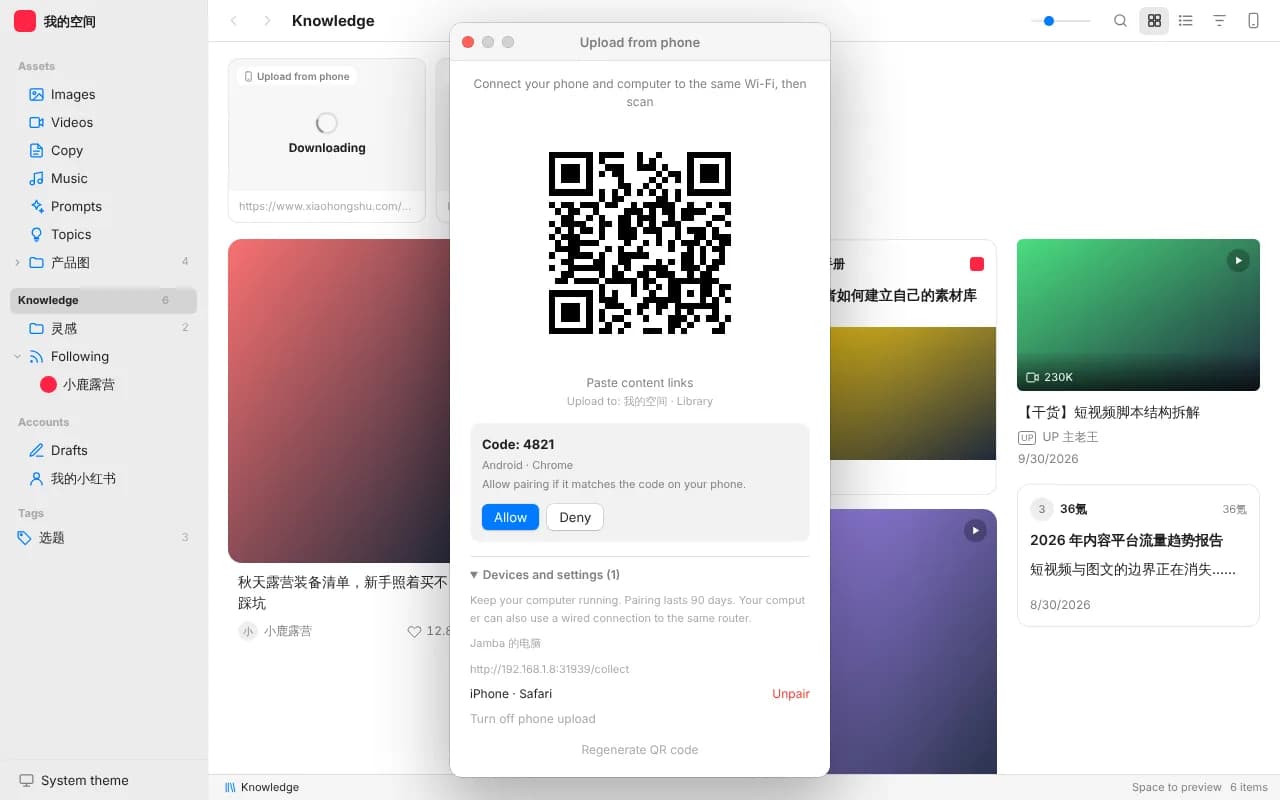
The Beav phone upload window: scan the QR code on the same Wi‑Fi and paste links into the knowledge base

Videos you found on your phone

In the desktop knowledge base, open Phone Upload, pair your phone by QR code on the same Wi‑Fi, then paste links copied from the Bilibili app. Up to 50 links per batch are captured on your computer.

How to download

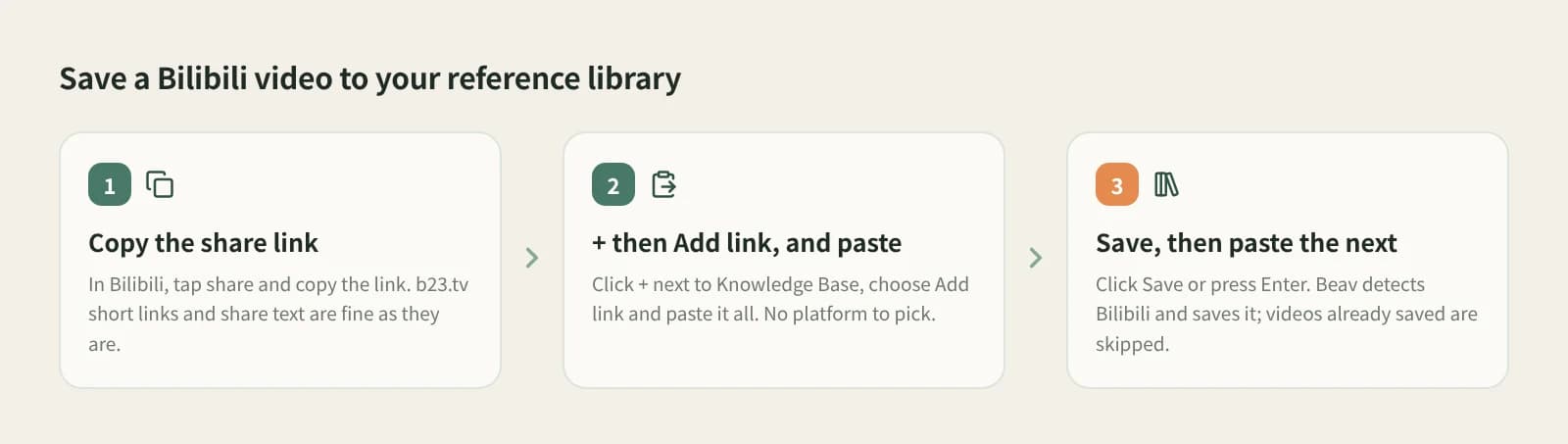
  1. 1

    Copy the share link

    Open the video in Bilibili, tap share and copy the link. On the phone you usually get share text with a b23.tv short link inside; keep all of it.

  2. 2

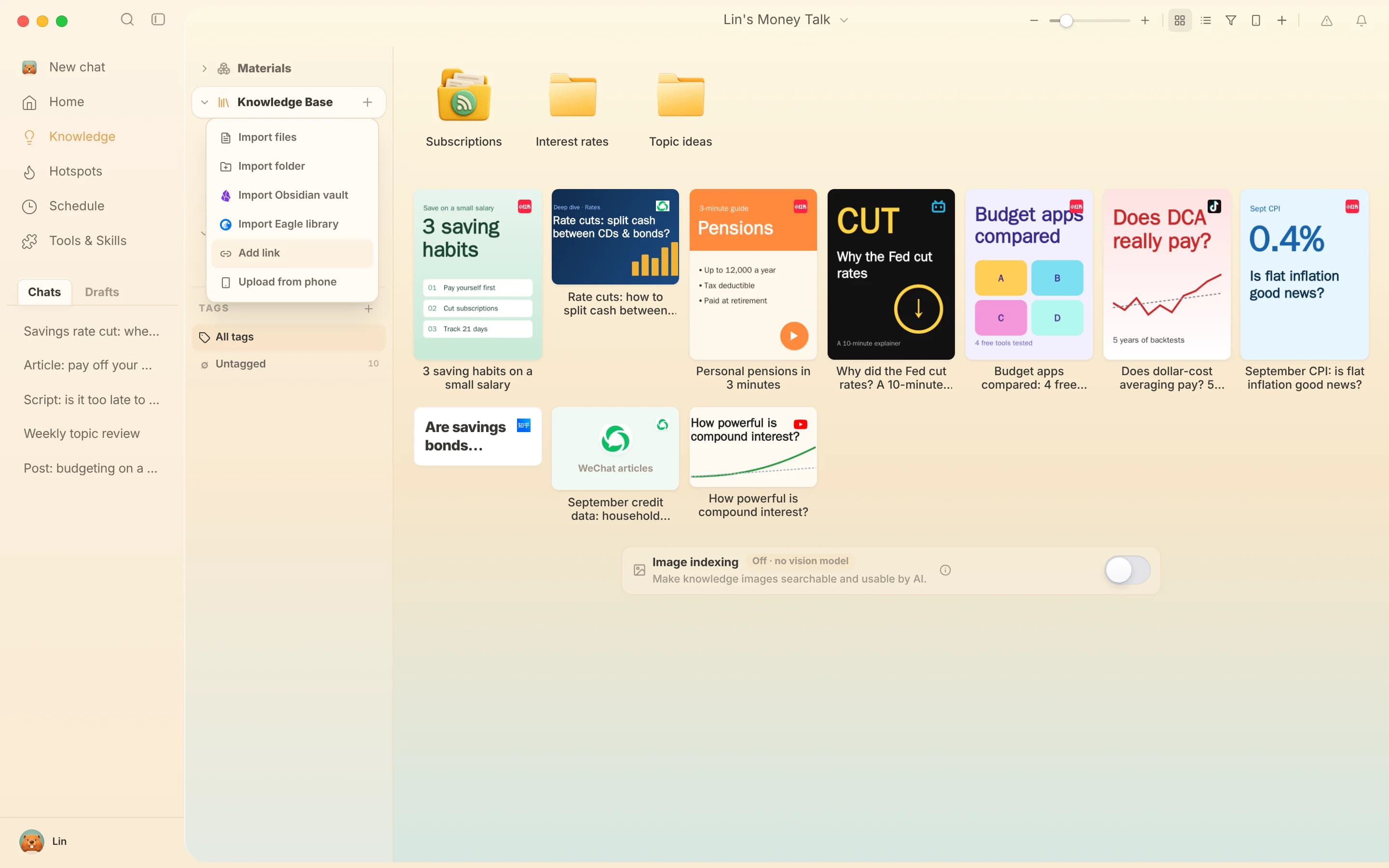
    Click + in the knowledge base and choose Add link

    In the Beav desktop app, at the knowledge base root or in a personal folder, click + next to Knowledge Base and choose Add link. You do not pick a platform; Beav detects Bilibili for you.

    The + menu of the Beav knowledge base with Add link and Phone Upload
  3. 3

    Paste and save

    Paste and click Save or press Enter. On success the box clears so you can paste the next one; on failure the link stays with the reason. While the card says Downloading, the video is still coming down to your computer.

    Save a Bilibili video in three steps: copy the share link, choose Add link from the + menu and paste it, save and find the entry in the knowledge base

What you keep

The video file

Downloaded into your local knowledge base, so it stays even if the uploader deletes it.

Title, description and source link

The source travels with the entry, so you never have to hunt for the original again.

Uploader and view count

The card shows the numbers captured at save time, not live data, and nothing missing is made up.

Ready to break down and rewrite

Click Break down for the structure and script, or AI Rewrite to take it into a new chat and write your own version.

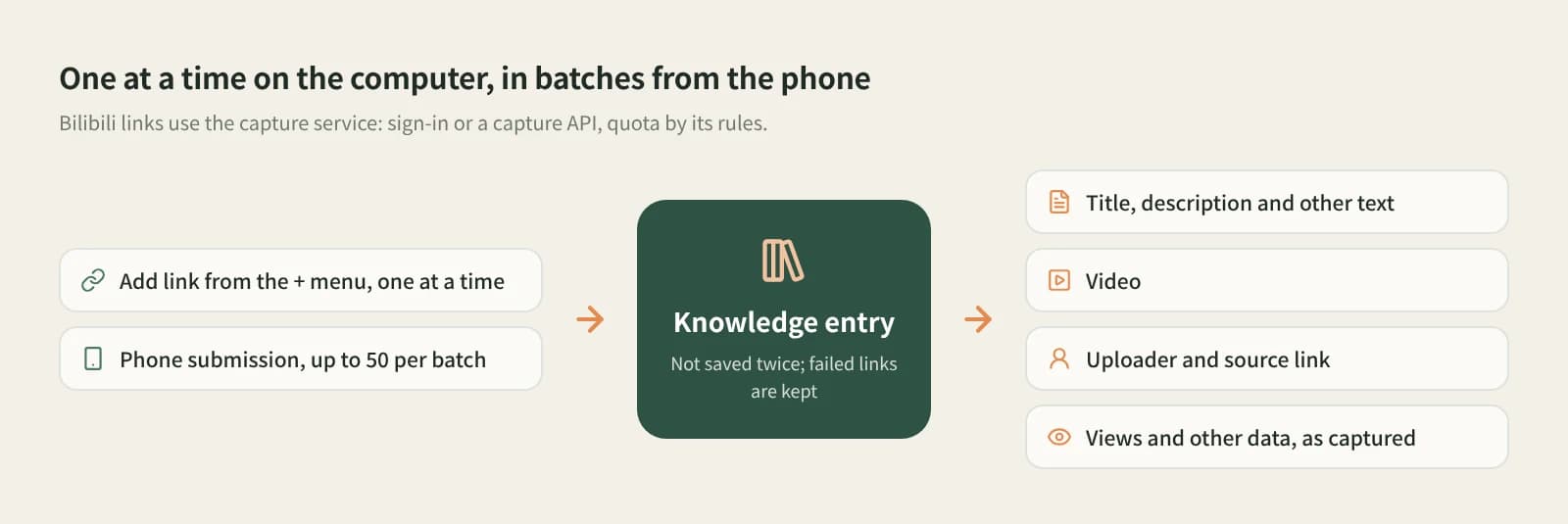
Bilibili links enter the knowledge base through Add link or phone upload and keep the title, description, video, uploader, source link and view count

Compared with other ways

AspectBilibili favorites / Watch LaterBBDown, you-get and similarBeav
What you keepA bookmark on the platformA video file at the quality you pickVideo, title, uploader, source link and view count
If the video is deletedUsually goneThe file stays; you track the source yourselfSaved content and source link stay
Finding it againScroll the favoritesSearch file namesFolders and search in the knowledge base
What comes nextWatch it in the appEdit it yourselfBreak it down, then reference it when writing with AI
CostFreeOpen source, freeCapture uses quota by its rules

If you only want to watch again later, Bilibili favorites are the easiest and keep the danmaku and comments. For 4K, whole collections or bulk high-resolution files, a dedicated downloader such as BBDown fits better. Beav is for keeping Bilibili videos as long-term material: not just the file, but the source and data, ready to break down and learn from.

FAQ

Can I download Bilibili videos to my computer?

Yes. In the Beav desktop knowledge base, click + and Add link, paste the video link or share text and save. The video downloads into your local knowledge base in the background, together with its title, uploader and source link.

Do b23.tv short links and share text work?

Yes. Paste the whole share text copied on your phone. Beav resolves the short link and detects Bilibili; you do not need to extract the URL or pick a platform.

Is it free?

The Beav desktop app has a free plan. Bilibili links are read through the capture service, which needs sign-in or a configured capture API and uses quota by its rules. Breaking a video down later uses model quota.

Can I download several videos or a whole channel at once?

Add link saves one single video at a time and does not accept uploader pages. To submit many, use Phone Upload, up to 50 links per batch. For whole collections or channels, a dedicated downloader fits better.

Can I pick the resolution or get 4K?

Beav has no resolution picker; it saves the video the capture service can get. If resolution matters, use a dedicated downloader.

Can I repost a video I downloaded?

No. Saved videos are for your own study; rewriting means learning the structure and storytelling. Get the uploader's permission before using it in your work, reposting or using it commercially.

Read more

Related playbooks

All playbooks

Accumulation is your moat

Every saved post becomes material for your next one.

Download Beav free