Key takeaways
- Paste several Douyin, WeChat Channels or TikTok links (or whole share texts) into Beav's Extract Video Script tool. It detects each platform, drops duplicates, queues the links and transcribes each video.
- You get plain text by default or SRT subtitles if you switch, and you can save the results to the knowledge base at the same time.
- For one or two videos, a phone-based transcript tool is quicker. For a batch of reference videos, the queue saves a lot of back and forth. Transcription uses credits.
When you study short videos in your niche, the slow part is usually getting the spoken script out. The usual routine: copy a link, paste it into a "video to text" mini program or website, wait, copy the result, go back for the next link. Ten videos means ten round trips, and if one fails you have to remember which.
The Extract Video Script mini tool in the Beav desktop app turns this into a queue: paste all the links once, let it work through them, and copy each transcript as it finishes.
Who it is for
- Short-video creators who want to study how a batch of reference videos open and flow.
- Marketers who follow Douyin, WeChat Channels and TikTok and want one place for all three.
- Anyone who wants the transcripts kept in a library the AI can draw on later.
How to use it
Install the Beav desktop app first. This tool works from pasted links; it does not need the browser extension.
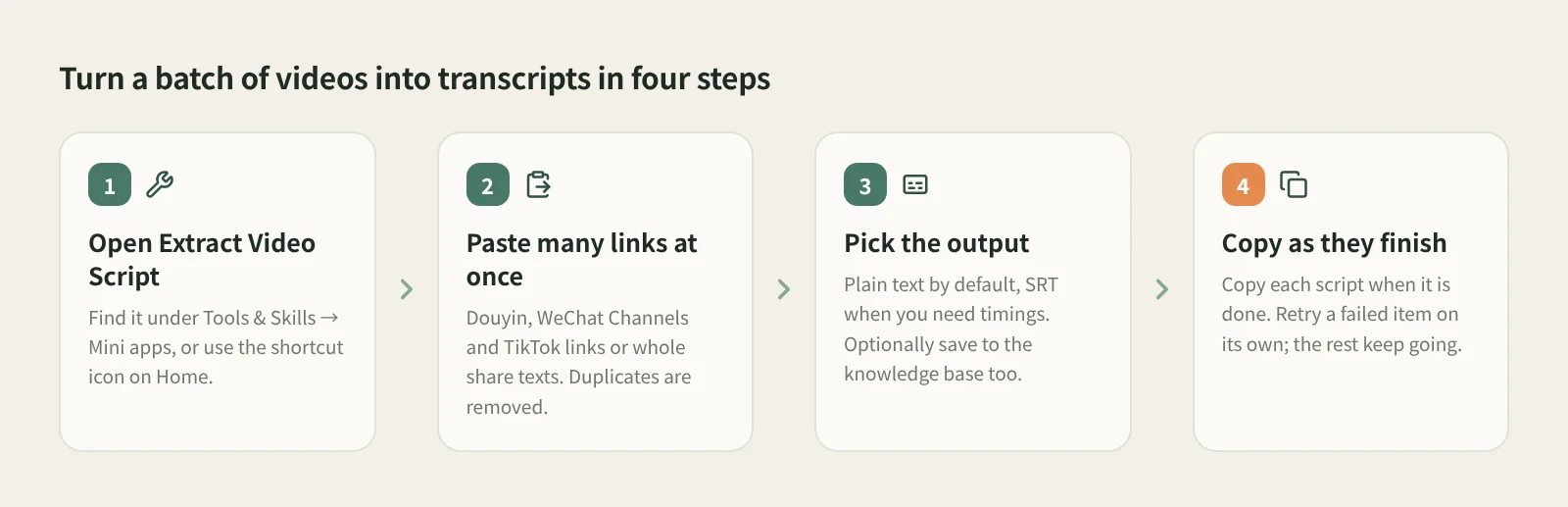
- Open Extract Video Script. It lives in the Mini apps tab of Tools & Skills in the left navigation, and Home has a shortcut icon too. It opens in its own window, so the main window stays free. Grant the permissions it asks for the first time.
- Paste many links at once. Douyin, WeChat Channels and TikTok post links all work, and so does a whole share text. The tool identifies each platform, removes duplicate links and queues them in order.
- Pick the output. Plain text is the default and easiest to read and edit. Switch to SRT for timed subtitles. To keep the results, choose to save them to the knowledge base as well.
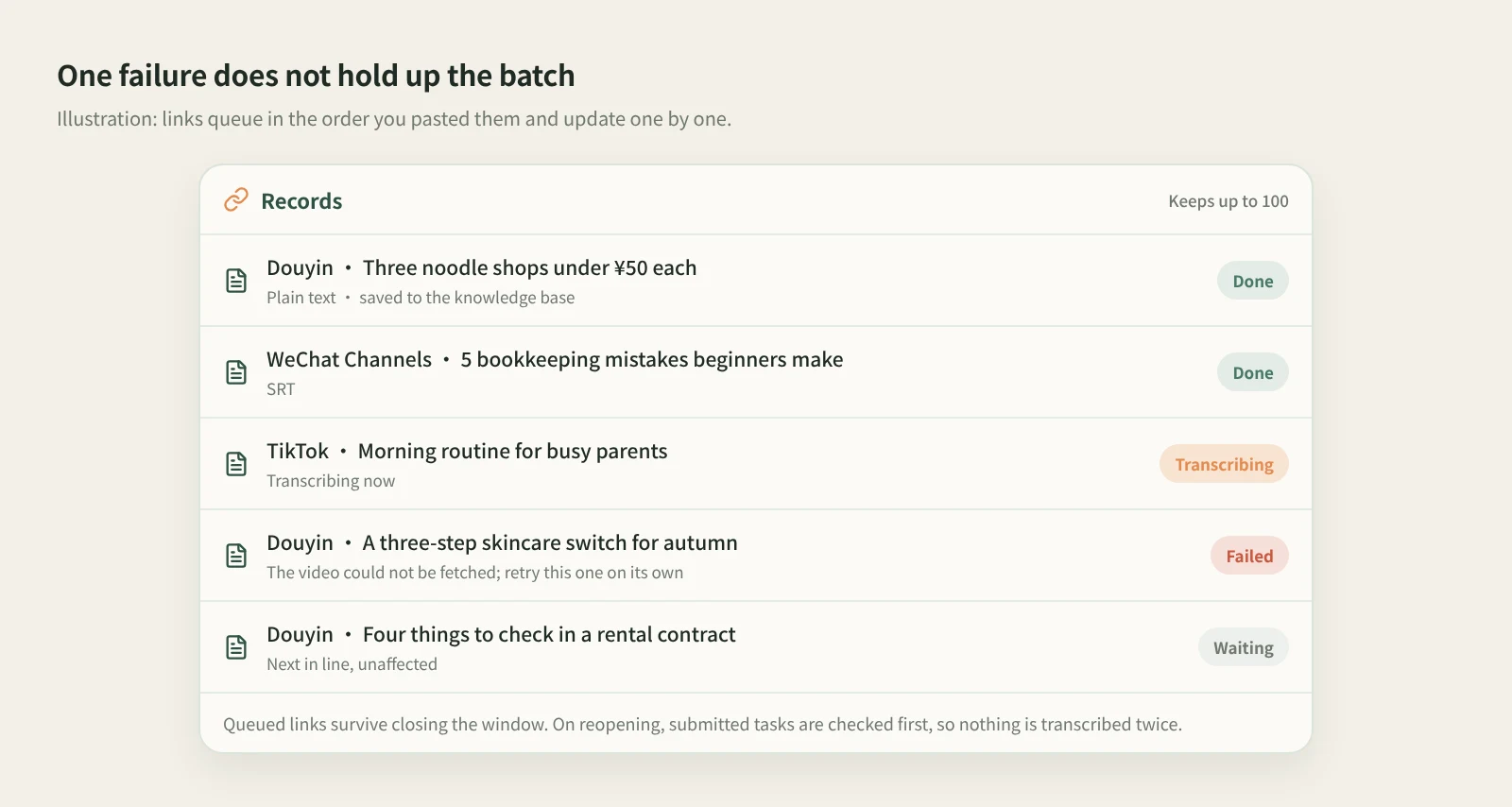
- Use results as they arrive. You can keep adding links while it runs and copy any finished transcript. A failed item does not block the rest; retry it on its own. You can also pause the remaining links, resume the queue later, or remove records that have not started.
- Closing the window is fine. Queued links are kept. When you reopen the tool, it first checks the tasks already submitted and then continues, so nothing is transcribed twice.
How it compares with one-link transcript tools
| Transcript mini programs and websites | Beav Extract Video Script | |
|---|---|---|
| Getting started | Open on your phone, nothing to install | Needs the Beav desktop app on a computer |
| Links per run | Usually one at a time | Many at once, de-duplicated and queued |
| When one fails | Paste it again | Others continue; retry the failed one alone |
| Output | Mostly plain text, varies by tool | Plain text or SRT |
| Where results go | Copied out, or kept in that tool's history | Optionally saved to the knowledge base in your current space |
| Platforms | Varies; some cover more platforms | Douyin, WeChat Channels, TikTok |
Phone tools have a real advantage: you see a video, tap twice, and have the text without opening a computer. If you only need a script now and then, they are all you need. Beav fits a different rhythm, where you go through a batch of reference videos and want to keep the results. Transcripts saved to the knowledge base sit next to everything else you have collected, so you can search them and drag them into a chat when you write.
Limits and notes
- Only Douyin, WeChat Channels and TikTok links are accepted. For RedNote (Xiaohongshu) videos, save the post with the browser extension and click Decompose in its details; the result includes a timed transcript. For audio or video files already on your computer, use Transcribe Media.
- The tool keeps up to 100 records. Save transcripts you want to keep to the knowledge base, or copy them out.
- Transcription runs on a speech model and uses credits, as shown in the app. If a link has no result yet, check its status before pasting it again.
- Quality depends on the audio. A video with loud music and little speech may produce a short or rough transcript, so check it against the video.
- Transcripts are good for studying structure and phrasing. Get the creator's permission before republishing their words.
Next steps
- To keep the video files and captions too, see batch download media from links across platforms.
- For Douyin only, with the video kept in your knowledge base, see save Douyin videos to your computer and turn them into text.
- Full reference: built-in mini tools: video transcript extraction.
Applies to Beav desktop 2.9. Checked 2026-10-21.