Key takeaways
- Tick Save comments when you save a Xiaohongshu (RedNote) post with the Beav browser extension, and the comments are stored with the post in one entry on your computer.
- Open the post in Beav and click Comment insights next to the comment count. A new chat opens where the AI reads the comments against the post: follow-up questions, disputes, sentiment and content opportunities.
- The analysis covers only the comments that were actually captured, which may be fewer than the platform shows. The chat uses points per reply.
On RedNote, the comments are often worth more than the post. What readers ask, which line they push back on, why they hesitate to buy: that is next week's content plan. The trouble is that long threads are tiring to read, and screenshots end up in your camera roll with no link back to the post.
Beav saves the comments together with the post, and Comment insights has the AI read them for you in a chat where you can keep asking and start drafting.
Who it is for
- Creators and marketers studying benchmark posts on Xiaohongshu who want to know what the audience really cares about.
- Anyone writing product or recommendation content who needs real objections and users' own words.
- People who currently scroll comments and take screenshots by hand.
How to use it
Install the Beav desktop app and the browser extension, and check that the extension shows as connected. Tutorial 02 walks through it.
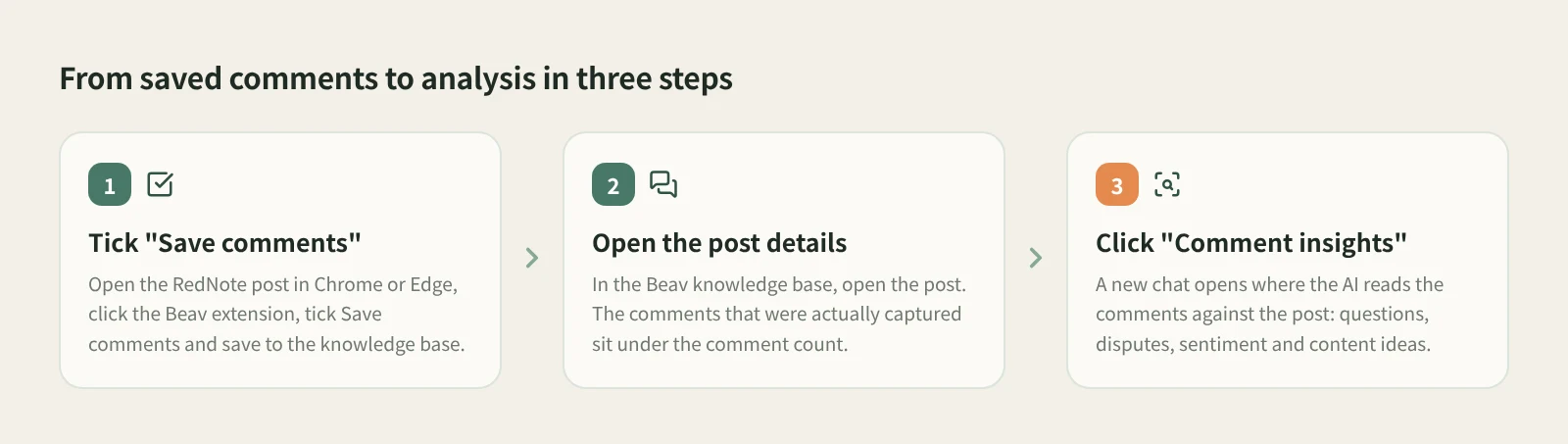
- Open the post and tick Save comments. Open the Xiaohongshu post in Chrome or Edge on your computer, click the Beav icon, check the connection and the current space, tick Save comments, and save to the knowledge base.
- Open the post in Beav. Find it in the knowledge base. The details show the comment count and the comments that were captured. Media downloads in the background, so "Downloading" on the card is normal.
- Click Comment insights. The button only appears when comments were actually saved. It starts a new chat in which the AI analyzes follow-up questions, disputes, sentiment and content opportunities, using the post as context.
- Keep asking. Ask for the three questions most worth answering, or turn the most common concerns into an outline. The analysis is already in a chat, so you can move straight on to drafting.
If you have saved comments from several posts on one topic, you can also open a new chat with a sharper goal, such as "Based on the comments and similar high-performing posts I saved recently, find the three topics most worth making." That prompt comes from Let Beav find the topics.
How it compares with reading by hand and analytics platforms
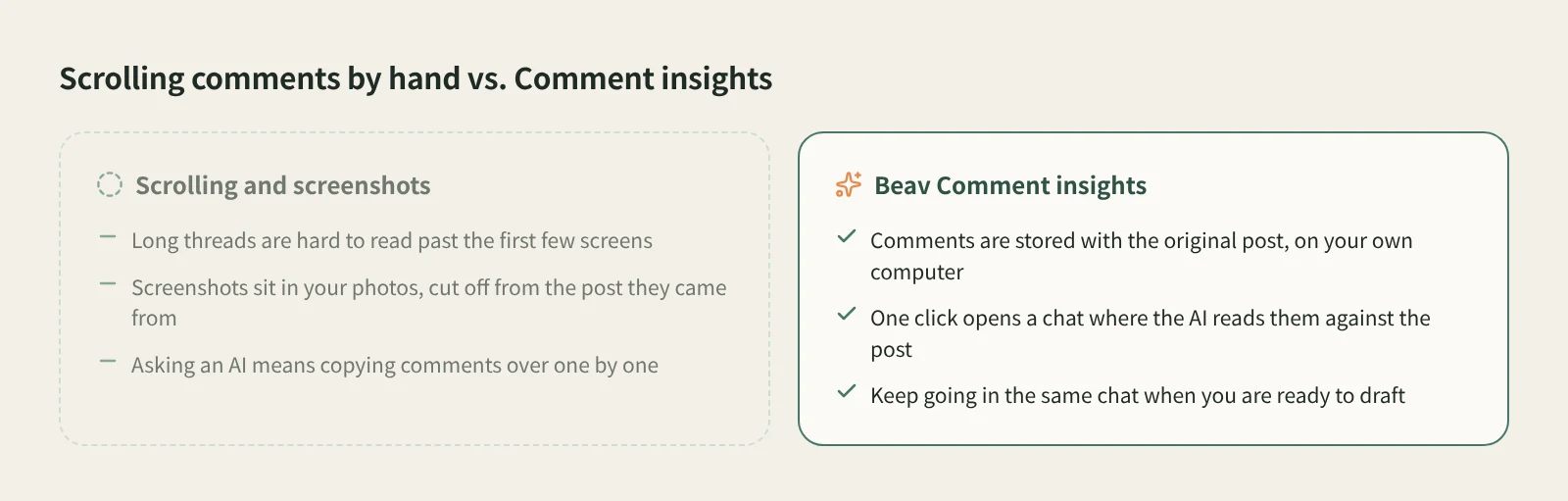
| Reading and screenshots | Comment analysis in analytics platforms | Beav Comment insights | |
|---|---|---|---|
| Where comments live | Your photos or notes app | The vendor's service | The Beav knowledge base on your computer, in the same entry as the post |
| How many you see | As many as you have patience for | Depends on the platform and plan | The comments actually captured |
| How it is analyzed | You read and summarize | Varies; mostly statistics and summaries | The AI reads them against the post, and you can follow up |
| Best for | The odd post now and then | Wide views across brands, creators and categories | Digging into posts you picked, then writing from them |
| Cost | Your time | Usually a paid account | Beav desktop plus extension; the AI chat uses points per reply |
Analytics platforms win on breadth: they cover many accounts and categories, which suits ad buying and market research. Reading by hand gives you a direct feel for every comment. Beav fits the step in between: you have already picked a few posts worth studying and want to understand their comments well enough to use them right away.
Limits and notes
- Comment insights only analyzes the comments captured at save time, which can be fewer than the platform's total. Posts saved without Save comments do not show the button; save the original post again if you need them.
- The comments are a snapshot of the moment you saved. New comments are not added later.
- Treat the AI's summary as a faster read, not a verdict. Check the original comment and its context before quoting a user.
- Comments include other users' names and words. Keep them for your own research and do not republish them as is.
Next steps
- To build a library of benchmark posts, read how to save a whole RedNote post to your computer.
- To save many benchmark posts at once, see batch capture on RedNote.
- Full reference: Comment insights.
Applies to Beav desktop 2.9 and browser extension 2.7. Checked 2026-10-21.