
Key takeaways
- A single Weibo post gets into Beav three ways: Add link in the knowledge base, an exact link sent in a chat for the AI to read and save, or the phone page's URL submission. Ask and the AI reads the public comments too.
- Weibo trending terms can go straight to the AI to search related posts, so you can judge whether a hot topic is worth covering and from which angle.
- Once saved, Decompose gives you the topic and structure, and AI rewrite turns it into content for your own platform.
Weibo is China's big public microblog, the closest thing it has to X. The best posts are short: one opinion, a few images, and thousands of comments underneath. Half of what is useful sits in the post and the other half in what the comments are fighting about. A screenshot has no link and only the first few comments; a week later you cannot find the original.
Beav treats a Weibo post as material you will keep working on: save it to a knowledge base on your computer, read the comments when you need them, break out the topic and structure, and write something of your own.
Who it is for
- Creators who cover trends, commentary or hot topics and need to judge quickly whether a trending term is worth following.
- Marketers who want to see what the comments are arguing about and turn reader sentiment into topics.
- Anyone who finds good material on Weibo and wants to rework it as a Xiaohongshu (RedNote) post, WeChat article or talking-head script.
Step 1: Save it
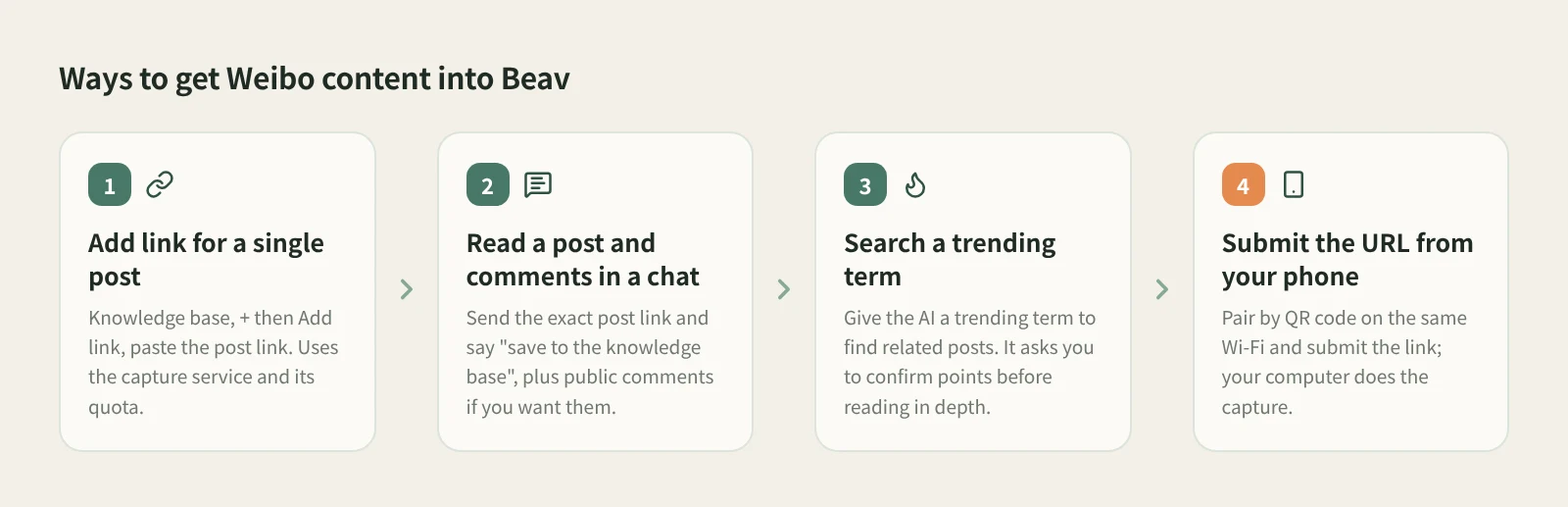
- Save a single post with Add link. In the knowledge base, click + next to Knowledge Base, choose Add link, paste the post's link (share text included is fine), then click Save or press Enter. Beav resolves short links, detects the platform and saves the post to the root of the current space. On success you can paste the next one; links go one at a time. Weibo links go through the capture service, which needs you signed in or a capture API configured, and uses quota according to its rules.
- Read a post and its comments in a chat. Send Beav the exact link to a single Weibo post and say "save to the knowledge base". For comments, add something like "read the public comments too and sum up the main positions." After a successful read, a reading card appears in the chat and opens a preview of what was saved. Reading one specific link does not ask you to confirm points.
- Use a trending term to find related posts. Give the AI a Weibo trending term: "search related Weibo posts for this term and read a few representative ones." That counts as research, so the AI tells you the points cost before its first batch call and waits for you to confirm.
- Found it on your phone? Use phone and computer pairing: put both on the same Wi-Fi, scan the QR code to pair, and submit the URL from the phone page so your computer does the capture.
Check that the right workspace is open in Beav before saving. Use a link to one specific post; profile pages are reported as unsupported.
Step 2: Break it down
Open the post in the knowledge base and click Decompose. Saving never starts it on its own.
Most Weibo posts are short text plus images, so the breakdown mainly gives you:
- Topic. What the post is really about. It also goes to the topic center.
- Structure. How one line sets up the opinion, how the images support the text, where the turn lands.
- Template. A reusable format, such as "counterintuitive claim + one comparison image + a closing question".
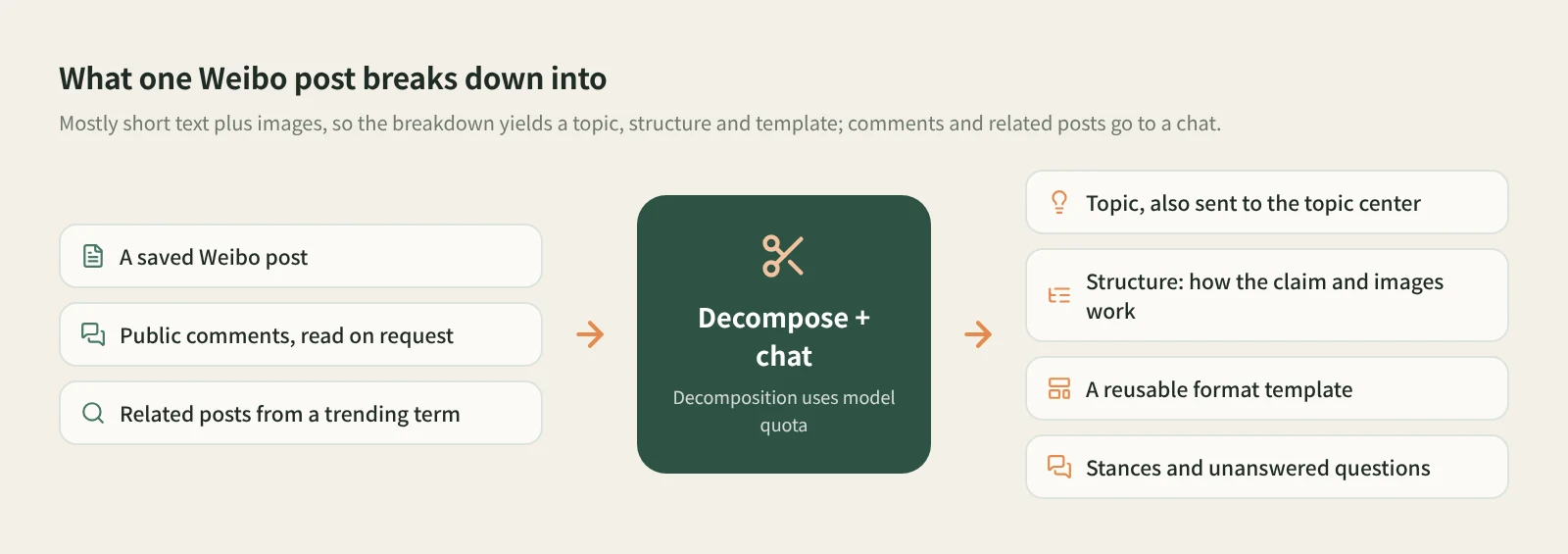
Comments are easier to work through in a chat: "What reasons do supporters and critics give? Which questions keep coming up without an answer?" Reading a few posts with different stances under the same trending term and comparing them makes an untouched angle much easier to spot than reading just one.
Decomposition uses model quota. For video in a Weibo post, shots and clips can only be extracted once the video is saved locally. The docs do not promise that Weibo videos are downloaded, so go by whether the item actually holds a video file.
Step 3: Rewrite it
Click AI rewrite at the top right of the item. Beav opens a new chat with a prefilled rewriting prompt, a reference to this post and the rewriting skill. Add your platform, audience and requirements, review, and send it yourself. Rewriting runs on your chat model.
Weibo posts are short, so what is worth borrowing is how the opinion is pitched and the rhythm, not the words. For example:
Keep this post's rhythm: a counterintuitive conclusion, one comparison image as proof, a closing question.
Turn it into a Xiaohongshu post about renting in my city, using only data I collected myself.
The assistant first explains the organization it observed, then proposes how the new piece maps onto it, and checks the plan with you by default. For news events, verify against the original post and reliable sources rather than a single post or a trending headline, and do not treat figures from the original as facts about your topic. Save the result as a manuscript. Beav never publishes anything for you.
How it compares with the usual tools
| Weibo favorites | Screenshots | Third-party backup or download tools | Beav | |
|---|---|---|---|---|
| Where it lives | Your Weibo account | Photos or a folder | Each tool's export files | The Beav knowledge base on your computer |
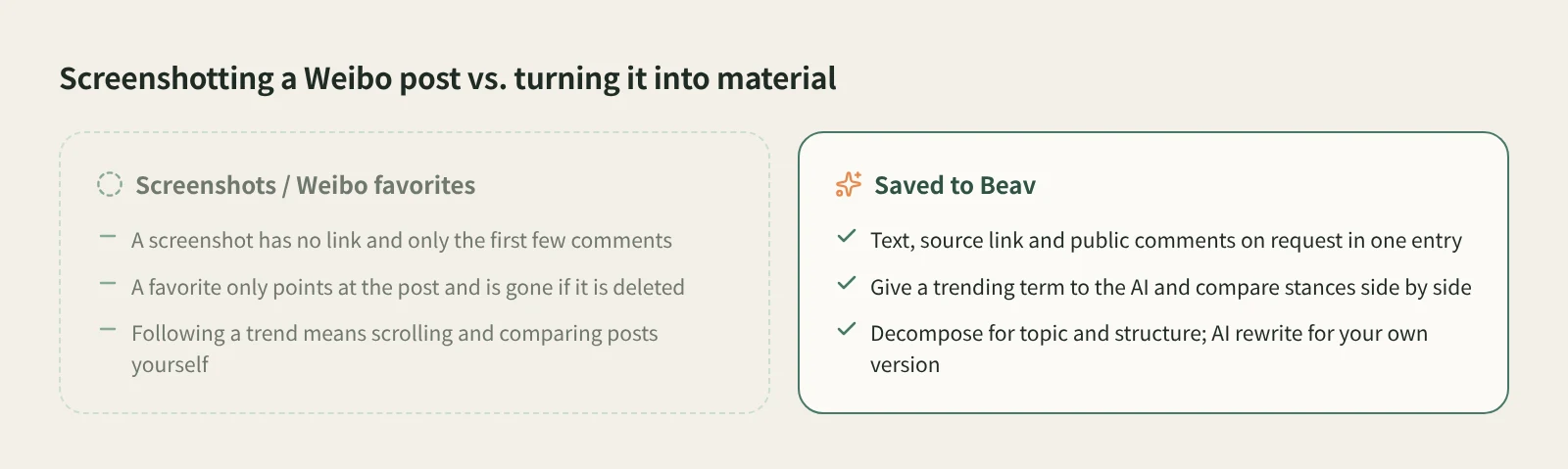
| What you keep | A pointer to the post | An image, no link | Depends on the tool | Text, source link, public comments on request |
| If the post is deleted | Gone | Image remains | Exported files remain | Your copy remains |
| Strengths | One tap, free | Fastest; preserves how it looked | Some are built for backing up a whole account | Keeps going after saving: breakdown and rewrite |
| Cost | Free | Free | Depends on the tool | Capture service uses quota; breakdown and rewrite use model quota |
Favorites and screenshots cost nothing, and a screenshot keeps exactly how a post looked at the time, which is ideal as a record. To export a whole account's posts in one go, a dedicated backup tool is the better fit. Beav is for a different job: taking a post and its comments apart as material and writing your own piece from them.
Limits and notes
- Use an exact link to a single post. Profile pages and unsupported URLs are reported right away.
- Public comments are read on request, and coverage depends on what is returned, which may be fewer than the count the page shows.
- Searching a trending term and then reading posts in depth counts as research and asks you to confirm points before the first batch call.
- Rewriting means learning how the opinion is built and paced, not lifting the words. Credit what you quote, and get the author's permission before republishing or commercial use.
Next steps
- More on saving from a chat: save a link by dropping it into an AI chat.
- One box for links from every platform: paste a link and Beav saves it.
- The breakdown and rewrite method: viral post breakdown and rewriting. Docs: links, subscriptions and account profiles.
Applies to Beav desktop 2.9. Checked 2026-10-21.