Key takeaways
- TikTok links go through two built-in mini tools. Extract Video Script takes many links at once and queues them for download and transcription. Download from Links takes up to 20 per batch and saves them to the knowledge base or packs them into a ZIP on your computer.
- TikTok videos saved to the knowledge base can be decomposed for a topic and structure. When the video is saved locally, you also get a per-shot script and shot clips.
- AI rewrite brings a video into a new chat, which is a good way to turn a hit's structure into your own content. Rewriting means learning the structure, not reposting.
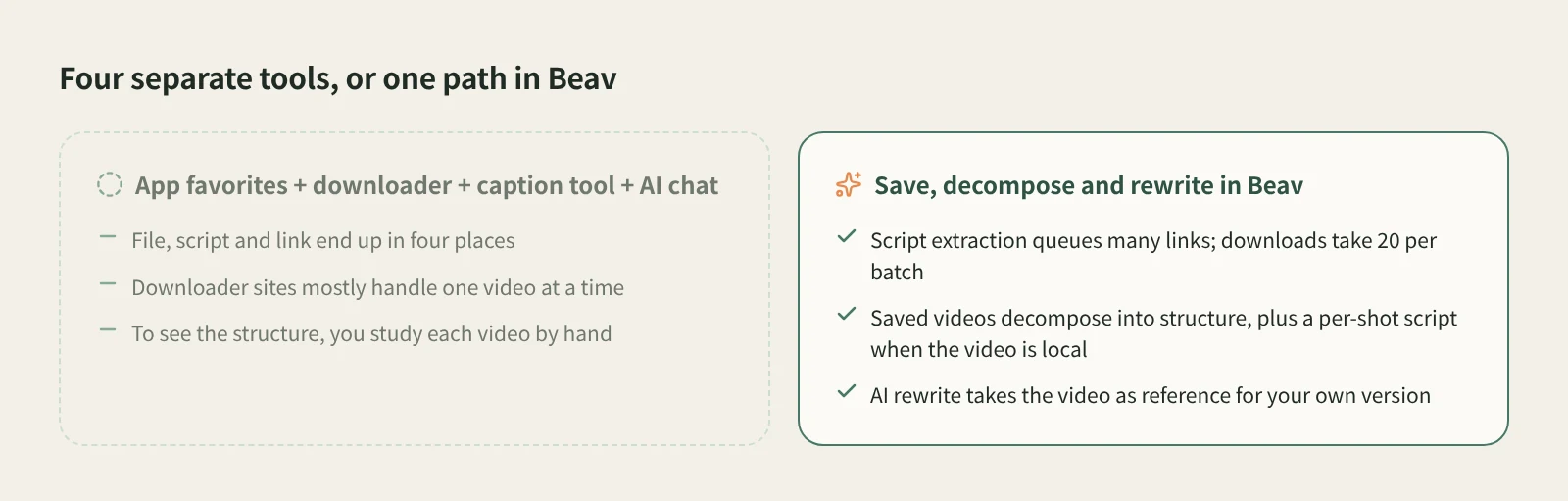
Anyone working on TikTok tends to juggle several things at once: favorites in the app, a paste-a-link downloader site, a caption extractor and an AI chat window. One video's file, script and link end up in four places, and after a few dozen videos nothing is where you left it.
Beav catches TikTok links with two built-in mini tools: batch transcription when you want the words, and the knowledge base when you want the material. Saved videos can then be decomposed and rewritten.
Who it is for
- Creators running TikTok accounts who study batches of similar hits.
- Cross-border e-commerce sellers and marketers who want to reuse the structure of top product videos.
- Creators adapting TikTok formats for other platforms.
Step 1: Save
Both tools live in Tools & Skills > Mini apps on the left. Each opens in its own window, so you can keep working in the main window while it runs.
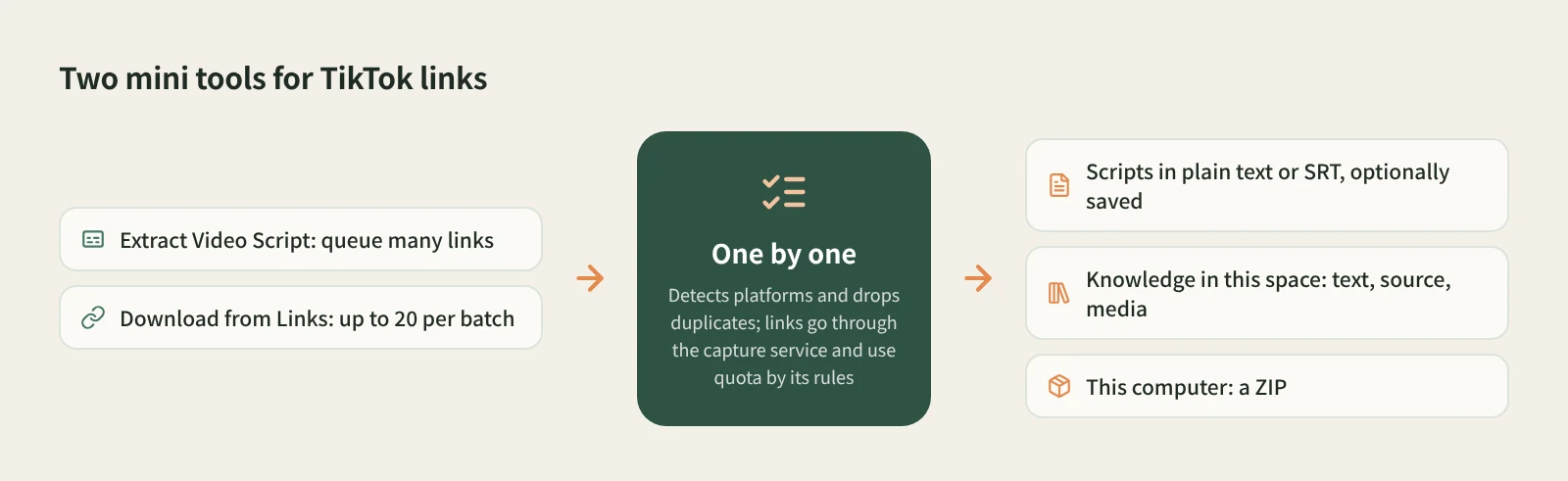
For the spoken script only: Extract Video Script.
- Open Extract Video Script and paste several TikTok links or share texts at once. The tool detects each platform, drops duplicates and queues them in order.
- Each video is downloaded and then transcribed. Output is plain text by default, or switch to SRT. To keep a record, choose to save the results to the knowledge base as well.
- While it runs you can add more links and copy finished scripts. One failure does not block the rest, and you can retry it on its own.
For the video and material: Download from Links.
- Open Download from Links and enter one post link per line, or paste a whole share text. Each batch holds up to 20 links, and duplicates are removed. TikTok links can be mixed with Xiaohongshu (RedNote), Douyin and WeChat Channels links.
- Pick where to save. Knowledge in this space saves the text, source and media. This computer creates no knowledge base entries and packs the text, images and videos into a ZIP, saved to Downloads by default.
- Check the status of each item. Failed or partial items can be retried one by one; if some media did not download, the ZIP includes a list of missing files.
If you plan to decompose and rewrite, choose Knowledge in this space, because both of the next steps happen in the knowledge base. As with other platform links, reading TikTok links goes through the capture service, which needs sign-in or a configured capture API and consumes quota according to its rules.
Step 2: Decompose
Open a saved video in the knowledge base and click Decompose. The result shows a topic, structure template, shots, a per-shot shooting script and a timed transcript, and the topic is added to the topic center.
How far it goes depends on whether the video is saved locally. When the video is on your computer, Beav cuts it into shots and copies the transcript, keyframes, shot MP4 clips and audio cues to the asset library, and you can merge a shot into the previous one or split at the playhead if a cut is off. When the entry only has text, decomposition mainly gives you a topic, structure and templates. If the card still says Downloading, wait for the media to finish first.
To decompose a batch, select items in the list, right-click and choose to decompose the selection, up to 100 at a time. You confirm the item count, video length and model usage before it starts. Decomposition uses model quota. For details, see how to break down a video shot by shot and batch decomposition.
Step 3: Rewrite
Open the details and click AI rewrite at the top right. Beav opens a new chat with a prefilled rewriting prompt, a reference to the video and the rewriting skill selected. Add your brief and send it yourself.
TikTok moves fast, so the most useful things to learn are usually the hook in the first few seconds and the problem, demo, call-to-action order. For example: "Keep the opening comparison shot and the three-part structure, swap in our insulated bottle, aim it at US college students, 30 seconds of English voiceover." When the product changes, the lines, on-screen text and voice need to change with it, and results shown in the original are not facts about your product. Rewriting uses the chat model.
How it compares with the usual tools
| TikTok's own save and favorites | Paste-a-link downloader sites | TikTok Creative Center | Beav | |
|---|---|---|---|---|
| What you get | A video in your camera roll, or a favorite in your account | A video file | Trending hashtags, sounds and ad examples | Scripts, knowledge base entries or a ZIP |
| Strengths | Effortless | Works in any browser | Trends and industry data | Batch transcription and saving, then decomposition |
| Batches | One at a time | Mostly one at a time | No downloads involved | Queued script extraction; 20 links per download batch |
| Text | Needs another tool | Depends on the site | Not applicable | Plain text or SRT scripts; Decompose gives a timed transcript |
| What comes next | Watch it again | Organize it yourself | Pick a direction | Decompose, AI rewrite, drag into a chat to cite |
TikTok's own save is the easiest when the creator allows downloads, and a downloader site works anywhere. For what is trending right now, Creative Center's data is something Beav does not offer. Beav fits once you have a set of benchmark videos and want their scripts and structure in bulk, taken apart and turned into your own content.
Limits and notes
- TikTok is not currently on the supported list for Add link or phone link submission; use these two tools.
- Download from Links holds up to 20 links per batch. Extract Video Script keeps up to 100 records, and queued links survive closing the window.
- What you get depends on whether the link is accessible and on the capture service. Beav does not promise higher quality than the original or watermark removal.
- Capture consumes quota by its rules; decomposition and rewriting use model quota on top of that.
- Saved videos are for study and research. Get the creator's permission before cutting them into your work, reposting or commercial use.
Next steps
- More on batch transcription: extract video scripts in bulk.
- Mixing links from several platforms: batch download links from multiple platforms.
- Full reference: built-in mini tools and decompose videos and notes.
Applies to Beav desktop 2.9. Checked 2026-10-21.