Key takeaways
- Open Douyin on the web in Chrome or Edge, play the video, and click Save Douyin video to knowledge base in the Beav extension. The video, its caption and the source link land in the knowledge base on your computer.
- For the words, click Decompose in the item's details. You get a timed transcript plus topic, structure, shots and a per-shot script. Decomposition uses model credits.
- Only Douyin videos are supported, not photo posts. If all you want is a video file, Douyin's own download or a downloader site is more direct.
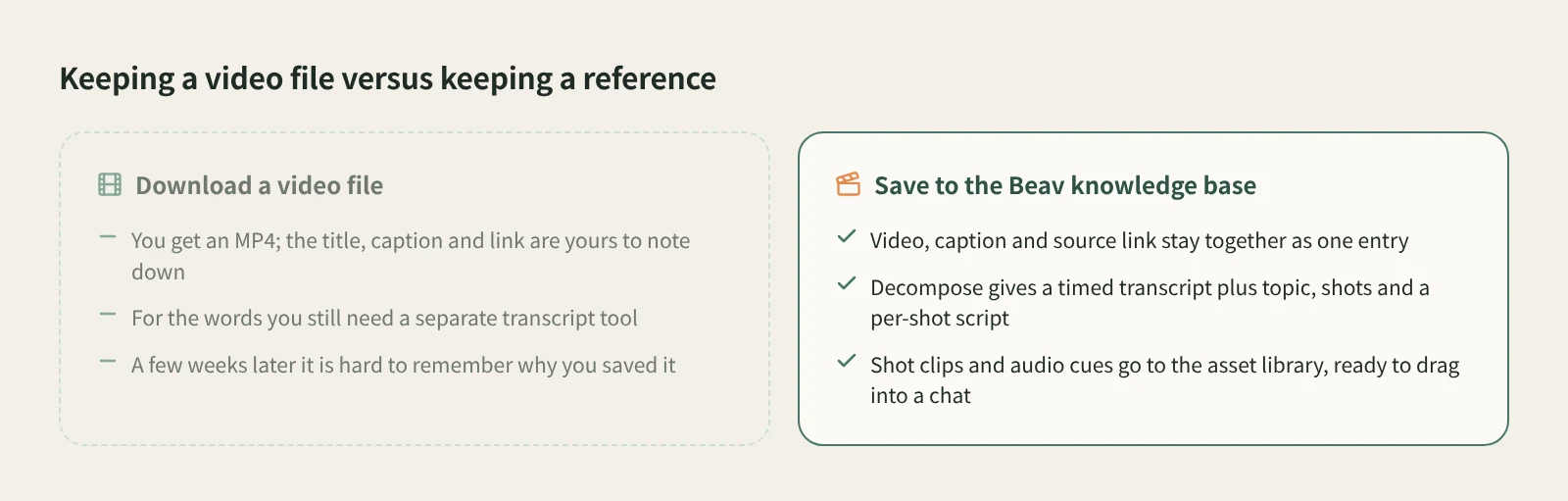
When a Douyin video is worth studying, the reflex is to download it. What you get is an MP4: the title, caption, creator and link stay behind, and for the spoken script you need yet another "video to text" tool. A few weeks later, you rarely remember why you saved it.
Beav saves the video as one entry in your knowledge base, with the caption and source attached. Decompose then pulls out its words and structure, and you can hand the whole thing to the AI when you write.
Who it is for
- Creators making talking-head, food, review or explainer videos on Douyin who keep a library of reference videos.
- Anyone who wants to understand why a video works, from its opening line to its cuts, not just keep a file.
- Teams working on both RedNote (Xiaohongshu) and Douyin who want references from both in one place.
How to use it
Install the Beav desktop app and the browser extension first, and check that the extension shows as connected. Tutorial 02 walks through it.
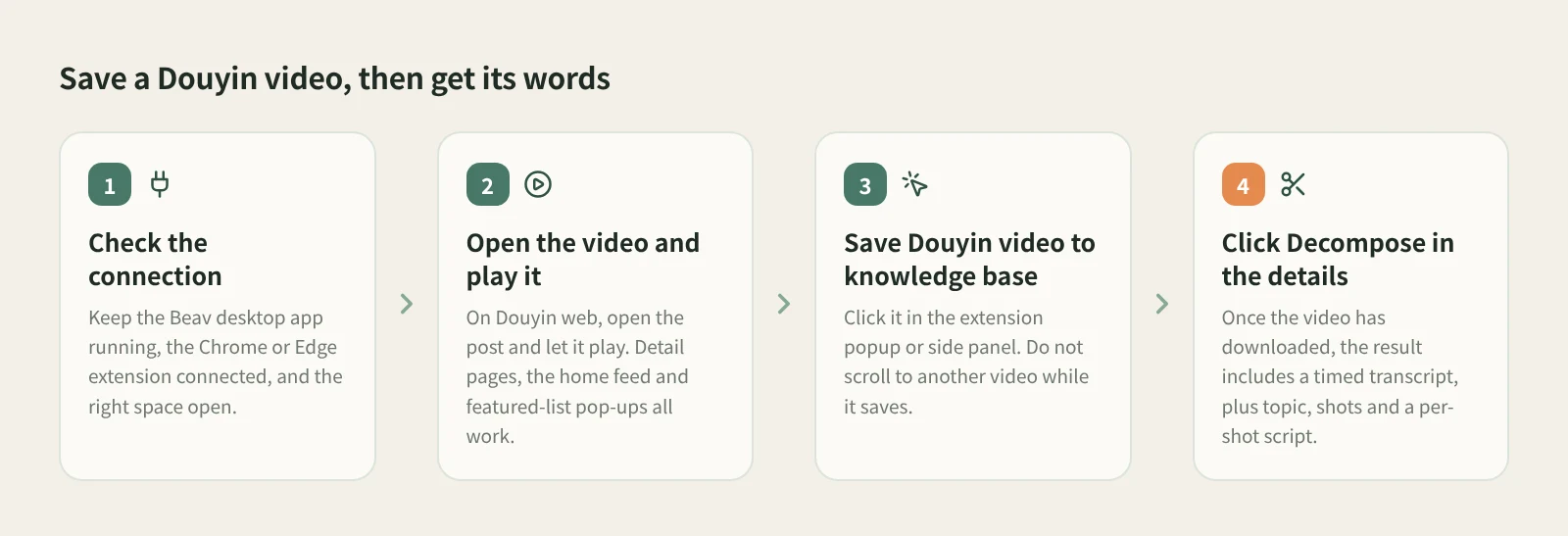
- Check the connection and the space. Keep the Beav desktop app running and the extension connected. Saves go to the workspace currently open in Beav, so if you keep one space per account, switch to the right one first.
- Open the video and play it. On Douyin's website, open the post and let it play. Detail pages, the home feed and video pop-ups in featured lists all work.
- Click Save Douyin video to knowledge base. It is in the extension popup and the side panel. Do not scroll to another video while it saves. If you are told the full video was not obtained, refresh, play it again and retry.
- Check it in Beav. The video keeps downloading in the background after the entry appears, so Downloading on the card is normal. If it says Download failed, save the original post again.
- Click Decompose for the words. Once the video has downloaded, open the details and click Decompose. The result includes a timed transcript, a topic, a structure template, shots and a per-shot shooting script; clicking a timestamp or shot thumbnail jumps to that point in the video. To skip this step, tick Decompose after saving in the extension before you save, and the item joins the decomposition queue automatically.
Decomposition also copies the transcript, keyframes, shot MP4 clips and audio cues to the asset library, and the topic goes to the topic center.
How it compares with Douyin's download and downloader sites
| Douyin's own download | Link-based downloader sites and mini programs | Beav browser extension | |
|---|---|---|---|
| Where | Douyin app or website | Phone or browser | Chrome or Edge on a computer |
| What you keep | A video file | A video file | One knowledge base entry: video, caption, source link |
| When it works | When the creator allows downloads | Depends on the tool | When the page plays and the full video can be obtained |
| Getting the text | Needs another tool | Some include a transcript | Decompose gives a timed transcript |
| What comes next | Organize it yourself | Organize it yourself | Study shots and scripts, reuse clips, let the AI reference it |
| What you need | Nothing extra | Depends on the tool | Beav desktop and extension; decomposition uses model credits |
Douyin's own download is the easiest option when the creator allows it, and a downloader site is always at hand. If you only want a file to send to a colleague or rewatch, they are enough. Beav is for videos you plan to study and take apart.
If you just want the spoken scripts from a batch of videos and do not need the files, Extract Video Script takes many links at once and transcribes them in a queue.
Limits and notes
- Douyin videos only; photo posts are not supported.
- The extension needs Chrome or Edge on a computer, with the Beav desktop app running. For videos you find on your phone, use phone and computer pairing: with both on the same Wi-Fi, scan the QR code to pair and send links to your computer.
- What you get depends on what the page provides. Beav does not promise higher resolution than the page or watermark removal.
- Decomposition uses transcription, chat and video-understanding models and consumes model credits. If one step fails, the finished parts are kept.
- Saved videos are for your own research. Get the creator's permission before reposting, cutting them into your own work or using them commercially.
- If the save button does not appear or nothing arrives, refresh the page and check the connection, then see extension troubleshooting.
Next steps
- For an overview of what the extension can save, see the Douyin downloader.
- To use a breakdown in your own work, read break down viral posts and rewrite them.
- Full reference: Douyin videos and decompose videos and notes.
Applies to Beav desktop 2.9 and browser extension 2.7. Checked 2026-10-21.