

Key takeaways
- A YouTube video has to be confirmed for paid resolution in the desktop app and downloaded successfully before you can click Decompose on it. You get a topic, a structure template, shots, a per-shot shooting script and a timed transcript, and the transcript text, keyframes, shot MP4 clips and M4A music cues are copied to
decompositions/<title>in the asset library.- The hard part of studying a fast-talking video is catching every line and remembering the order. Decomposed, the original words sit in time order, each shot has a description and the structure is laid out. Then click AI rewrite and build your own piece on that structure, for your own audience and in your own language. It's not translate-and-repost.
- The download is charged in points as shown in the dialog; decomposition uses model quota separately. Music cues come from ranges with sound but no speech, so they may include ambient sound; this is not vocal separation.
Plenty of creators outside the English-speaking world study YouTube: reviews, tutorials and vlogs whose topics and editing are often half a step ahead. Getting the gist of a video is easy. Taking it apart is not. What exactly was said in the first thirty seconds? When did the picture cut? How many sections does it have? With a fast speaker, you can pause a dozen times and still miss half of it.
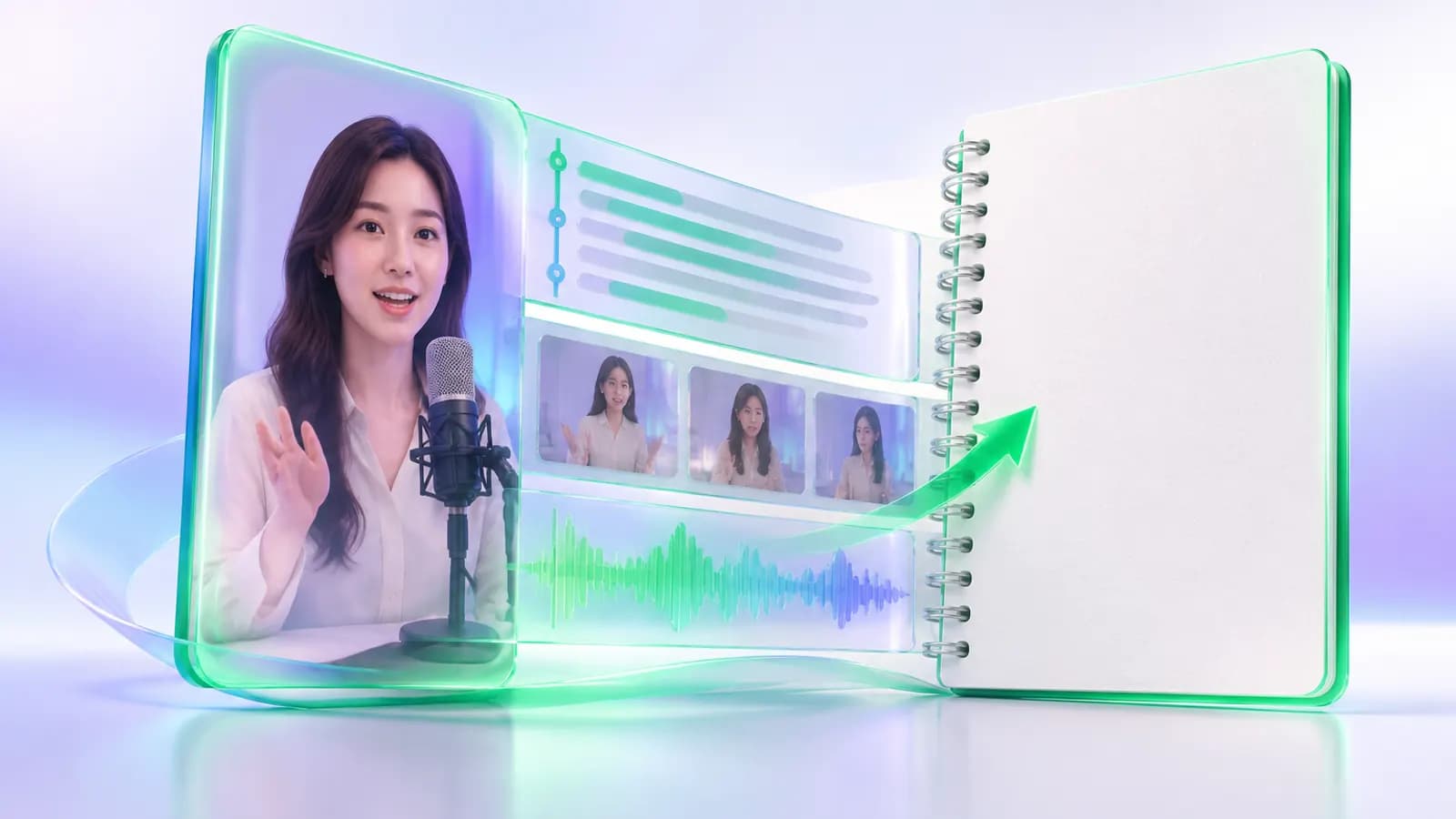
In Beav, that becomes one Decompose. The spoken words become timestamped text, every shot gets a shooting-script line, the flow of the whole video becomes a structure template, and everything goes to your asset library with its source attached. Saving is the first step of building a material library, breaking things down is the second, and making your own piece on the original's structure is the third.
Who it is for
- Explainer, review and tutorial creators who find ideas on YouTube and want to make a version for their own audience.
- Directors and editors studying how overseas vlogs and product videos are cut.
- Anyone whose English listening is shaky but who wants to learn how good overseas videos are built.
How to use it
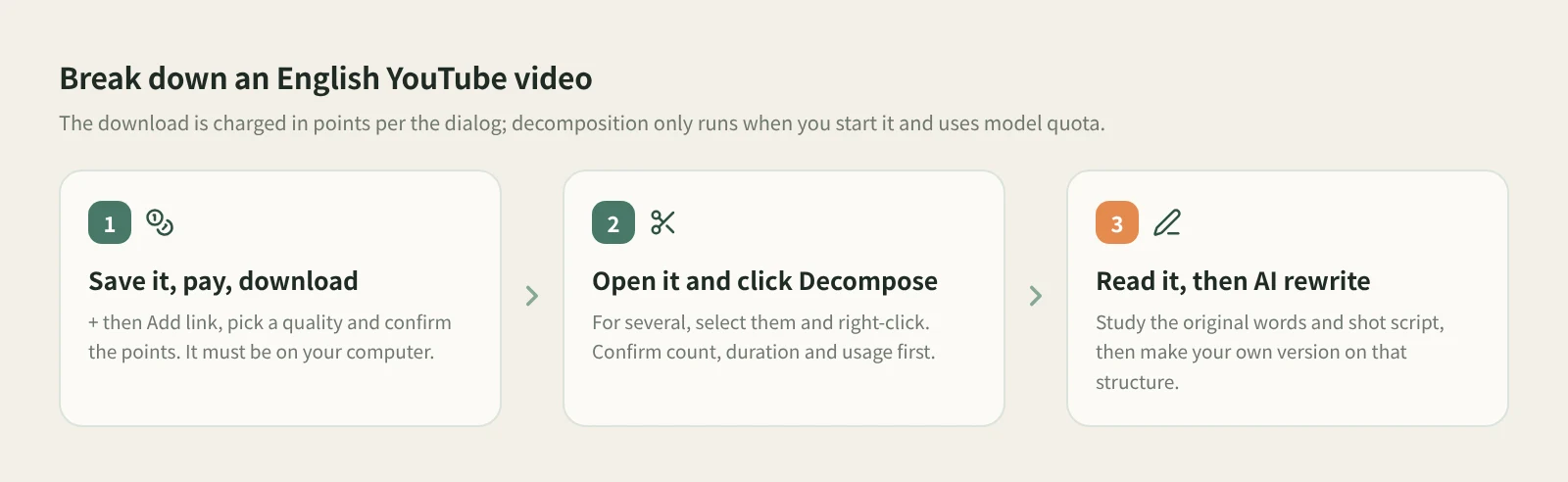
- Save the video and download it. In the knowledge base, click + next to Knowledge Base, choose Add link and paste the YouTube link, then pick a quality in the app, check the points quote and confirm. The walkthrough is in keeping YouTube videos in your own reference library.
- Wait for resolution and the download to succeed. An entry that is still pending, still downloading or whose download failed can't be decomposed. Once the download finishes, the video is transcribed automatically.
- Open the item and click Decompose. To do several at once, select them in the list, open the context menu and confirm the item count, video duration and model usage before it starts. A batch takes up to 100 items.
- Read the transcript for structure. Click a shot thumbnail or timestamp and the video jumps there. If a cut is off, merge the shot into the previous one or split at the playback position; later runs keep your cuts.
- Click AI rewrite and make your own version. Click AI rewrite at the top right of the item. Beav opens a new chat with a reference to this video and the rewriting skill selected. Describe your audience and format, then send it yourself.
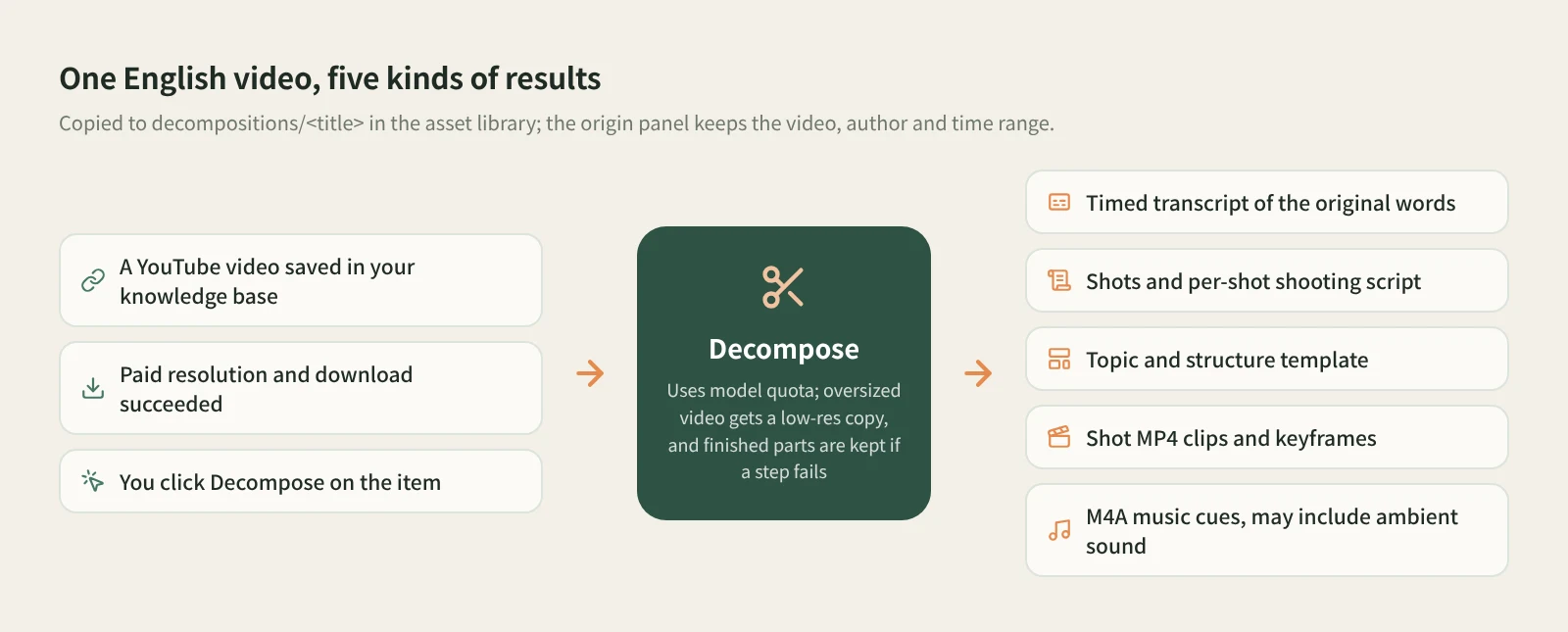
The timed transcript: hear every line. Everything said in the video becomes text with its own timestamp. An English video gives you the English original; it isn't translated for you. That's the point: you see what the creator actually said, and in time order you can tell which line is the hook, which lines set things up and where the substance starts.
Shots and the per-shot shooting script: see how it's cut. Much of the pace of an overseas review or vlog comes from the edit: when it cuts to a close-up, when B-roll comes in, how many pictures one explanation gets. The shooting script lists each shot in order with what it shows and how it was filmed. Read it next to the transcript and you see how the picture follows the words.
Topic and structure template: how the whole thing moves. The structure template lays out how the video opens, develops and closes. The topic also goes to the topic center.
Shot MP4 clips, keyframes and M4A music cues. The video is cut shot by shot, with an MP4 clip and a keyframe for each. Music cues come from ranges with sound but nobody talking. They may include ambient sound, and vocals and music are not separated, so listen before you use one.
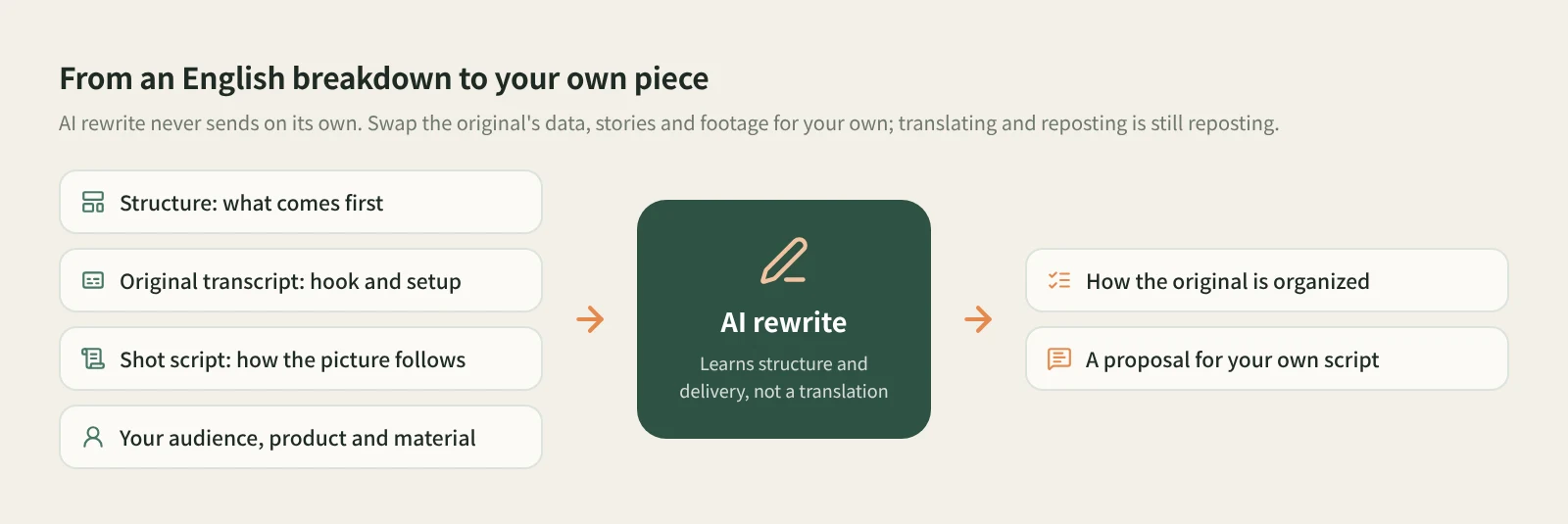
Make your own version, not a translation. When you rewrite, say what to keep and what to change. For example: "Keep the structure of stating the verdict first and then proving it with three side-by-side tests, swap in three similar products sold in my market, aim it at first-time student buyers, and make it a three-minute talk in my language." The assistant first explains how the original is organized, then proposes the new script. The original's test results, personal stories and footage belong to someone else and can't stand in as your facts; replace them with what you test and film yourself. Translating and dubbing an English video and posting it as is counts as reposting; get the creator's permission before using their clips or words. More in AI rewriting that isn't just swapping words.
What uses points and quota? The YouTube download is charged in points as shown in the confirmation dialog. The charge happens when resolution succeeds, and a later download failure isn't refunded. Decomposition is separate and uses model quota: the transcript, topic and structure, and shooting script rely on transcription, chat and video-understanding models respectively. Rewriting uses the chat model.
How it compares with the usual ways
| Breaking it down by hand | CapCut auto captions | A separate music-ripping tool | Beav Decompose | |
|---|---|---|---|---|
| Strength | You hear every line yourself, so it sinks in deepest, and your English improves too | Captions land on your timeline, great for captioning your own videos | Built for audio; some identify the song or separate vocals | Transcript, shot script, structure, clips and music in one run |
| What you get | Notes and screenshots | Caption text | An audio file | Topic, structure template, per-shot shooting script, timed transcript, shot MP4 clips, keyframes, M4A music cues |
| Source | You track it | Lives in the edit project | Usually you track it | Origin panel keeps the video, author and time range |
| Making your own version next | By hand | By hand | Not applicable | AI rewrite opens a chat with this video attached |
| Cost | Free, but slow | Per CapCut's own terms | Depends on the tool | Points for the download, model quota for decomposition |
If you really want to understand a video inside out, breaking it down by hand is still the surest way, and what Beav produces only counts once you've read it and judged it yourself. For captioning your own footage, CapCut is the smoother tool. If you need a song's name or a clean instrumental, a dedicated audio tool fits better: Beav doesn't identify songs or separate vocals. Beav is for breaking down a batch of overseas references, keeping them in a library you can trace back to the source, and moving straight on to your own version.
Limits and notes
- The paid download has to succeed first. YouTube entries that are pending, downloading or failed can't be decomposed. Decomposition only runs when you start it; saving never starts one.
- Long videos have a ceiling. A file over the video-understanding size limit is first compressed to a low-resolution copy; if it's still too large, the shooting script is skipped and the reason is shown. If one step fails, the finished parts are kept; check the reasons at the bottom of the result, the download progress and your model setup.
- Running it again won't overwrite your edits. Versions you changed in the asset library are kept, and changed outputs are saved as new copies. After you adjust cuts, decompose again to get new clips; old clips are not deleted. Shared spaces don't offer Decompose.
- AI rewrite never sends on its own, and Beav never posts for you.
- What you break down is for your own study. Get the creator's permission before using clips, keyframes, music or their words in anything you publish or sell.
Next steps
- For the full flow from saving to rewriting, read saving, breaking down and rewriting YouTube videos.
- For how to make a rewrite your own, read AI rewriting that isn't just swapping words. For why collecting matters at all, read the series overview, "Accumulation Is the Moat".
- Full reference: decompose videos and notes.
Applies to Beav desktop 2.9. Checked 2026-11-04.