

Key takeaways
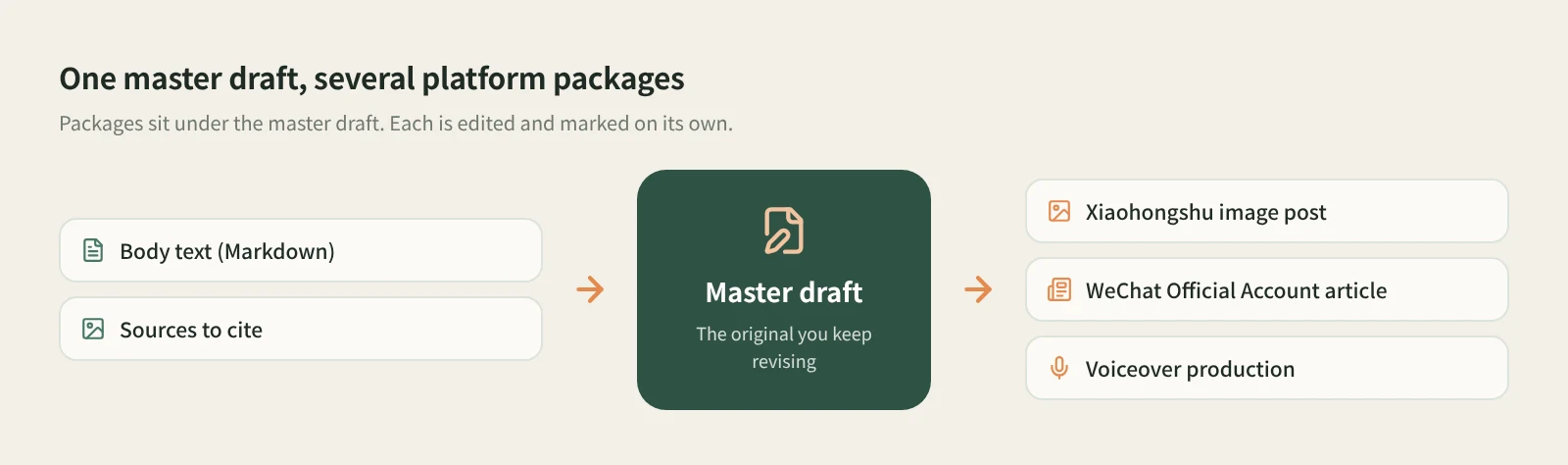
- Beav splits a piece of content into two layers. The master draft is the body you keep revising; a package is a ready-to-publish deliverable for one platform. One master draft can have several packages, such as a Xiaohongshu image post, a WeChat Official Account article and a voiceover production package.
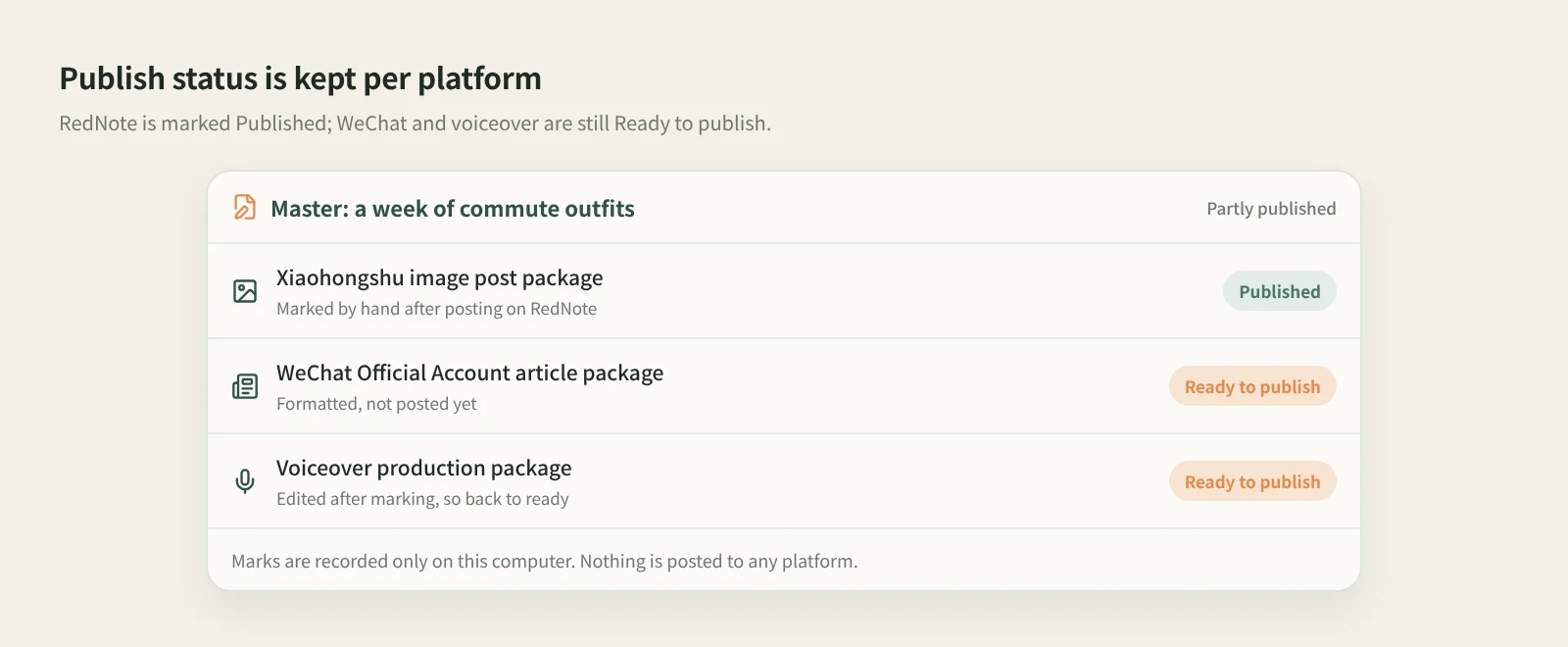
- Each package is edited and picked up on its own, and Mark published is recorded per platform: once the RedNote version is out, the WeChat version is still waiting, and the master draft card shows Partly published.
- Beav does not post for you. You publish on each platform yourself; Beav gets each platform's materials ready and keeps track of which version has gone out.
When one idea is meant for RedNote, a WeChat Official Account and a short-video channel, the hard part is often not the rewriting but keeping track. After three rounds of edits, which file is current? Did the WeChat version go out? You changed a line in the voiceover script; does the RedNote caption need the same fix? With bits spread across documents, your camera roll and chat history, things drift apart within a week.
How to rewrite for each platform is covered in our guide on repurposing one piece of content across platforms. This article is about the Beav feature that holds it all together, master drafts and per-platform packages: what they are, where to find them, and how to edit and mark them.
Who it is for
- Solo creators who publish the same idea on Xiaohongshu, a WeChat Official Account and short-video platforms such as Douyin or WeChat Channels.
- Marketers running several platforms for themselves or clients who keep losing track of what has been posted where.
- Anyone who wants their drafts on their own computer, filed by platform and easy to look up later.
How to use it
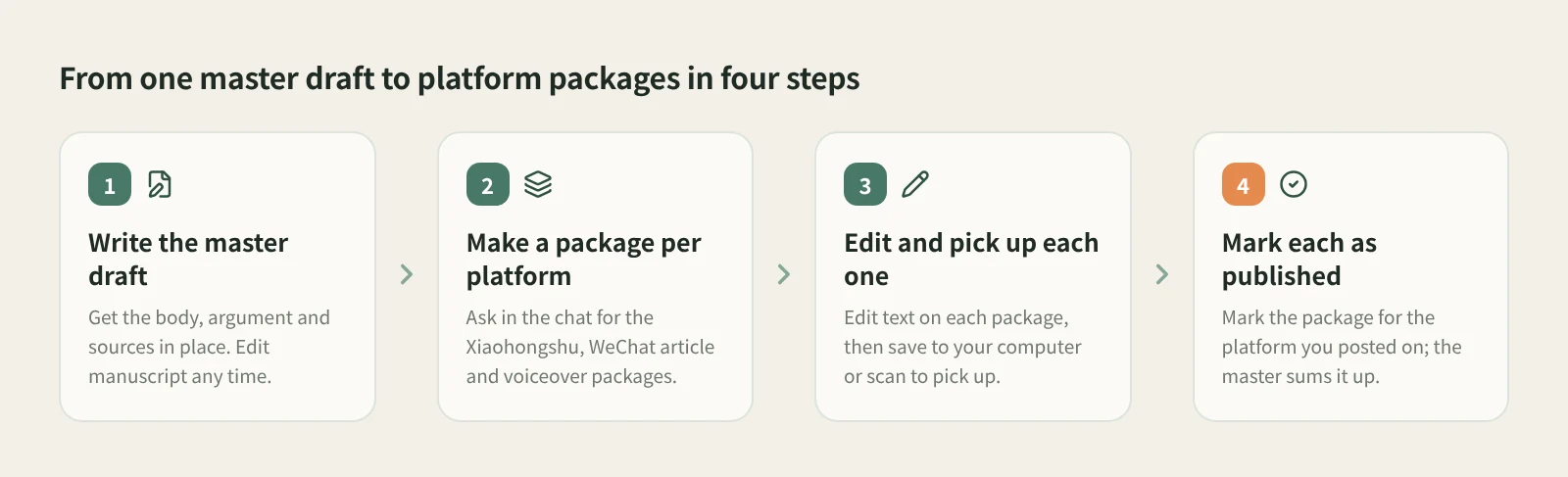
- Get the master draft right first. The master draft is the body of the piece, in Markdown, with the facts, the argument and the sources you want to cite. Open it in the workspace on the right side of a chat and click Edit manuscript to change and save it. The more complete it is, the less each platform version has to make up.
- Generate a package per platform. Tell the AI in the chat which platform you want. "Make it a Xiaohongshu image post" gives you a complete image post package by default: title, caption, tags and all the images. Ask for the WeChat Official Account article package and the voiceover production package the same way, from the same piece. If you only want to see the copy or a plan first, just say so.
- Compare them in Manuscripts. The Manuscripts tab in the right workspace shows Ready to publish by default. Switch to All to see the master draft (labeled Master) next to its platform packages. Under Account profile → Manuscripts on the left, a master draft that already has packages is shown through its packages, and Recent output on the home page lists packages that are ready to publish.
- Edit each platform version on its own. Open a package and click Edit text to change its title and platform text. For Xiaohongshu you can also edit tags, and the WeChat article uses a rich-text editor. Saving updates the current package instead of creating another version. You can also keep going in the chat, for example "only change page two" or "keep the existing images and continue with the remaining pages", and images that have not changed are not regenerated. View master at the top of the package details takes you back to the original.
- Take it to your phone or computer. Click Publish to open the publish page in your browser. Use Save to computer to get a folder named after the title with numbered original images,
文案.txtand发布.html, or connect your phone to the same Wi-Fi as your computer and scan the QR code to pick up the images and text, then upload and paste them in the platform's app. - Post one, mark one. After posting on a platform, open that package's details and click Mark published. It moves to Published. The other platforms' packages are not affected, and the master draft card summarizes them as Published, Partly published, Ready to publish or In progress.
A few details that are easy to miss:
- A published mark is tied to the content at the time. If you edit and save the package afterwards, it goes back to Ready to publish and the original publishing record is kept, so you can decide whether to post it again.
- Opening the publish page does not mark anything. If you marked the wrong one, use Unmark published.
- When you sort manuscripts into folders, the folder applies to the whole manuscript, and the platform versions follow their master draft.
- To plan which piece goes out on which day, give manuscripts a planned date with the content schedule.
How it compares
| Copy-paste to each platform | One-click distribution tools | Beav master draft + packages | |
|---|---|---|---|
| Platform versions | Scattered across docs, your camera roll and platform drafts | Usually filled in from one screen, often pushing the same content to several platforms | Each platform is its own package, with title, text, tags and images together |
| Link to the original | You keep track yourself | Depends on the tool | Packages sit under the master draft; View master is one click away |
| Publishing | You post on each platform by hand | Actually posts for you, sometimes on a schedule, saving the uploads | Does not post; gives you Save to computer and phone pickup |
| What has gone out | Memory or a spreadsheet | The tool keeps a send history | Marked per platform; the master shows Partly published and so on; edited versions return to Ready to publish |
| What you need | Nothing extra | Usually authorizing your platform accounts to the tool | The Beav desktop app; no platform account handed over |
To be fair: if you post to one or two platforms with few changes, copy-paste is fastest and another tool adds little. If what you care about most is pressing publish fewer times, a distribution tool really is more convenient, and Beav does not do that step. Beav fits a different case: each platform gets its own rewrite, and you need those versions and their publish status kept straight.
Limits and notes
- Beav does not post for you. Publish on Xiaohongshu only opens the Xiaohongshu creator publishing page; you upload the images and paste the title and text yourself. The same goes for other platforms.
- Published marks are recorded only in the manuscripts on your computer. They do not post anything to a platform or delete what you already posted, and Beav does not check the platform to confirm you actually posted.
- Phone pickup needs your phone and computer on the same Wi-Fi; cellular is not supported. It lasts up to 30 minutes from opening the publish page, and a single package's images are limited to 100 MB.
- Packages are generated by the AI in the chat, so you need a working chat model. The platform versions are first drafts that tend to sound alike; check the facts, wording and images of each before posting.
- Xiaohongshu post text is limited to 1,000 characters, so watch the length when generating and editing.
Next steps
- For how to rewrite for each platform, read repurposing one piece of content across platforms.
- To fit several platforms into your week, see the content schedule.
- The full reference is in the docs: Manuscripts, packages, and publishing.
Applies to Beav desktop 2.9. Checked 2026-10-27.