

Key takeaways
- In a new Beav chat, ask for a Xiaohongshu (RedNote) image post and you get a complete package by default: title, caption, tags and all the images, with no limit on image count.
- If you have not approved generating every image at once, the AI makes two first for you to confirm, then continues. Later you can change one page or reorder pages, and unchanged images are not redrawn.
- Text and images come out together and can cite posts and notes saved in your knowledge base. Beav never posts for you; you upload and paste yourself.
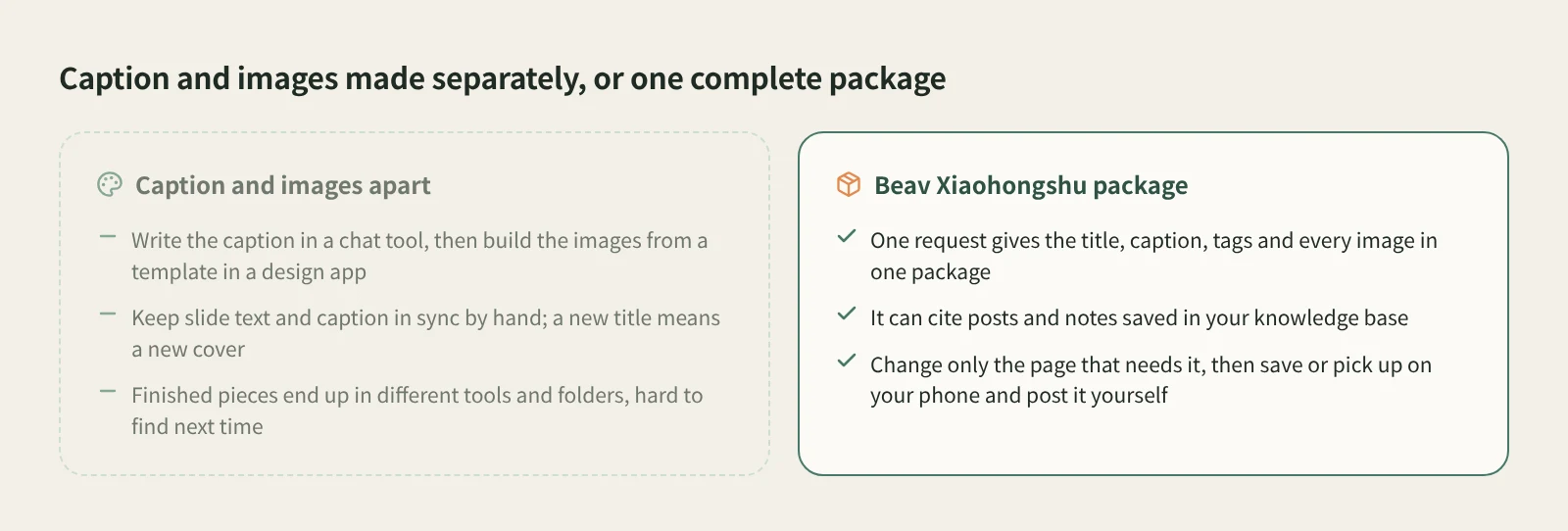
Making a RedNote carousel usually means hopping between tools: an AI chat for the caption, a design app and a template for the images, then checking that the words on each slide match the caption. Change the title and the cover text has to change too.
Beav puts this into one chat: you ask for a Xiaohongshu image post, and the AI hands back the title, caption, tags and every page as one unit, which Beav calls a package. The text and images come from the same draft, and you revise them in the same place.
Who it is for
- Creators who publish several RedNote carousels a week and are tired of starting from a blank template.
- People who already keep reference posts and product notes in Beav and want new posts built on that real material.
- Marketers who draft carousels for clients or a team and need to hand over a finished set.
How to use it
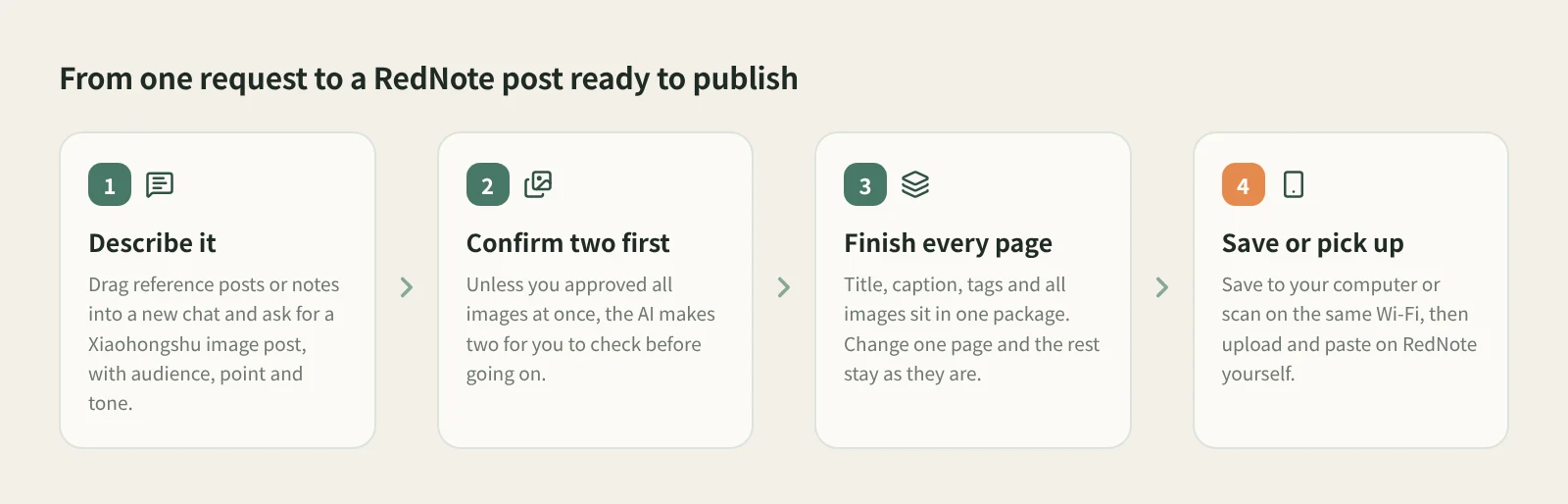
- Start a new chat and bring your material. Drag reference posts or product notes from Knowledge, Assets or Manuscripts in the right workspace onto the input box; a reference card with a type label appears. For a fixed visual style, pick one of the creation templates below the input box.
- Ask for a Xiaohongshu image post. Say who it is for, the main point and the tone. If you only want the copy, a plan or two trial images first, say so.
- Confirm the first two images. Unless you said it may generate all images at once, the AI makes two for you to check, then continues with the rest. For the cover it considers 12 types of composition (single image, image with text, comparison, collage and more) and picks one that fits. It does not generate 12 images.
- Revise inside the same package. Ask for things like "only change page two", "swap these two pages" or "keep the existing images and continue with the remaining pages". The AI edits the same package and does not regenerate images that have not changed. You can also open the package and click Edit text to change the title, caption and tags yourself.
- Check every page, then take it to publish. The package appears as a card in the chat and under Ready to publish in the Manuscripts tab on the right. Click Publish to open the publish page, then Save to computer (numbered original images,
文案.txtand发布.html), or scan the QR code on the same Wi-Fi to pick up the images and text on your phone. - Post it yourself, then mark it. Publish on Xiaohongshu only opens the Xiaohongshu creator publishing page. You upload the images and paste the title and caption. Back in Beav, click Mark published; that mark is stored only on your computer.
The text uses your chat model. Image generation uses credits or an external service you configured, and it takes longer than text. If a result does not show up right away, check the original task instead of submitting it again.
How it compares
| RedNote's built-in creation tools | Canva and similar design apps | Beav Xiaohongshu package | |
|---|---|---|---|
| Best at | Living inside the posting flow, so you finish and post in one place | Huge template libraries and precise manual layout control | Text and every image from one request, delivered as a unit |
| Where the copy comes from | You write it, or use the app's own helpers | You usually write it first, then drop it into a template | The AI writes it and can cite posts and notes in your knowledge base |
| Images and text | Handled separately | You keep slide text and caption in sync by hand | From the same draft; changing one page touches only that page |
| Where it lives | In the platform | In your design account or project | In the Beav manuscript library on your computer, one package per platform |
| Posting | Post directly in the app | Export images and upload them yourself | Save to your computer or pick up on your phone, then upload and paste yourself |
If you have a fixed brand template and want pixel-level control, Canva and similar design apps are still the better fit, and for an occasional post the built-in tools are the least effort. Beav suits a different case: you already have material and a point of view, want the words and images to take shape together, and expect to revise and reuse them.
Limits and notes
- Xiaohongshu post text is limited to 1,000 characters, so trim long captions. The package itself has no image limit.
- Beav does not post for you and never publishes automatically. Mark published is only a local record.
- Phone pickup needs the phone and computer on the same Wi-Fi (no cellular), stays valid for up to 30 minutes after you open the publish page, and images in one package are limited to 100 MB.
- Check every page of AI output for facts, numbers and layout. Get permission before reusing someone else's content; learn from structure, and use your own facts and experience.
Next steps
- To break down a reference post and follow its structure, read how to break down and rewrite a RedNote post.
- To have the AI remember your voice, read how Beav memory and writing styles work.
- Full reference: Manuscripts, packages, and publishing.
Applies to Beav desktop 2.9. Checked 2026-10-27.