
Key takeaways
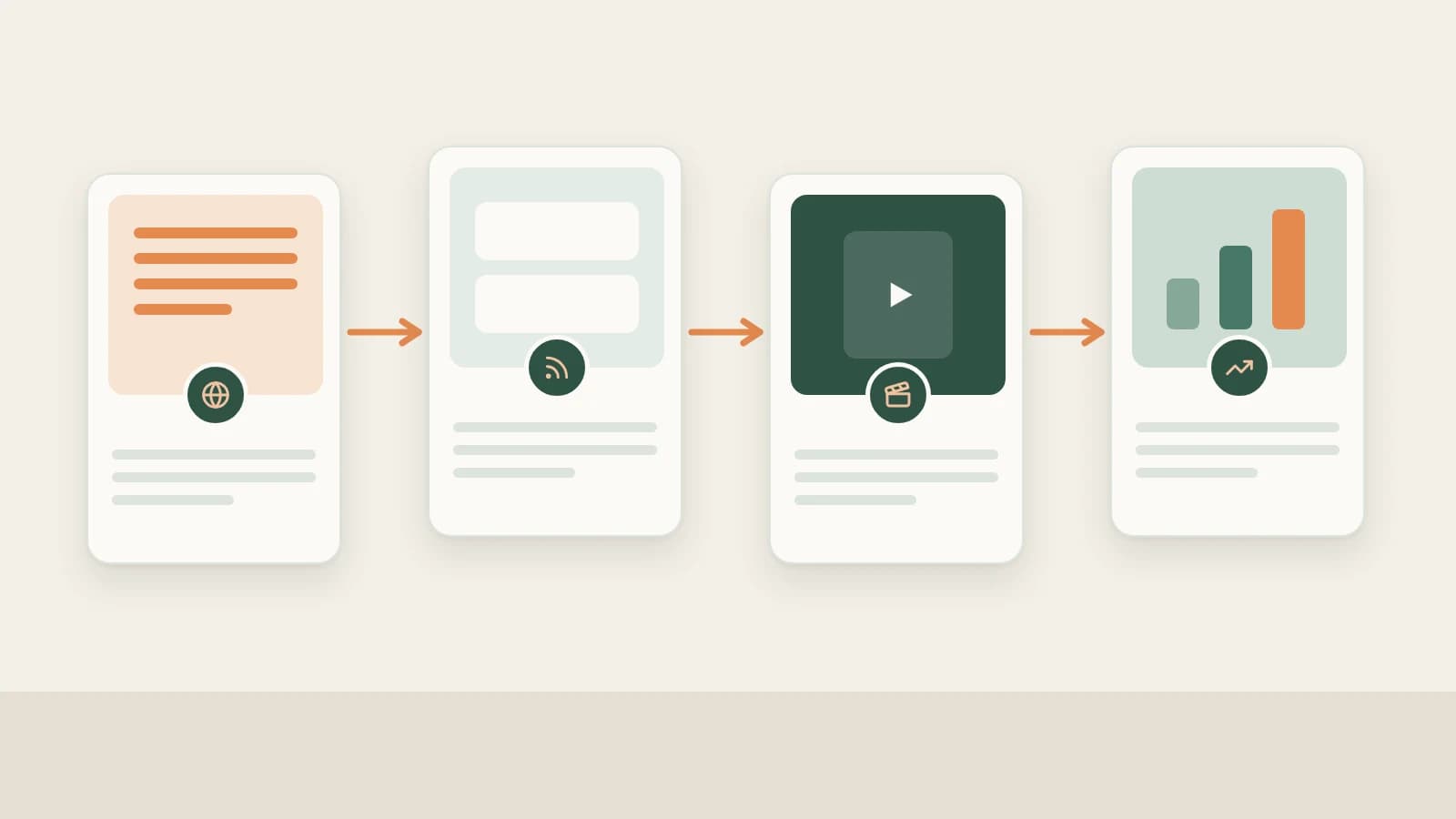
- Beav ties TikTok operations into a single local workflow: source grounded topics → subscribe to peers and batch-save clips → manually decompose 3-second hooks and shots → generate complete 9:16 production packages and rough cuts → review daily like history.
- Because TikTok isn't part of Add link or phone upload yet, batch saving runs through Download from Links (20 per batch) and Extract Video Script, while ongoing peer monitoring uses Knowledge Base → Subscriptions.
- AI speeds up structure extraction, multilingual drafts, and timeline cleanup; factual accuracy, disclosure rules, and final TikTok publishing remain yours.
Running a TikTok channel across scattered tools burns time at every handoff: one web site for MP4 downloads, a second tool for transcripts, an external chat window to rewrite scripts, and a separate editor to clean silences and burn in readable vertical captions.
Beav keeps your competitor references, transcripts, product cards, scripts, 9:16 covers, editing projects, and account snapshots in one local workspace so you skip exporting files across four tools on every upload.
Where TikTok Operations Lose Time vs. How Beav Cuts the Busywork
| Where time usually goes | How Beav streamlines the workflow |
|---|---|
| Saving orphan MP4s from download sites, then opening another tool for transcripts | Run Download from Links (up to 20 per batch) and Extract Video Script so clips, transcripts, and URLs stay together |
| Checking overseas peer accounts manually every few days | Subscribe to benchmark TikTok profiles in the knowledge base to sync uploads into your timeline automatically |
| Re-explaining product specs and pacing inside standalone translation/chat windows | Decompositions capture shot rhythm; selecting a Promote a Product scene pulls your saved product sheet into 9:16 scripts automatically |
| Exporting raw talking-head footage elsewhere just to trim pauses and add captions | Use Beav's smart rough cut and timeline right inside the workspace (plus SRT/WebVTT export) |
| Losing track of why earlier uploads worked when planning next week's shoot | Sync your TikTok profile for daily like snapshots right alongside the original script packages |
End-to-end TikTok workflow
Beav TikTok creation workflow
Step 1: Lock TikTok topics backed by trends, your library, and buyer questions
Skip guessing ten minutes before hitting record by drawing from three grounded inputs:
- News trends & saved-library distillation: Check Hotspots (with NewsBing authorized) for For Me rankings aligned with your space positioning and scan the 09:00 daily brief, or open Creation → Topic Radar (2.10.7) and new-chat Find topics prompts to turn saved competitor clips into targeted angles.
- Audience friction preserved from comments: Highlight recurring buyer doubts or feature questions on TikTok web pages and right-click Save selected text to Beav with the source URL intact, then synthesize those objections alongside saved clips. See TikTok topic ideas.
Step 2: Subscribe to benchmark creators and batch-collect hits
- Automated daily competitor checks: Paste a TikTok creator's profile URL under Knowledge Base → Subscriptions → + to save new uploads automatically into a local timeline (up to 10 subscriptions per space). See TikTok competitor tracking.
- Batch capture via mini apps: Because TikTok links use Beav's mini apps rather than Add link, open Tools & Skills → Mini apps and run Download from Links (up to 20 links per batch into Knowledge in this space) or Extract Video Script for bulk text/SRT transcripts. See collecting viral TikTok videos in bulk.
Step 3: Manually decompose winners into 3-second hooks, cuts, and audio
Saved clips wait until you choose which ones are worth spending model credits to Decompose (individually or in batches up to 100):
- Inspect timed transcripts, structural templates, and extracted core topics filed automatically under Asset Library → Topics.
- When videos are saved locally, Beav splits shots into keyframes, MP4 clips, a per-shot script, and non-speech music cues (editable directly via Merge into previous shot or Split at playhead). See TikTok breakdown (script, shots & music) and saving, breaking down and rewriting TikTok videos.
Step 4: Generate full TikTok production packages and vertical edits
Drag settled topics, reference breakdowns, and Product cards into a new chat, choose TikTok on the platform bar, and produce a master Markdown draft + production package (3-second hook variants, target-language voiceover lines, 9:16 cover framing, and a camera shot checklist).
Finish videos either by dropping filmed takes into chat for Smart talking-head cuts (built-in Montserrat / Noto fonts, 8 talking-head templates, 67 offline sound effects including 52 CC0 commercial-safe clips, and background music ducking), or by rendering an authorized digital human presenter with a 480P preview before upgrading to 1080P. See TikTok full content package.
Step 5: Sync your own TikTok profile and track daily like snapshots
Add your own TikTok profile under Account profiles → + (supported platforms and fetch depths are shown directly inside the add modal) and keep scheduled daily refresh enabled so Beav records daily like snapshots for Yesterday's review and AI growth queries—see TikTok account analytics & review.
Limits and notes
- Use mini apps and Subscriptions for TikTok capture. Single-post Add link and phone submission do not accept TikTok links.
- Keep final review and disclosure human. Use only authorized likenesses and voices for digital humans, verify product specs before publishing, apply required AI disclosures, and post manually from TikTok.
Column navigation
- Topics & subscriptions: TikTok topic ideas | TikTok competitor subscription
- Saving & breakdowns: Collect viral TikTok videos in bulk | Break down TikTok pacing, shots & music | Save, break down & rewrite TikTok videos
- Production & review: TikTok full content package | TikTok analytics & daily review
- Explore the full hub: TikTok column
Applies to Beav desktop 2.9 and later; Topic Radar, product cards, digital humans, and multilingual editor styling apply to 2.10.0–2.10.7.