
Key takeaways
- News trends & daily brief: Open Hotspots (with NewsBing authorized) to rank trends under For Me by your Douyin workspace positioning, or click + on Today's discoveries in your 09:00 daily brief (which pulls public key-free trends even without NewsBing).
- Reference library & Topic Radar: Open Creation → Topic Radar (2.10.7), pick Douyin → Find topics in a new chat, or drag 3–5 saved Douyin videos and breakdowns into one chat to sharpen your 3-second opening hook.
- Viewer comment clues: Highlight recurring reader questions or objections on Douyin web pages, right-click Save selected text to Beav, and combine them with your reference clips to frame topics viewers already care about.
The hardest part of running a Douyin account is rarely hitting record—it is staring at a teleprompter two days after your last upload with no clear angle for the opening three seconds. App trending tabs are full of entertainment noise unrelated to your niche, while your bookmarked folders sit untouched because scanning fifty videos by hand takes an evening.
Beav brings three repeatable Douyin topic streams into one workspace: timely trends, saved reference breakdowns, and real audience questions, saving every promising angle straight into your Topic pool.
Who it is for
- Creators publishing talking-head, education, local store, or commerce videos on Douyin every week.
- Teams with dozens of bookmarked competitor videos who struggle to synthesize fresh angles instead of repeating old hooks.
- Multi-account operators who want topic recommendations scored separately per Douyin account positioning.
1. Catch timely windows with Hotspots and your daily brief
- Filter by account positioning on Hotspots. Open Hotspots in the left navigation and complete NewsBing authorization. The For Me column ranks topics by popularity and fit with the active workspace's Douyin profile, showing orange Rising badges (3–4 platforms) and red Viral badges (5+ platforms). Click any trend to surface matching platform charts, then hit Discuss with AI to start a source-backed chat about whether the story fits your video style.
- Scan Today's discoveries at 09:00. Every morning at 09:00 local time, Home generates your daily ops report grouping news, trends worth chasing, and standout hits. Clicking + sends any item straight to your Topic pool with its original link intact so you can verify facts before scripting. See What the brief contains.
2. Mine evergreen topics from Topic Radar and your Douyin reference library
Trends fade fast; steady weekly growth comes from the competitor library you build on your own computer:
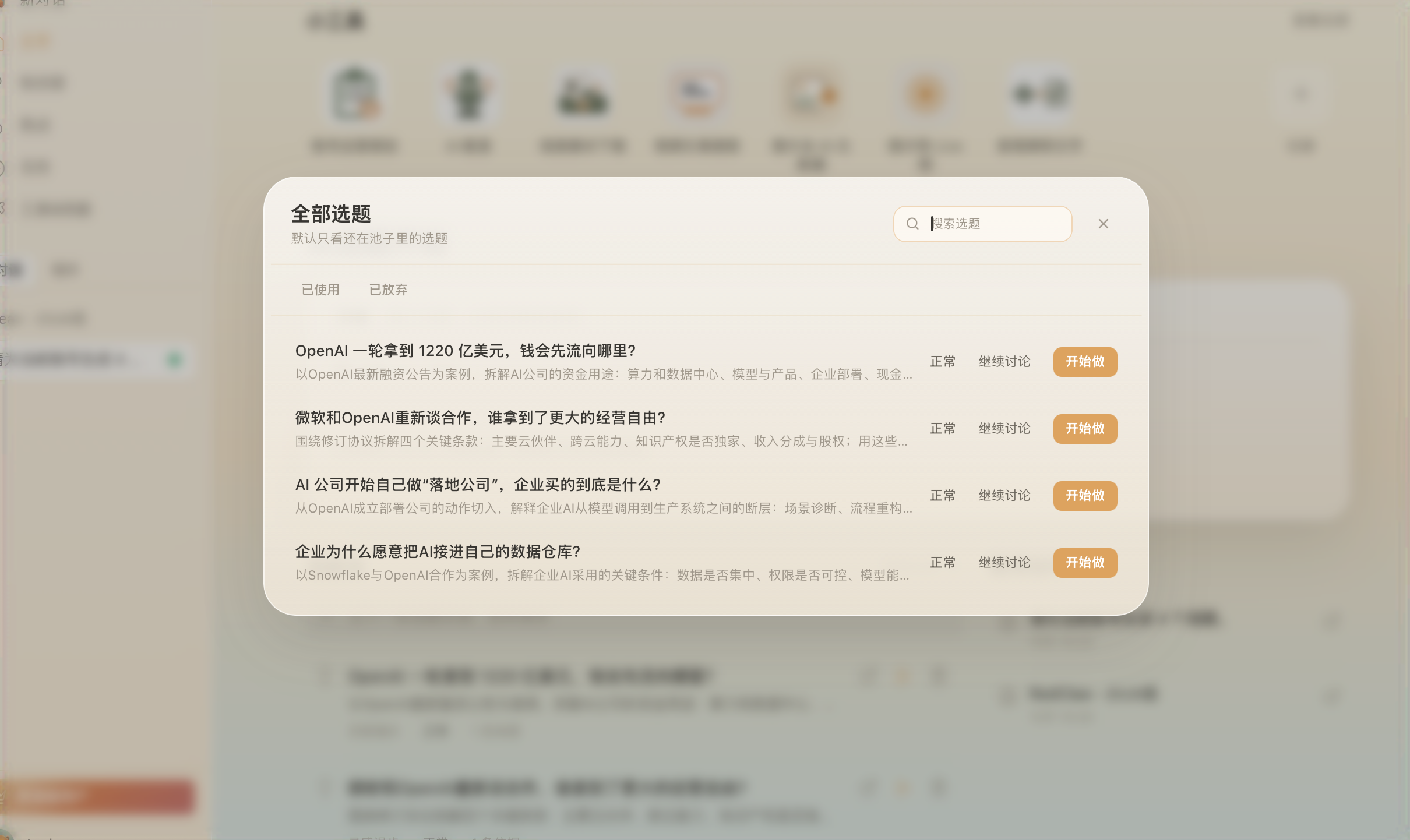
- Start from Creation → Topic Radar (2.10.7). Review candidate ideas generated from your space's saved assets or enter a seed topic, check the attached sources first, and click Start creating.
- Pick Douyin → Find topics in a new chat. Choose Douyin on the platform bar and click Find topics. Green-dot prompt starters pull your Account Plan, saved reference clips, and current trends to suggest spoken-hook directions suited to vertical video.
- Synthesize saved videos and manual breakdowns. Running Decompose on a saved Douyin clip sends its extracted core topic into Asset Library → Topics. Even better, drag 3–5 saved Douyin videos and extracted transcripts into chat so the AI maps target viewers, friction points, and a sharper opening question. See Let Beav find the topics.
3. Turn recurring audience doubts into sharper hooks
Videos often earn views without conversions because the script answers what the creator wanted to explain rather than what skeptics actually asked.
While browsing Douyin on desktop, highlight notable viewer questions, pricing doubts, or recurring objections in comment threads, then right-click Save selected text to Beav. Each snippet arrives in your Knowledge Base with its source link preserved. Drag those snippets alongside saved Douyin reference clips into one chat and ask the AI for three opening hooks built directly around what buyers hesitate over. See Images and selected text.
Choosing the right topic source
| Situation today | Recommended Beav path | Why it saves effort |
|---|---|---|
| Breaking industry policy or topic spike | Hotspots → Discuss with AI or daily brief + | Verifies primary sources and tests fit against your account before scripting |
| Planning a weekly series from saved benchmarks | Douyin → Find topics or drag 3–5 saved videos into chat | Surfaces structural patterns and fresh opening hooks anchored in real clips |
| Viewers keep questioning pricing or edge cases | Right-click selected comments + saved clips in chat | Grounds your first 3 seconds in genuine buyer language |
Limits and notes
- Relevance scores are not verification. Open and verify primary sources linked on Hotspots before quoting numbers, timelines, or policies on camera.
- Douyin comments are saved via text selection. Rather than bulk-scraping whole Douyin comment threads, saving selected high-signal comments keeps exact wording and source attribution accurate.
- Check your active workspace first. Both For Me trend scores and Find topics prompts reflect the current space's Account Plan—switch accounts in the bottom-left menu when handling multiple Douyin channels. See Account Plan.
Next steps
- Ready to produce scripts, 9:16 covers, and trimmed talking-head cuts? Read Douyin full content package.
- Want fresh benchmark uploads archived daily for future topics? Read Douyin competitor tracking.
- Full workflow and docs: Douyin operation guide, Hotspots, and Start from a platform and a scene.
Applies to Beav desktop 2.9 and later; Topic Radar is included from 2.10.7.