Key points
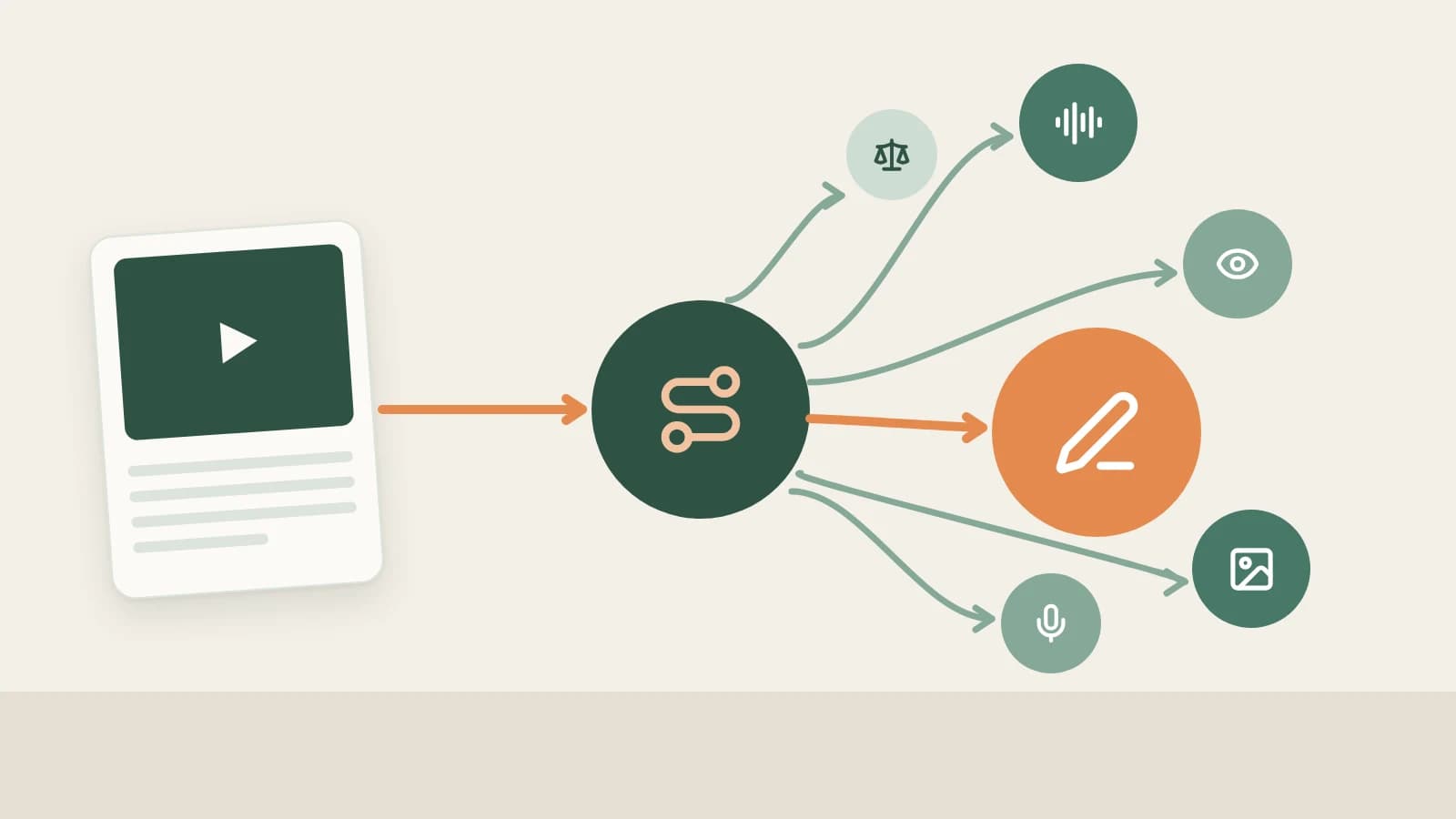
- Don't expect one model to do everything. A piece of content goes through transcription, image and video understanding, judgment calls, writing, image generation and voice, and each step needs different skills and a different budget.
- The rule is simple: give judgment questions to a small model, give unattended background work to a cheap, fast model, and save your best model for the creation you take part in. Hand listening, seeing, drawing and speaking to specialist models.
- Beav splits these steps into 11 rows under Settings → AI Models → Model capability settings, and each row gets its own model. The decision, automation and video analysis rows fall back to the chat or vision model when unset, and signing in with the official account fills empty rows with official defaults.
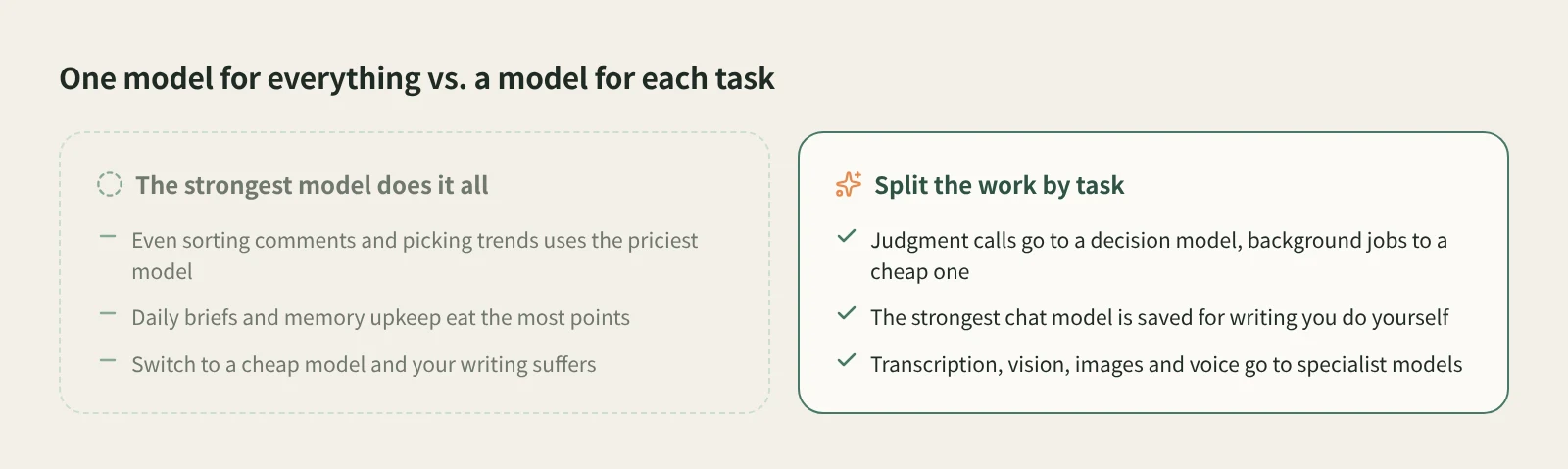
Many creators use AI like this: pick the model everyone calls the strongest and give it everything. It writes the posts, it decides whether a comment is asking about price, and it runs the daily brief every morning. The results are fine, but it's expensive and slow, and by the end of the day most of your points went to work that never needed the strongest model.
Switch everything to a cheap model and the writing falls short instead.
A better approach is to treat models like a team: each one does what it's good at, and you only pay more where it shows. This guide covers the thinking first, then uses Beav's actual model setup as the example, and ends with a configuration you can copy.
How many kinds of models one piece of content needs
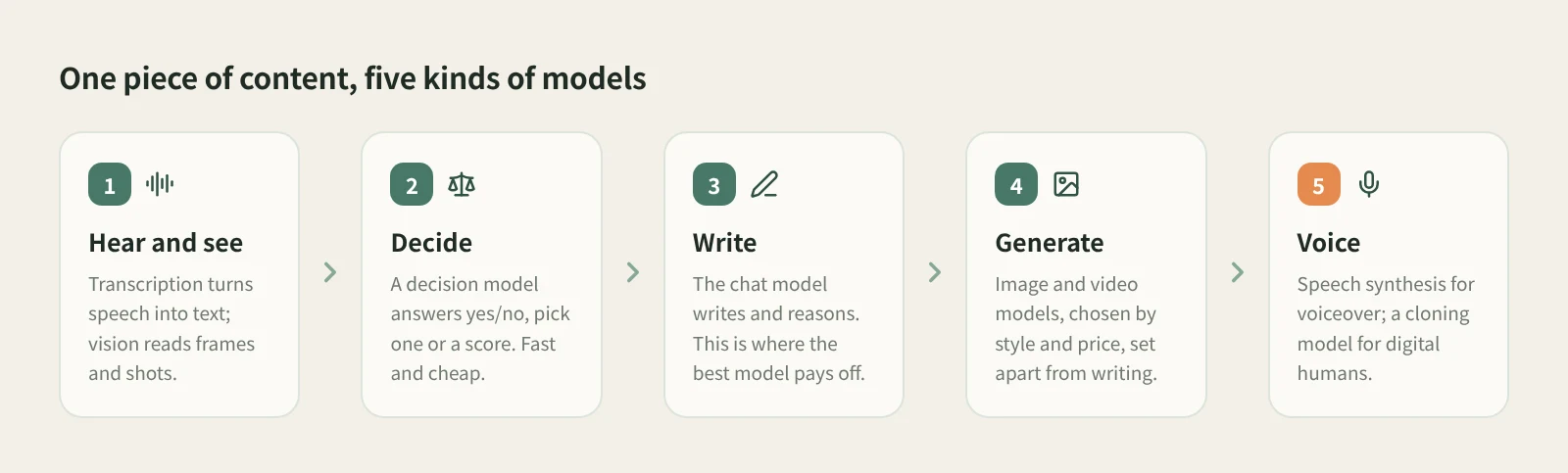
Break the workflow apart. Say you found a competitor's video, broke it down and wrote your own version:
| Step | Skill needed | What to look for in a model |
|---|---|---|
| Hear what the video says | Speech to text | Accuracy in your language, timestamps, price per minute |
| Understand the frames and images | Vision | Whether it can watch video and how long, how detailed its shot descriptions are |
| Decide whether it's worth doing | Yes/no, pick one, score | Fast and cheap; input-only billing is enough |
| Write topics, scripts and posts | Writing and reasoning | Writing quality, how well it follows your style, reliable tool calls |
| Make covers, images and video | Image and video generation | Style, text rendering, reference image support, price per image or second |
| Voiceover and digital human | Speech synthesis, voice cloning | Natural voices, tone control, cloning support |
Only the writing row needs the "best brain". The rest are either specialist skills (listening, seeing, drawing, speaking) or high-volume, simple judgment calls.
Four rules for splitting the work
1. Give judgment questions to a small model
"Which of these 50 comments ask about price?" "Does this trending topic fit my account?" "Is anything in this chat worth remembering?" The answer is yes/no, one option or a score. Nothing needs to be written.
Using a chat model here is like asking your lead writer to sort the mail. A small model built for judgment is fast, billed only by input and far cheaper, and because these questions come in volume, the savings add up.
2. Run unattended background work on a cheap, fast model
The daily brief, scheduled topic analysis, and long-term memory upkeep run often and on their own, and you usually only read the result. They need to be reliable and cheap, not beautifully written.
Giving background work a different model from the chats you have yourself is the easiest saving there is.
3. Save your best model for the creation you take part in
When you write the post, revise the script, or go back and forth with the AI on a topic, model quality shows directly in the result, so it's worth using your best one. You don't have to stay on one model either: brainstorm several drafts with a fast model, then switch to a strong one to polish the final version.
4. Hand listening, seeing, drawing and speaking to specialist models
A chat model that connects fine can't necessarily watch video, generate images or speak. Transcription has speech recognition models, frames have vision models, covers have image models, and voiceover has speech synthesis models. Specialist models are more accurate at their one job and often cheaper.
How Beav orchestrates models
The idea is simple; doing it is the hard part. Nobody keeps picking a model by hand for every task. Beav writes the split into settings: configure it once, and each feature then finds the model for its job on its own.
11 model capabilities, one job each
Under Settings → AI Models → Model capability settings, each use gets its own provider and model:
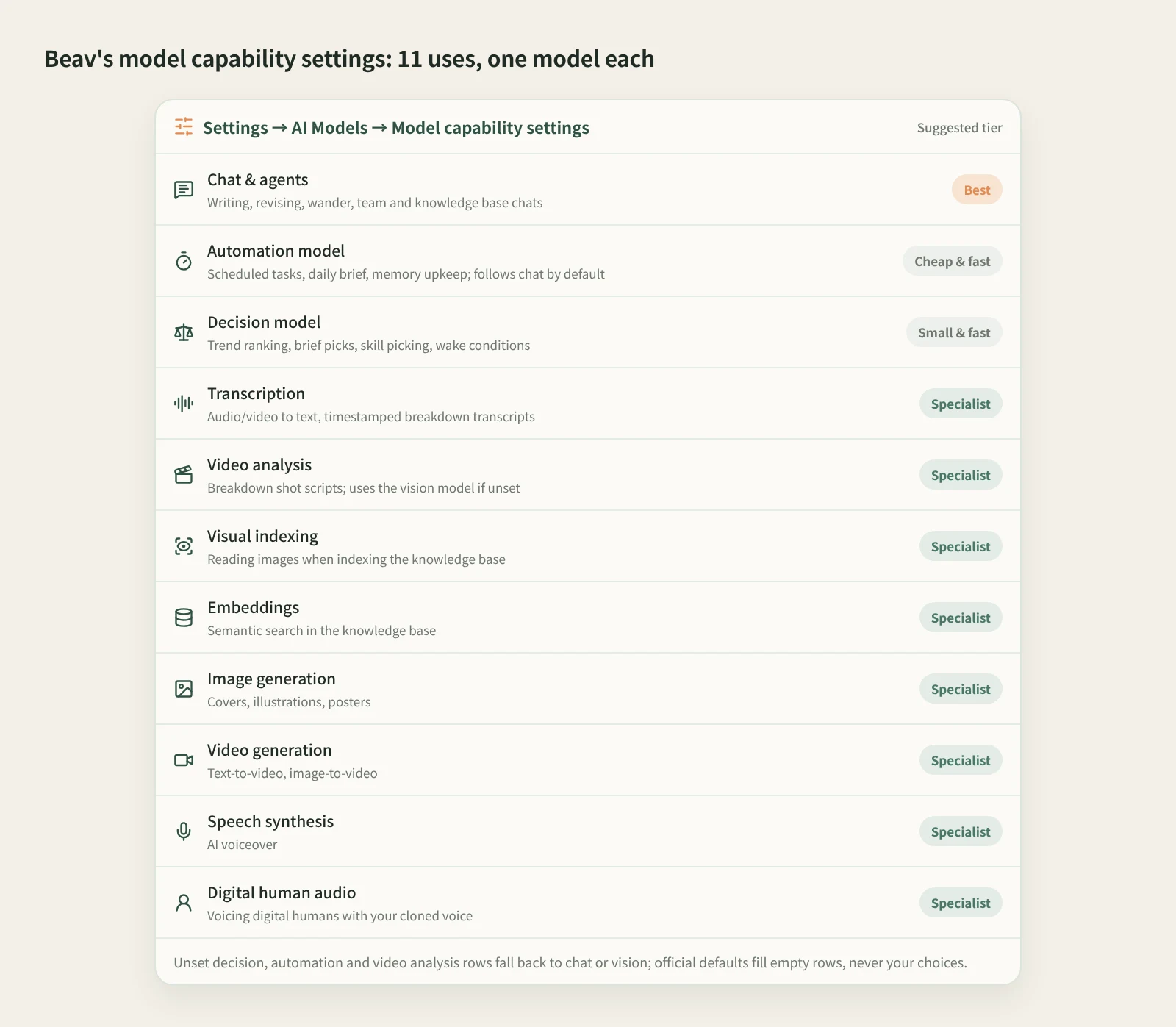
| Use | Where Beav uses it | Suggestion |
|---|---|---|
| Chat & agents | Chats you start, writing and revising, plus the wander, team and knowledge base modes | The strong model you like best |
| Automation model | Scheduled tasks, daily brief, auto operations, memory upkeep, library intake review | A cheap, fast model; defaults to "Same as chat model" |
| Decision model | Ranking trends for your account, picking trends for the daily brief, deciding what to remember, auto-picking a skill for a new chat, wake conditions on scheduled tasks | A small, fast judgment model |
| Transcription | Audio/video to text, timestamped transcripts in breakdowns | A speech recognition model good at your language |
| Video analysis | Shot scripts in breakdowns, marking on-camera and B-roll segments | A vision model that can watch video |
| Visual indexing | Reading images in documents and assets when indexing the knowledge base | A cheap vision model is fine |
| Embeddings | Semantic search in the knowledge base | An embedding model; set it and leave it |
| Image generation | Covers, illustrations, posters | Choose by style and price per image |
| Video generation | Text-to-video, image-to-video | Choose by quality, length and price |
| Speech synthesis | AI voiceover | Choose by voice and tone control |
| Digital human audio | Voicing digital human videos with your cloned voice | Only models that support cloning are listed |
A few concrete examples:
- Breaking down one video uses three models at once. The timestamped transcript goes to transcription, the topic and structure go to the chat model, and the shot script goes to video analysis. Before a batch breakdown starts, the confirmation says each item will call the transcription, chat and video understanding models. If one step's model is unavailable, the other parts are still saved and the result lists which step didn't finish.
- The daily brief runs on the automation model. The "which trends to pick" step goes to the decision model first if you set one. When you open the brief and keep chatting, you're back on the chat model.
- For the first message of a new chat, the decision model picks a skill. If you didn't @ a skill, it judges which one fits best: when it's confident, the skill is applied; when it's fairly sure, it only suggests one, and it takes effect when you click Enable.
You don't have to fill every row
Not everyone wants to fill in all 11 rows. When you sign in with the official account, empty rows get official defaults, and the optional rows each have a fallback:
- When the decision model isn't set or fails, the places that use it fall back to the chat model.
- With the automation model on "Same as chat model", background work uses the chat model as before, and if the model you set is unavailable it falls back to the chat model too. When your chat model runs on the official service, Beav fills in the officially recommended automation model, which you can change at any time.
- When video analysis isn't set separately, the configured vision model is used.
- Reading images: if the current chat model supports images, it gets the image directly; if not, the configured vision model is used.
Two more rules keep "automatic" from turning into "unpredictable":
- Your choices are never overwritten. After you sign in to the official account, Beav only fills official defaults into empty rows. Any official, third-party or local model you already chose stays as it is, and later changes to the official defaults won't replace it.
- No silent model swaps. When an official model is retired, Beav switches to the official default for the same use only after confirming the model is really gone from the official catalog. If a third-party or local model you added is unavailable, you get a clear error; Beav never swaps it for a model from another provider.
Switch any time in a chat, and the chat remembers
You can pick the chat model right in the new chat input box. A model you choose by hand is saved with that chat and comes back when you reopen it; chats without a manual choice follow the current default in settings.
That makes "brainstorm on a fast model, finish on a strong one" easy in Beav: switch models mid-chat and the text and tool results you already have are kept. Official models show a multiplier against the vendor's list price next to their names (for example ×0.60), so you can see the rough cost difference before switching. Each AI reply also shows the points that turn actually used.
A setup you can copy
If you don't know where to start, use one of these three tiers. For which models are available and what they cost, see Models & Pricing.
Easy: set only a chat model. After you sign in with the official account, the other uses are filled with official defaults, and the automation model gets the officially recommended one. Good for getting started without fiddling.
Thrifty: the easy setup plus two changes.
- Set a decision model. Trend ranking, daily brief picks and skill selection move off the chat model.
- Switch the automation model from "Same as chat model" to a cheap, fast model. The more scheduled work you run, the more you save.
Neither change touches the quality of what you write yourself, which makes them the best-value adjustments.
Quality: tune each step.
- Use your favorite model for chat and keep it for writing.
- Pick the model with the best video understanding for video analysis; breakdown shot scripts get more detailed.
- Choose the image model that matches your cover style. Try a few and keep the most consistent one.
- Choose speech synthesis and digital human audio models by voice. Digital human videos in your cloned voice need a cloning-capable model under Digital human audio.
- If you already have your own API or local model, connect it with Add provider or Add local and replace only some rows, for example your own API for chat and the official models for images.
Common mistakes
- Changing the chat model doesn't change the image model. Chat, image and video models are configured separately; changing one leaves the others alone.
- A model that chats doesn't do everything. A third-party model that answers chats doesn't necessarily support tool calls, images or generation upstream. Check each use separately.
- Treat the decision model's answers as a first pass. It's great for screening, such as pulling the price questions out of hundreds of comments, but the final call is yours.
- External agents look at images with their own model. When an agent connected over MCP looks at images in Beav, Beav passes the image as is and the agent's own model reads it, without using Beav's vision model quota.
- Custom models are a membership benefit. Calling third-party AI or local models you add requires a membership; official models are open to everyone except those marked Members only. Follow what the settings page shows.
Next steps
- Steps for adding a third-party or local model: Account, credits and model settings.
- See how three models work together in one breakdown: Video breakdown and shot scripts.
- See what the automation model runs every day: Daily ops brief.
- Introductions and prices for every official model: Models & Pricing.
For Beav desktop 2.10, checked 2026-10-26.