


Home and real estate teams hold an unmined asset: actual project photos. Completed cases, construction-site progress shots, floor plans — material competitors cannot copy. But reality usually runs the other way: those photos sleep on a hard drive for years and contribute not one decent post.
We have seen the same pattern in team after team — enthusiastic photographers, filing dead people.
Why do real photos matter this much? Readers of home content are scrolling for proof that someone actually pulled this off. Smooth copy is secondary; a real delivered project behind the post is the pillar everything rests on.
Step one: turn the hard drive into a library
Organize by the axes the industry ships with: room, style, budget tier. However precise a search like "89 sqm, nordic, two-bedroom, full package under 150k" is, your tags should be just as precise. File material by search intent, and later topics become picking, not inventing. Put case photos, floor plans, and quote sheets into the local material library, capture benchmarks the usual way, and the whole pipeline starts from that one library.
Bulk-importing old footage is grunt work — a studio's three-year backlog can eat two weekends, and retagging mistakes are annoying. Saying the cost up front: we procrastinate on our own old files too. After that it is only incremental, one project filed the day it is handed over. Once the library stands, the next steps have something to stand on.
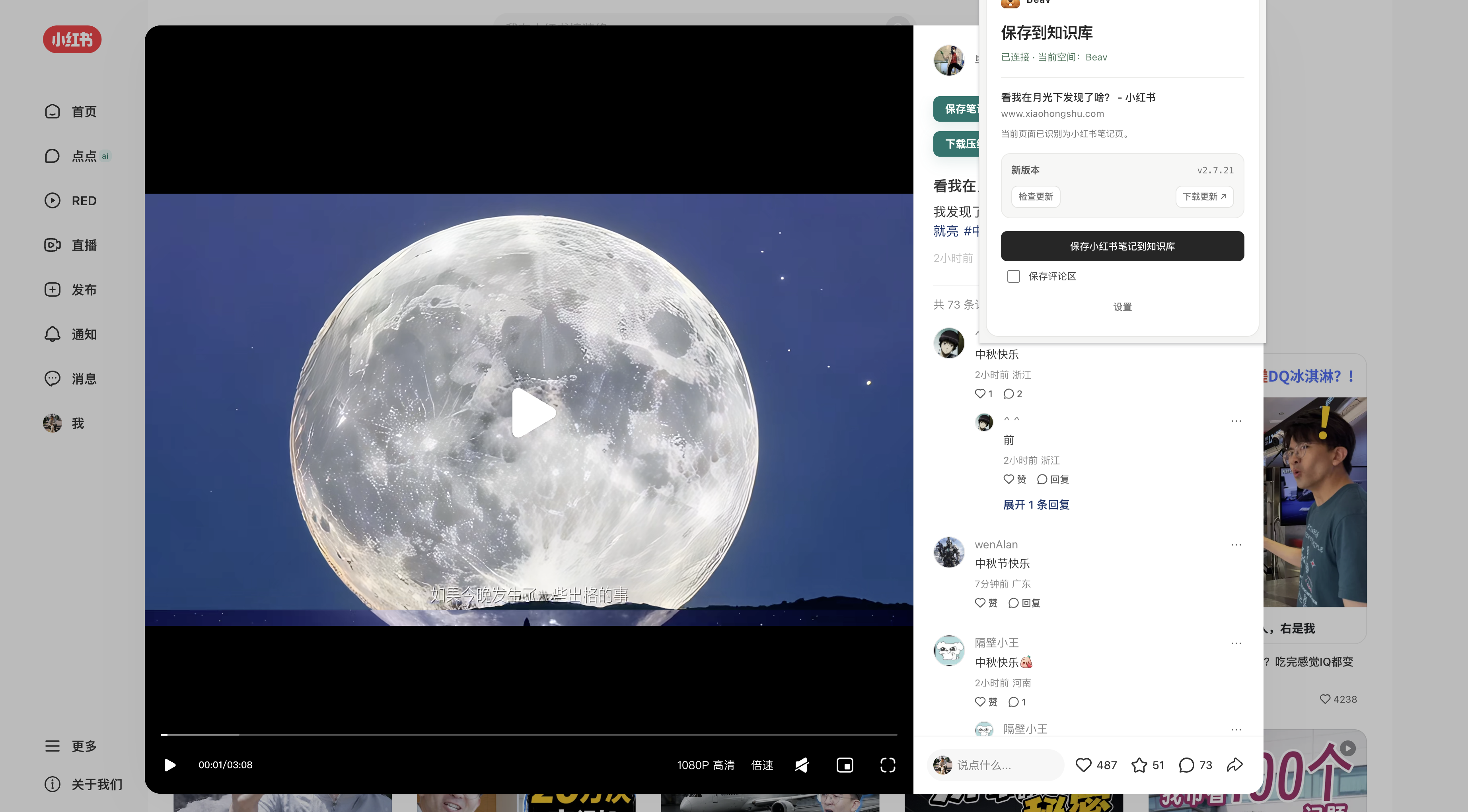
The increment comes from the browser. On a RedNote (Xiaohongshu) floor-plan post, open the Beav sidebar and save the post text, the original floor-plan images, and the comment thread buyers keep crowding into; the source link rides along automatically, and the extension usage guide walks through it. What buyers re-ask in the comments — daylight, traffic flow, property fees — is the raw feed for your next round of pitfall topics.
Inside the workspace the material splits up. Project and floor-plan photos go to the media library; named objects like buildings, floor plans, and furniture pieces go to the subject library, tagged by complex and category. When it is time to cover one complex, a tag search pulls its photos and matching cases out as a set.
Mistake topics: let proven structures carry your projects
In the home niche, nothing pulls volume like pitfall-avoidance posts — plumbing and electrical, storage, surprise charges, failure roundups. Why? Loss aversion beats aspiration every time; readers watch one "don't do this" before they look at ten "look how pretty".
Do not start a pitfall post from a blank page. To be blunt, let proven structure do the walking: break down the niche's viral pitfall posts, count how many mistakes they list, in what order, and what the comments keep asking, then keep only the ones your own projects can back up. The five stations in the AI RedNote (Xiaohongshu) playbook — capture, breakdown, topics, drafting, covers — are exactly this loop.
Topic picking can stand directly on that library. Let Beav distill topics from the real material inside the workspace; each topic arrives with its target audience, core pain point, angle, and citable assets, and anything your own cases cannot back gets dropped. The collect-to-create workflow is exactly this path. Once you choose a topic, tell Beav the platform, audience, photos to cite, title direction, and cover needs so the draft stays on track.
Then fill the proven structure with your own case. Write a plumbing-mistake post using only the treatments you have actually done on site, each with a real photo or floor-plan sketch. AI handles wording and layout, carrying you from blank page to first draft in one jump — but the cases and photos must be yours. A pitfall post without real projects behind it is just supply for your competitors.
Covers: before/after is the hardest currency
With the direction clear, ask Beav to draft the image-text post, open-house talk track, and title candidates using the photo set found by your tag search. When the draft passes, the cover is up next. For home covers we push exactly two formats: big text and before/after. One catches the traffic of pitfall posts, the other slams the case's persuasiveness straight into the feed. Both have ready templates in the viral 3:4 cover workflow — swap title and reference image, render. Whether a reader stops scrolling comes down to how real the contrast looks in the first three seconds. That contrast cannot be faked, and does not need to be; your job sites produce it daily.
Put the city and the budget band where search can find you
For a store-bound account, every post is really a lead-gen move, and the local intent hides in one place: region and budget band. Spell out the city, the unit type, and "within X budget" in the title, the first line, and the hashtags. Think about it — how close is someone searching "old apartment renovation" with their city attached? This is not a trick, it is the literal meaning of search intent; most people just cannot be bothered to write it.
One shoot, many outputs, layered accounts
Home projects shoot rarely, so a delivery's material is hard-earned — do not spend it all in one post. Split one case into the company account's project writeup, the designer's personal site-diary, and one Q&A entry reading "is this budget actually doable". That is precisely the one-to-many repurposing covered in the content repurposing guide.
Account layering follows the same logic. The company account posts cases and brand, answering "is this firm dependable"; the designer's or agent's personal account posts process and opinion, answering "is this person a pro". Personal accounts can be rough but must be real; company accounts can be formal but the numbers must be right. Both tones are trained by feeding each account's own past posts into the writing layer.
A buzzkill bottom line, and the floor plan that started it all
This pipeline has a bottom line that is also the industry's: dimensions, quotes, and construction details get a human check, one by one. No matter how fluent AI writes, turn 45 square meters into 54 or misquote a package price and you are not losing one post — you are spending the account's credit. In a big-decision vertical, one wrong number can wreck an account, and one screenshot is all it takes to spread. Our rule: rather ship one post fewer today than one unverified post. So the last step of the flow is always a human move: draft and cover clear the check line by line, then go out by hand from the account's own backend. The pipeline ends at that manual click.
Speaking of drawings, the property industry itself ran the earliest standardization play: the floor plan. A three-dimensional house abstracted into one uniform 2D drawing — dimensions and openings all speaking one language, remote shortlisting possible from a picture alone. One drawing made remote viewing work; that may be the oldest and most successful case of content-assetization there is.
The floor plan was the previous generation's sample book. The case photos on your hard drive are this generation's, and all they lack is a pipeline to put them to work.
If you run a design studio or a property team, take one step this week: pick the most recent delivery, file its photos by room and budget band into the library, capture twenty benchmark pitfall posts, and try one batch session next month. Get the desktop app — material only becomes an asset once it is filed and findable.